So you want to learn how to start DJing. The good news is that the path is well-trodden and surprisingly affordable, but the order in which you tackle each step matters more than any single piece of gear. This guide is the master roadmap: it walks you through choosing equipment, picking software, sourcing music legally, wiring everything up, and learning the right skills in the right sequence. Treat it as your map, then dive into the dedicated articles for the deep detail on each stop along the way.
Start With One Simple Gear Decision
There are three families of DJ hardware: controllers, media players (CDJs), and turntables. For almost every beginner, the answer is a controller — an all-in-one surface with two decks, a mixer section, jog wheels and a built-in sound card that plugs into your laptop over USB and tells your DJ software what to do. As Wikipedia's DJ controller entry explains, a controller does not mix the audio itself; it sends control signals to a computer, and most units include a sound card with separate outputs so you can preview tracks in headphones before the crowd hears them.
Controllers are the cheapest, most compact way to learn, and entry-level units come bundled with capable software. CDJs and turntables are worth understanding and may suit you later, but they cost considerably more and add complexity you do not need on day one. We cover the full trade-offs in Controller, CDJ, or Turntables and Choosing Your First Controller, so here we will simply say: buy a beginner controller and move on. The faster you stop shopping, the faster you start mixing.
Pick Software You Will Not Outgrow Too Fast
Your controller will be bundled with — or unlock — one of the major DJ applications, and every one of them has a free or low-cost entry tier that is more than enough to learn on. The big five are rekordbox, Serato DJ, Traktor Pro, VirtualDJ and djay. Choosing is less about features and more about which one your controller is designed for, so check compatibility first.
A few specifics worth knowing. Pioneer DJ/AlphaTheta's rekordbox has a genuinely usable free plan: certain Pioneer DJ units, known as Hardware Unlock devices, switch on Performance mode for your whole setup, so connecting one and completing owner registration upgrades the app from Free to Free Plus and unlocks performance-mode mixing and recording (recording is not available when you play from streaming services). You can read the eligible-device list on the official rekordbox Hardware Unlock page. Serato DJ Lite is free but deliberately limited — it gives you up to four cue points, with no built-in mix recording and no key detection — while upgrading to Serato DJ Pro ($9.99/month or $249 one-time) unlocks eight hot-cue slots, up to 32 sampler slots, in-built recording and real-time key analysis for harmonic mixing. VirtualDJ's Home license is free for non-commercial use but only drives entry-level controllers and keeps a branding overlay; per VirtualDJ's pricing page, a Pro license at $19/month (or $299 one-time for Pro Infinity) is required once you earn money. djay is a free download on macOS, iOS, Android and Windows for core two-deck mixing, with PRO features unlocked by subscription. Traktor Pro is the more producer-focused option and is mostly tied to Native Instruments' own controllers.
Here is how the free tiers compare for a beginner.
| Software (free tier) | What you get free | Best starting fit |
|---|---|---|
| rekordbox (Free/Free Plus) | Library prep and USB export; performance mode and recording unlocked by a compatible Pioneer/AlphaTheta controller | Anyone planning to play on club CDJs later |
| Serato DJ Lite | 2-deck mixing, 4 hot cues, basic FX; no recording, no key analysis | Owners of Serato-bundled controllers |
| VirtualDJ Home | Full features for home use with entry-level controllers; branding overlay; no paid gigs | Tight budgets and casual learners |
| djay (free) | Core 2-deck mixing, sync, broad streaming-service integration | macOS/iOS users wanting simplicity |
| Traktor Pro (demo) | Time-limited full features; pairs best with Traktor hardware | Producers and effects-driven mixers |
Get Your Music Legally — and Own What Matters
A DJ is only as good as their music, so building a legal library is a core early task, not an afterthought. You have three broad routes, and most working DJs use a blend.
The first is buying tracks outright from download stores, which gives you high-quality files you keep forever — Beatport, for example, sells lossless WAV and AIFF files alongside 320 kbps MP3s, with WAV files typically running 30–50 MB each. The second is a record pool — a subscription service that grants unlimited downloads from a curated, label-supplied catalogue; BPM Supreme's Standard (Open Format) plan is $24.99/month, with premium plans around $34, and pools such as ZipDJ and DJcity sit in a similar range. Pools also supply DJ-friendly extras like intro/outro edits, clean radio versions and acapellas, and their tracks are licensed for you to play out. The third route is streaming integration through a service like Beatport Streaming, which pipes a vast catalogue directly into your DJ software for a monthly fee — $15.99/month for the Advanced tier or $29.99/month for Professional, which adds lossless FLAC streaming and a 1,000-track offline library. (Beatsource, the open-format service for hip-hop, pop and Latin DJs, has been merged into Beatport and phased out as a standalone product, so expect that catalogue to live within Beatport going forward.)
Here is the crucial distinction for a beginner to internalise: streaming is fantastic for discovery and practice, but owned files are the safest choice for gigs. Streaming requires a live internet connection, and venues are notorious for weak Wi-Fi. Services offer an offline locker to cache tracks for offline play, but it comes with real strings attached. Beatport's own support documentation warns that the offline locker is deleted automatically when you cancel the subscription, and that it cannot be transferred between devices or between DJ applications — read the details on Beatport's offline-locker support page. You also cannot record a mix from streamed tracks, and you do not actually own the music. The takeaway: stream to explore and build playlists, but make sure the tracks you truly rely on for a set are downloaded, high-quality files you own and control.
Wire It Up: The Signal Chain
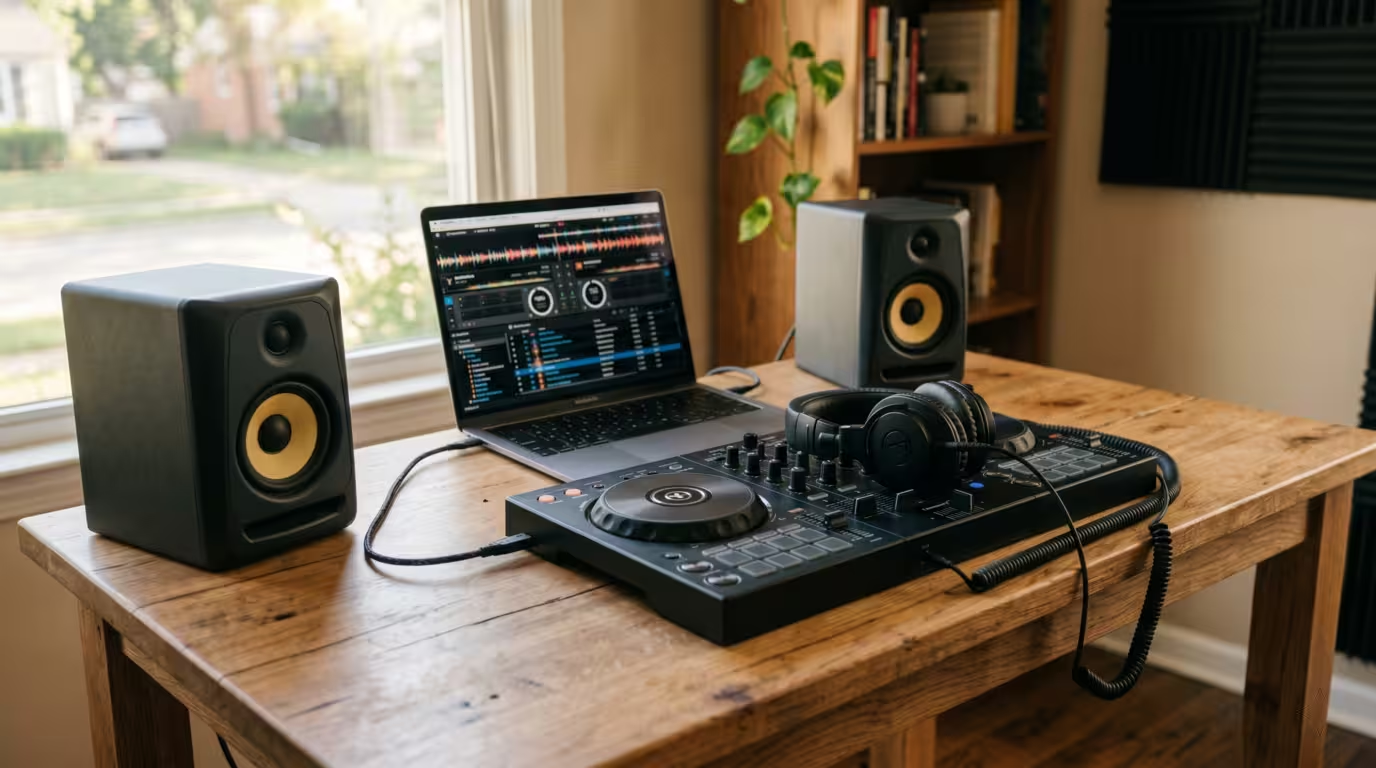
Understanding the basic signal chain removes most why-is-there-no-sound panic. A laptop-and-controller setup has a simple, logical flow: your music lives on the laptop, the controller connects to it by a single USB cable and acts as the sound card, your speakers or monitors plug into the controller's main (RCA) output, and your headphones plug into the controller's headphone jack.
The one setting beginners always miss is telling the DJ software to use the controller's sound card rather than the laptop's built-in audio. That separation is what makes mixing possible: the master output feeds the speakers while a separate cue output feeds your headphones, so you can preview the next track privately. Connect the controller's main output to powered speakers — never to a phono input, which expects a much weaker turntable signal and will distort. If you are only practising quietly, you can even cue and beatmatch entirely in headphones using the cue/mix knob.
Learn the Skills in This Order
This is the heart of the roadmap. The single biggest mistake beginners make is jumping straight to flashy transitions before they can keep two tracks in time. Skills build on each other, so learn them roughly in this sequence.
Start with track knowledge and library management — genuinely knowing your music, where each track's intro, breakdown and drop sit. Next, master gain setting and levels: set each channel's gain so the loudest peaks sit just below the red on the meters, keep channel faders near the top, and never redline the master. Then learn cueing in headphones — using the cue button to find and pre-listen to the next track's first beat while the current one plays out loud.
With those foundations, tackle phrasing and counting bars. Almost all dance music is in 4/4 time, where one bar is four beats, and those bars group into phrases of eight bars (32 beats); audible changes — a new hi-hat, a vocal, a drop — almost always land at the start of a new phrase. Counting in 8s lets you start a blend at a phrase boundary so it sounds intentional rather than messy.
Now comes beatmatching, which Wikipedia defines as pitch-shifting or time-stretching an incoming track so its tempo matches the track already playing. Learn to do it by ear first: cue the incoming track in your headphones, then nudge the pitch fader and jog wheel until its beats lock with the track playing out, much as Native Instruments lays out step by step in its beatmatching guide. Modern software has a sync button that does this automatically, and the community is split on it — but the consensus, even among many pros who use sync, is that beginners should still learn manual beatmatching so they can fix problems when sync fails or the beat grid is wrong. After that, learn EQ blending (especially the bass swap: cut the low EQ on the incoming track, then trade basslines at a phrase boundary so two kick drums never fight) and finally basic transitions like the fade and the EQ blend.
| Order | Skill | Why it comes here |
|---|---|---|
| 1 | Know your tracks + library | You cannot mix music you do not understand |
| 2 | Gain staging and levels | Clean, distortion-free sound is the baseline |
| 3 | Cueing in headphones | Lets you prepare the next track privately |
| 4 | Phrasing and counting bars | Tells you where to start a mix |
| 5 | Beatmatching by ear | Tells you how to lock two tracks in time |
| 6 | EQ blending and bass swap | Stops basslines clashing during the blend |
| 7 | Basic transitions | Combines everything into a smooth mix |
Build a Practice Routine That Sticks
Consistency beats marathon sessions. Twenty to thirty focused minutes a day will make you a better DJ faster than a single three-hour binge once a fortnight, and the trick is to keep your gear set up and ready so starting takes zero effort. Give each session a single purpose rather than noodling aimlessly. A simple, proven structure looks like this.
| Time | Focus |
|---|---|
| First 10 minutes | Beatmatching drills: load two random tracks, match by ear, reset, repeat |
| Middle 10 minutes | Phrasing: practise starting blends exactly on phrase boundaries |
| Last 10 minutes | Mini-set: mix 4–5 tracks back to back as if performing, and record it |
Build your sessions around playing actual short sets, because that is how you truly learn your tracks and learn to recover from mistakes. Treat every session as a tiny performance rather than aimless practice.
Record, Review, and Hit Realistic Milestones
Recording every practice set and listening back is the fastest feedback loop you have. In the moment a transition can feel flawless; on playback you will hear the timing drift, the level jumps and the energy dips you missed. Every major DJ app can record your mix (Serato Lite being a notable exception). Keep a running note of what went wrong and target those specific issues next session, and once mixes sound clean, share them privately with DJs you trust for honest feedback.
How long until you are gig-ready? Be realistic but encouraged. Most learners can blend two tracks confidently within one to three months of regular practice. Playing confidently in front of other people — where transitions feel natural and you can recover from a mistake without panicking — typically takes six to twelve months. A first paid booking commonly lands somewhere between six months and two years, depending far more on networking, reliability and music selection than on technical wizardry.
| Timeframe | Realistic milestone |
|---|---|
| Weeks 1–4 | Setup mastered; first clean beatmatched blend |
| Months 1–3 | Confident mixing a short set at home |
| Months 6–12 | Comfortable playing for friends or a small crowd |
| 6 months–2 years | First paid or public gig |
Key takeaways
• Buy a beginner controller, pick the free software it is built for, and stop shopping so you can start mixing.
• Own high-quality files for anything you will play live; use streaming and record pools for discovery, not gig-critical reliability.
• Learn skills in order: know your tracks, set levels, cue, count phrases, then beatmatch and blend.
• Practise 30 focused minutes daily, record every set, and review it to improve.
• Expect months, not weeks, to feel confident — and remember music selection matters more than tricks.
Ready-made, exclusive EDM tracks with full rights — released as your own.
