A hot cue is one of the most powerful tools on a modern DJ controller or media player, yet plenty of DJs only ever use a fraction of what it offers. If you can already beatmatch and phrase, hot cues are the next layer of control: instant, saved jump-points that let you skip to a drop, launch an incoming track exactly on the downbeat, or finger-drum a vocal into a brand-new pattern. This guide explains exactly what hot cues are, how they differ from the other cue buttons that confuse beginners, and how to use them practically and creatively in your sets.
What a Hot Cue Actually Is
A hot cue is a saved marker at a specific point in a track that, when you press its pad, instantly jumps playback to that exact position and (on most gear) starts playing from there. Crucially, hot cues are saved to the track and recalled every time you load it — set them once during prep and they are there for every future gig. Manufacturer documentation is consistent on this: Rane's support pages describe a hot cue as a marker within a track that you can set and jump to instantly during your performance, letting you reach the chorus, drop or breakdown without manually searching.
This is where beginners get tripped up, because the word cue appears on several different buttons that do completely different jobs:
| Control | What it does |
|---|---|
| Headphone/PFL cue | Pre-listens a channel in your headphones; nothing to do with markers |
| Main (temporary) cue | The single CUE button that sets one temporary start point, not saved |
| Hot cue | Multiple saved, pad-triggered markers that travel with the track |
The main CUE button sets a temporary cue point — useful for finding a start position and stuttering a track in, but it is a single point and is not stored permanently. As Digital DJ Tips puts it, hot cues are the same idea except there are several of them and they are remembered, so the next time you load the track your hot cues are still there. Because they are permanent, you can use them consistently to mark the same kinds of places across your whole library.
How Hot Cues Work on Your Gear
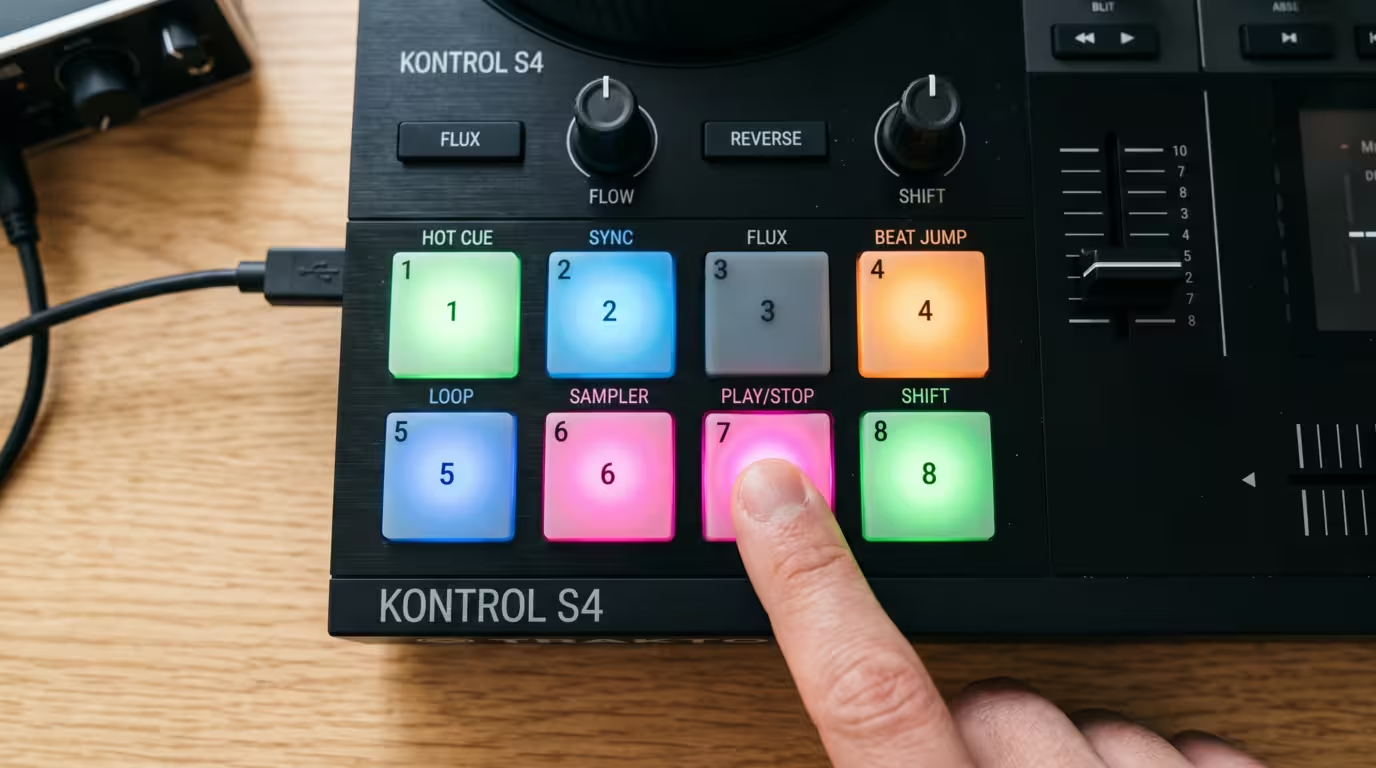
On controllers and standalone players, hot cues live on the performance pads. You set the pads to Hot Cue mode, and each pad represents one hot cue. Press an empty pad at the point you want to mark to set it; press it again to jump back and trigger it; hold Shift (or the dedicated delete button) and press the pad to remove it. The pads light up in colour to show which slots are filled — Pioneer DJ's hardware diagrams show pads in Hot Cue mode handling Set/Call on press and Delete with Shift.
The number of hot cues you get is one of the most-asked questions, and the honest answer is: commonly eight, but it varies. Most controllers and players give you eight hot cues per deck, mapped to eight pads. Serato is explicit that eight is the maximum number of hot cues you can set in Serato DJ Pro. Traktor Pro provides eight Hotcue buttons on the CUE page, though it lets you store many more cue points in the cue list and map any of them to those eight slots. VirtualDJ's pad pages assign Hot Cue Points 1 to 8, with additional banks available.
Rekordbox is the outlier with the most headroom. Per AlphaTheta's own support documentation, Performance Mode expanded the number of hot cue points per track to 16 (A to P) from rekordbox 5.0, while Export Mode still allows only 8 (A to H). That distinction matters for club play: if you prepare a USB stick for CDJs (Export Mode), only the eight A–H hot cues travel to the hardware, and the I–P cues set in Performance Mode cannot be exported. On the flagship players themselves, the CDJ-3000 moved to a single horizontal row of eight dedicated hot cue buttons beneath the screen — double the four banked hot cues that sat vertically on the left of the previous CDJ-2000NXS2.
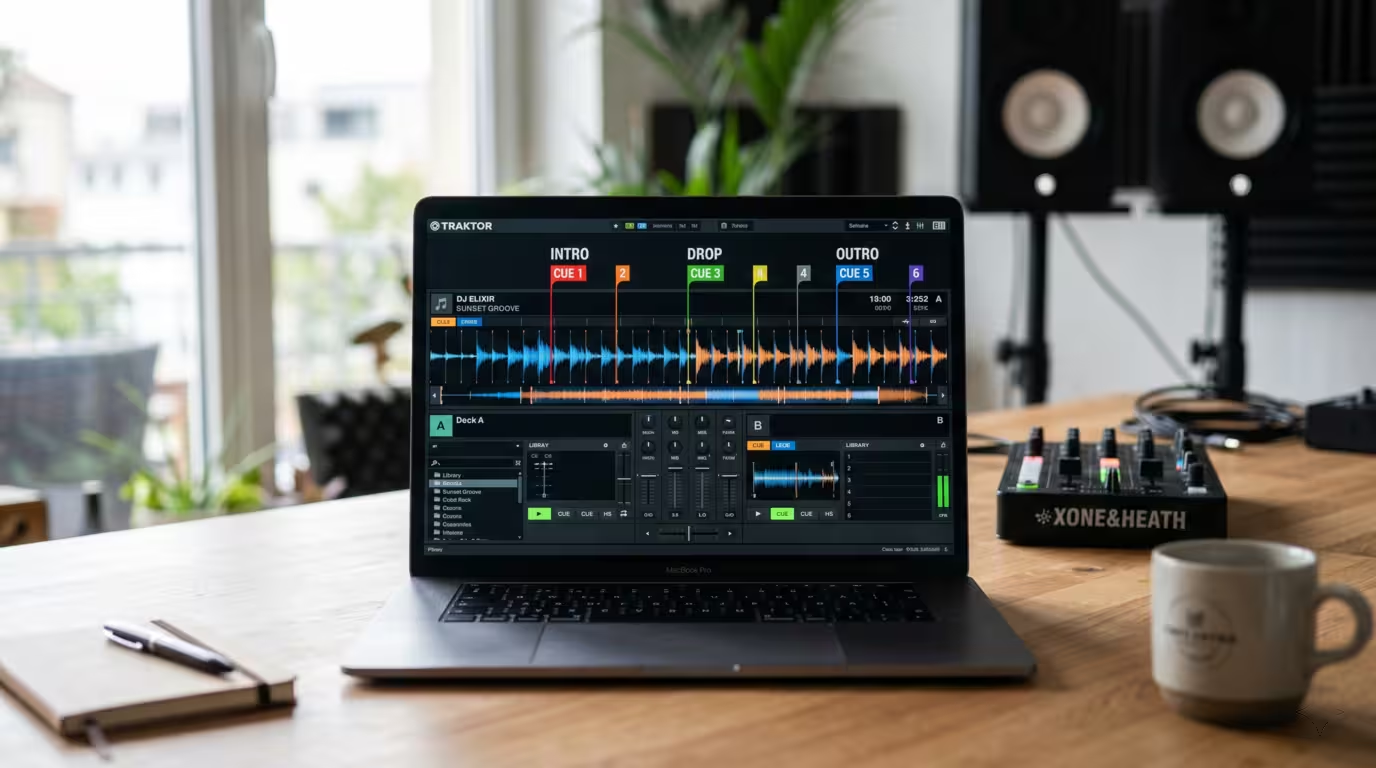
In the software, every hot cue shows up as a coloured marker on the waveform, so you can see your structural map at a glance while you mix. Hot cues are stored in your library database and written to the track/USB, which is why they survive between sessions and travel with the file.
Setting Hot Cues Well
The single most important rule is to set hot cues in time. Place them on downbeats and phrase boundaries so that when you trigger them, the track lands exactly where the music expects it. The feature that makes this reliable is quantize: when quantize is on, your hot cue sets and triggers snap to the nearest point on the beat grid, so even a slightly mistimed pad press fires perfectly in time. Serato states that when Quantize is enabled, cue points trigger in time with the beatgrid. This only works if your beat grid is accurate — so a correct grid is a prerequisite, which is exactly why grid-checking belongs in your beatmatching and grid-prep workflow (see the How to Beatmatch article for that foundation).
What should you actually mark? Connect your hot cues to the track's structure — intro start, first beat, build-up, drop, breakdown, vocal entry and outro — which the Electronic Song Structure reference covers in depth. The underlying idea of cueing audio — marking the moment a track should begin — goes back to radio and vinyl, but digital hot cues let you mark many such points and recall them instantly. A widely-taught baseline from DJ educators is to map the key structural points in chronological order.
Here is a simple structural starting layout you can adapt to your own style.
| Pad | What to mark |
|---|---|
| 1 | First beat / intro start |
| 2 | Build-up (8–16 bars before the drop) |
| 3 | The drop / main energy point |
| 4 | Breakdown or mix-out section |
You do not need to fill all eight pads on every track — some tunes only need two or three. What matters is that the cues are intentional and consistent. You can set them during prep (the ideal) or on the fly during a set, since pressing an empty pad sets the cue instantly.
Naming and Colour-Coding
Both rekordbox and Serato let you name and recolour hot cues. In rekordbox you right-click a hot cue to choose from sixteen colours and click beside the time value to type a name; Serato lets you name a cue by double-clicking its time and personalise its colour by right-clicking the trigger button. The smart move is to build a consistent convention — for example, always using one colour for drops, another for breakdowns, another for vocals. When the same colour and pad position always means the same thing, you can read any track at a glance and your muscle memory does the work. Traktor users should note they can rename cues but cannot recolour them; Traktor uses a fixed scheme in which regular cue points appear blue, loop in/out points green, load cues yellow, fade in/out points orange and the floating cue white.
Using Hot Cues to Mix and Navigate
The everyday payoff is instant navigation. Instead of scrubbing through a track, you jump straight to any section: skip a long, DJ-unfriendly intro by cueing to the first beat of the groove, leap to the drop, or restart a phrase. This alone makes track selection and mixing faster and less stressful.
For mixing in precisely, a hot cue on the incoming track's mix-in point lets you launch it exactly on a downbeat so it is phrase-aligned from the first bar — the practical bridge between hot cues and phrasing (covered in the Phrasing and When to Mix article). Rather than nudging a track to find the one, you drop it from a cue you already trust. The same idea applies to mixing out: a cue at the start of the outro or a clean break tells you exactly where to begin your transition, which links directly to the techniques in the Beginner Transition Types article.
There is also a safety and recovery use that experienced DJs rely on. If a blend drifts out of phrase or a mix starts to fall apart, a hot cue on a safe point — the next downbeat or the start of a phrase — lets you jump back and re-land cleanly instead of scrambling. As SirenMix's guide frames it, good cues let you recover phrasing without thinking and give you a clean second option fast.

Getting Creative: Re-edits, Cue Juggling and Loops
This is where hot cues stop being a convenience and become an instrument. Because you can trigger them rhythmically, you can rearrange a track live — repeat a section, skip a boring part, or build tension by stuttering a single hot cue. DJ TechTools' classic primer on cue point juggling suggests setting your first cue on the downbeat (usually a kick) and the second on the next beat (usually a snare), so even two cues let you play simple kick-and-snare fill combos.
Taken further, this becomes finger drumming or cue drumming: you set hot cues on isolated hits, stabs or vocal syllables and play them like a drum or sample pad. Many DJs run this with gated hot cues, where the sound plays only while the pad is held — ideal for tight, percussive chops. Be aware that gated behaviour differs by platform: Serato and Traktor default to it, while on traditional CDJs a hot cue jumps and keeps playing, which is worth rehearsing before a club gig so your muscle memory matches the booth.
Hot cues also combine with loops. On most platforms, if you set a hot cue while a loop is active, the pad stores a saved loop (sometimes called a hot loop) that re-triggers the loop when pressed — VirtualDJ notes that setting a hot cue while a loop is active creates a saved loop, and rekordbox behaves the same way, displaying looped hot cues in orange rather than the default green. That lets you launch a perfectly-timed loop from a single pad to extend an intro, tease the crowd, or bridge two tracks. Keep loop-based tricks occasional, though, or transitions can become long and dull.
Hot Cues vs Memory Cues (the rekordbox Distinction)
Most software has only hot cues, but rekordbox adds a second type — memory cues — and the difference trips up a lot of DJs. A hot cue is a pad-triggered performance marker: press it and the track jumps and plays. A memory cue is a navigation marker stored in chronological order that you step through with the cue-search arrows; on a CDJ you scroll between memory cues to find your load-in or the next mix point, and the player can count down the bars to the upcoming cue. The functional split is neatly captured by Lexicon's library-management guide: a hot cue is a trigger you drop on a pad and hit to make the track jump and play, while a memory cue is a marker — and memory cues are effectively unlimited where hot cues are scarce. A common workflow is to reserve your eight exportable hot cues for sections you actually trigger live, and use memory cues as structural signposts. Other platforms — Serato, Traktor, Engine, VirtualDJ — essentially have hot cues only, so this is a rekordbox-specific decision.
Prep, Consistency and Avoiding Mistakes
The biggest long-term win from hot cues comes from set preparation. When you add a track to your library, listen through it once and lay down your cues then — you are already getting to know the tune, so it is the natural moment to map it. Do this across your collection and every track arrives at a gig already mapped for performance, which DJ educators consistently rate as one of the highest-value prep habits. Consistency is the multiplier: if pad 1 is always the first beat and pad 3 is always the drop, you build muscle memory that works under pressure.
A few mistakes to avoid:
• Don't clutter. Eight pads does not mean eight cues on every track. Mark the moments you will actually use; remove cues that never help.
• Set on the beat. Use quantize and a correct grid so cues fire in time. If you want to finger-drum faster than the quantize value, rekordbox lets you turn quantize off for hot cues only while keeping it on for loops.
• Don't use cues as a crutch. Cues should support your knowledge of the music, not replace it; a strong cue system speeds up decisions but it can't substitute for knowing a track's energy.
• Mind accidental triggers and deletes. It is easy to fire or delete the wrong pad mid-mix, and most gear has no undo for an overwritten cue.
• Back them up. Hot cues live in your library database (and on your USB when you export). They survive moving or renaming a file, but a database wipe or a careless collection update can erase hours of work — keep a library backup.
Key takeaways
• A hot cue is a saved, pad-triggered marker that instantly jumps playback to an exact point and is recalled every time you load the track.
• It differs from the single temporary CUE button and from the headphone cue; rekordbox also separates pad-triggered hot cues from step-through memory cues.
• Most gear offers eight hot cues per deck (rekordbox stores up to 16, A–P, in Performance Mode but only 8, A–H, export to CDJs).
• Set cues on downbeats with quantize on and an accurate beat grid, and colour/name them consistently across your library.
• Use them to skip intros, launch mixes on the downbeat, recover blends, and finger-drum or loop creatively.
• Prep your whole library in advance and back up your cues — they are real, time-consuming work.
Ready-made, exclusive EDM tracks with full rights — released as your own.
