If you can already beatmatch and phrase your tracks but your blends still sound cluttered, boomy, or just off, the missing skill is almost always EQ mixing. The mixer's equalizer is what lets two records share the same moment without fighting each other — and the single most important move it unlocks is the bass swap, where you hand the low end from one track to the next in a clean, deliberate switch. This guide is the practical how-to: why you EQ when you blend, how the three bands work, and exactly how to perform a bass swap and the EQ-based transitions built around it.
This article assumes you've already got the foundations. If you're still locking tempos together, read our How to Beatmatch guide first, and if you're unsure where in a track to start a mix, see Phrasing and When to Mix. For the hardware side — what the EQ knobs, isolator switch and channel faders physically are — our DJ Mixers Explained article covers the gear. Here we focus purely on the technique of mixing with EQ.
Why EQ Is the Core of Clean Mixing
When two tracks play at once, they don't politely take turns — every frequency in track A stacks on top of the same frequency in track B. An equalizer, described well by Wikipedia's overview of audio equalization as a set of frequency-specific volume controls, is how you decide which track gets to occupy which part of the spectrum at any given moment.
The problem is worst in the low end. Kick drums and basslines carry the most energy in a dance track, so when two of them play together you get three distinct issues at once: muddiness (the low frequencies pile up into an indistinct rumble), phase interaction (two low-frequency waveforms that don't line up can partially cancel, robbing the mix of punch — the same kick-and-bass phase clash producers fight in the studio), and the very real risk of overloading the system. Two basslines at full level can push your channel and master meters into the red, and a clipped, distorted signal sounds bad and can damage speakers.
EQ solves all of this by letting you give each track its own space during the overlap. Instead of two full tracks colliding, you carve room: one track keeps the bass while the other contributes highs and mids on top. Alongside the channel faders, EQ is the core tool of modern beat-mixing — relying on faders alone fades whole tracks in and out at once, while EQ lets you surgically remove the bass from one track and introduce the hi-hats of another. That control is the difference between a smooth, layered blend and a muddled mess.
A Quick Three-Band EQ Recap
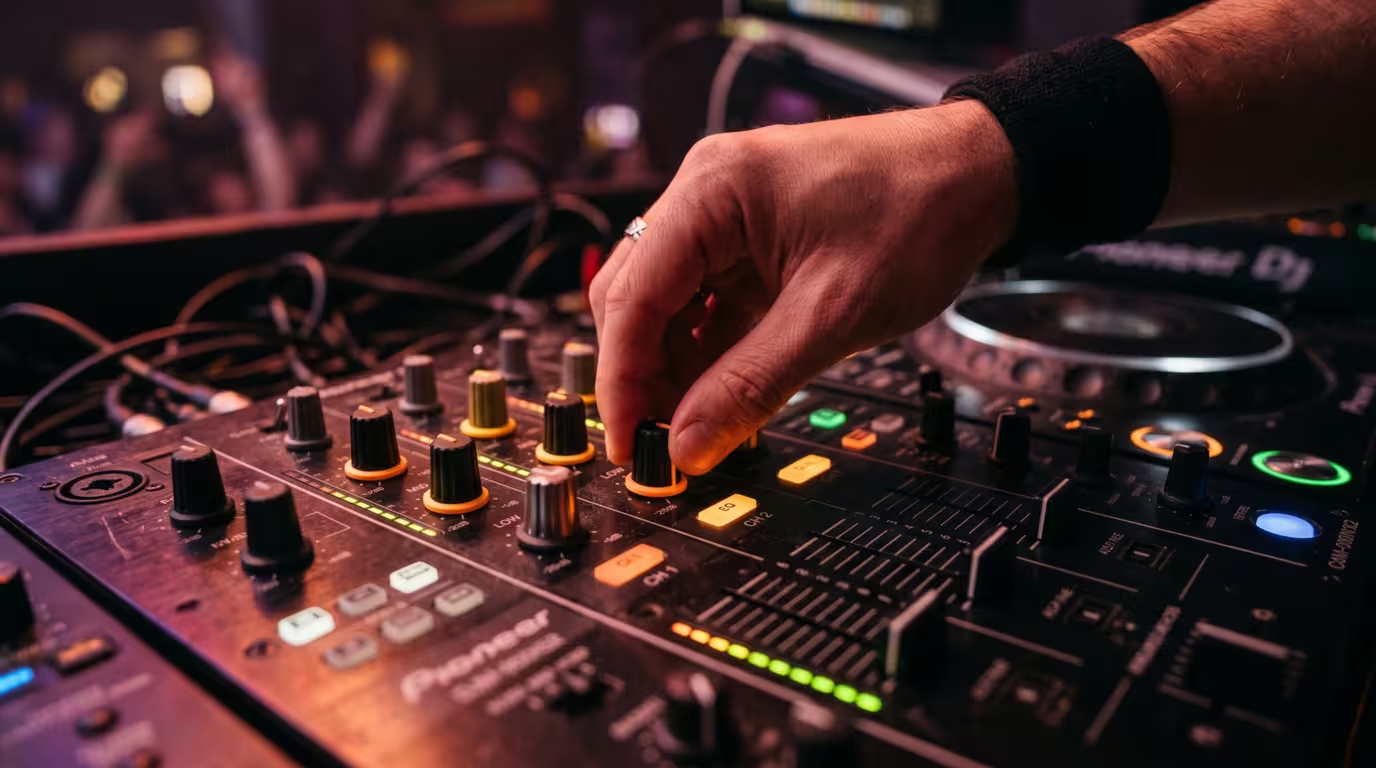
Most DJ mixers and controllers give you a three-band EQ on every channel: low, mid and high. (Some club mixers, like four-band models, split the mids further, but three bands is all most DJs ever need.) Twelve o'clock is neutral — the track plays at its original level. Turn a knob anticlockwise to cut that band, clockwise to boost it.
Exact crossover points vary between mixers, and your manual will list them, but the rough division and the kinds of sounds in each band are consistent. The frequency ranges below come from standard audio-spectrum references such as Teach Me Audio's breakdown of the audible spectrum — which spans from about 20 Hz up to around 20,000 Hz, with the upper limit dropping as we age.
| Band | Rough range | What mostly lives there |
|---|---|---|
| Low | ~20–250 Hz | Kick drum, sub-bass, bassline |
| Mid | ~250 Hz–4 kHz | Vocals, melody, snare, body |
| High | ~4 kHz–20 kHz | Hi-hats, cymbals, claps, air |
It's worth knowing how far your specific mixer's knobs actually cut. On Pioneer's club-standard DJM-900NXS2 — the mixer you'll meet in most booths — the channel EQ in normal EQ mode cuts each band to a maximum of −26 dB and boosts up to +6 dB, with the three bands centred around 20 Hz (low), 1 kHz (mid) and 30 kHz (high) per Pioneer's official operating instructions. Many mixers also offer a full-kill or isolator curve that silences a band completely — on the DJM-900NXS2 the isolator setting takes a band all the way down to −∞ dB rather than just attenuating it. Whether your mixer attenuates or fully kills changes how aggressive a bass swap feels — the hardware specifics are covered in DJ Mixers Explained.
The Bass Swap, Step by Step
The bass swap (also called the bassline swap or bass trade) is the technique at the heart of professional beat-mixing. The rule behind it is simple and almost universal among DJs: only one track should own the low end at a time. Two basslines or two kicks at full level rarely work together, so instead of letting them fight you trade the low frequencies from the outgoing track to the incoming one in a single, decisive move — ideally right on a phrase boundary.
Setting Up the Incoming Track
First, beatmatch and phrase-align the incoming track using the techniques from your beatmatching and phrasing practice. A key detail: while you're matching beats in your headphones, keep the incoming track's EQ flat (all knobs at twelve o'clock) so you can hear the full track and lock the beatgrid accurately.
Once you're matched and ready to bring the new track into the room, cut its low EQ — turn the bass knob all the way down (or use full-kill if your mixer has it). This also quiets the incoming kick. Now the outgoing track still owns all the bass, and when you raise the incoming channel fader, only its mids and highs — hi-hats, melody, vocals — layer on top. It sounds like a new layer arriving, not a clumsy collision of two low ends.
Making the Swap
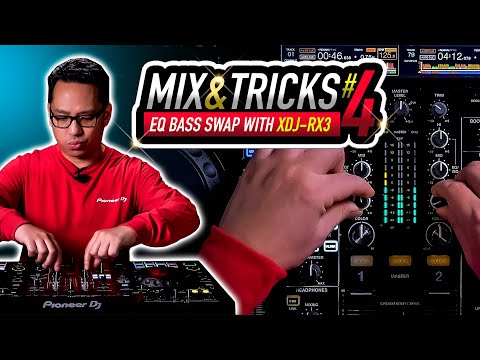
At your chosen swap point — almost always the downbeat at the start of a new phrase, the "1" — you make the trade in one move: cut the bass on the outgoing track and bring the incoming track's bass back up to neutral at the same time. Picture the classic image of a DJ with finger and thumb on two low-EQ knobs, twisting them in opposite directions simultaneously. In that instant the low end passes from one track to the other, and the new track takes over the foundation of the mix. From there you complete the transition by fading out whatever's left of the outgoing track — its mids and highs — on the channel fader or crossfader.
Timing is everything. Do the swap on a beat and on a phrase boundary; dropping a bassline in the middle of a phrase sounds unnatural because our ears expect change to happen on those structural boundaries.
Here's the move at a glance:
| Step | What you do |
|---|---|
| 1. Prep | Beatmatch and phrase-align the new track, EQ flat in headphones |
| 2. Cut incoming bass | Kill the low EQ on the incoming track |
| 3. Layer in | Raise the incoming fader so highs and mids sit over the outgoing bass |
| 4. Swap on the "1" | Simultaneously cut outgoing bass and restore incoming bass at the downbeat |
| 5. Finish | Fade out the rest of the outgoing track |
Hard Swaps Versus Gradual Swaps
The classic bass swap is fast and decisive — a swap, not a slow fade. A quick, clean switch on the downbeat keeps the energy locked. But there's nuance: a hard swap works best when both tracks have substantial bass and the incoming track has something going on, so the new low end immediately fills the gap. If you slam the swap when the incoming track is sparse, the energy can drop and it feels like an anti-climax. In those cases — and in longer, deeper house or techno blends where you have more time — many DJs prefer to ride the two low EQs against each other more gradually, easing the outgoing bass down as they bring the incoming bass up. Either way, the principle holds: don't leave two full basslines playing together.
Frequency Clashing and How EQ Solves It
The low end is where clashing is worst, which is why bass gets the dedicated swap. But clashing happens across the whole spectrum, and EQ is your tool for carving space everywhere.
In the mids, the biggest culprit is vocals. Two lead vocals playing at once almost always sound like a jumbled mess, so if both tracks are vocal-heavy, cut the mids on one to let the other's vocal breathe. Be careful, though: the mid band is crowded, and harshly killing it can leave a hollow, muffled version of a track because so much harmonic content lives there. Subtle cuts and good track selection beat aggressive mid-killing.
In the highs, hi-hats and cymbals layer more forgivingly — you can often run two tracks' highs together — but stacked highs can quickly become piercing and cluttered. Our hearing is actually most sensitive in the upper mids: the human ear is most sensitive between roughly 2 and 5 kHz, due to the resonance of the ear canal and the middle ear, an effect first measured by Fletcher and Munson in 1933. That sensitivity is exactly why busy top ends start to feel harsh fast, so easing back the highs on one track keeps things from getting fatiguing.
Worth remembering: EQ controls volume by frequency, not by instrument. Because every sound contains harmonics spread across the spectrum, cutting the lows won't perfectly erase a bassline and cutting the mids won't fully remove a vocal — a point DJ TechTools makes well in its EQ theory guide. EQ also can't fix a key clash: if two basslines are in incompatible keys, swapping one for the other is fine, but layering them will sound sour regardless of EQ. That's where harmonic mixing and the Camelot system come in — a complementary skill to EQ, not a substitute.
EQ-Based Transitions and Creative Moves
Once you can swap bass, you can build entire transitions out of EQ. A common approach is to introduce a track band by band: bring in the highs first (hats and air over the playing track), then ease in the mids, then swap the bass last. To remove a track, reverse it — pull the lows, then the mids, then the highs — an EQ out that dissolves a track rather than abruptly cutting it. Combined with the channel fader and crossfader, this gives you far more control than faders alone, and it's how you keep energy consistent through a blend instead of dropping it.
EQ is also a creative tool. Cutting all the lows during a build and slamming them back on the drop creates tension and release. Briefly killing the mids produces a hollow, filtered effect. And many mixers and controllers put a filter (a high-pass/low-pass sweep) right below the EQ; filters add a smooth, resonant swoop that EQ can't, and they pair beautifully with EQ moves — use the EQ to balance the tracks and the filter to sweep elements in and out. The filter and isolator hardware is covered in DJ Mixers Explained.
Cut, Don't Boost: Levels and Gain Staging
The golden rule of DJ EQ is to cut rather than boost. There are good reasons. Boosting a band pushes that frequency louder, eating into your headroom and effectively overriding the gain you set — push it too far and you drive the channel and master into the red, where the signal clips and distorts. Cutting frequencies on the other track achieves the same balance without adding level. As Digital DJ Tips puts it, the rule that keeps your sound clean is to take away, not add. As a practical guideline, avoid boosting an EQ much past the one o'clock position.
For EQ to behave predictably, set your gain (trim) correctly first. Proper gain staging — matching each track's channel level so the meters sit healthily in the green with peaks into the yellow, never pinned in the red — means that when you cut and restore bass, the perceived loudness stays consistent and you're not fighting sudden jumps. DJ TechTools' gain-staging guide walks through setting levels down the whole chain. Set gains, then EQ, then watch the master meter and respect the limiter. And always check your moves on monitors or in your headphones — EQ is about listening, not just twisting knobs.
Common Mistakes to Avoid
• Letting two basslines play together. The number-one beginner error. Always control the lows; only one track owns the bass at a time.
• Swapping off-beat or mid-phrase. A swap in the wrong place sounds jarring. Do it on the downbeat of a phrase.
• Forgetting to cut the incoming bass before you bring the track in. Raise that fader with the bass already killed, or you get an instant double-bass collision.
• Boosting too much. Boosting clips and muddies; cut instead.
• Not setting gain first. Without proper levels, EQ moves cause volume jumps and clipping.
• Clashing two vocals. Don't let two lead vocals fight in the mids — cut one or pick a less vocal section.
• Over-EQing. Twisting too hard, too fast, with no intention behind the move. Subtlety reads as polish.
Key takeaways
• EQ mixing lets each track own its own slice of the spectrum so blends stay clean instead of muddy.
• Only one track should hold the low end at a time — the bass swap trades it on a phrase downbeat.
• Cut the incoming bass before you bring the track in; swap decisively on the "1."
• Clashes happen across all bands; cut mids to protect vocals and ease highs to avoid harshness.
• Cut, don't boost — and set your gain before you touch the EQ.
• EQ pairs with the fader, crossfader and filter to build whole transitions and control energy.
Ready-made, exclusive EDM tracks with full rights — released as your own.
