The filter is the one knob that can make you sound like a pro the moment you understand it. Unlike the EQ, which carves fixed bands, the filter sweeps smoothly across the whole track, thinning it out or pulling it underwater with a single twist. This guide explains exactly what the filter does, how the knob works, and the practical ways DJs use it to transition, build tension and keep a long mix interesting — plus the habits that separate musical filtering from the dreaded filter-on-every-track sound.
What a Filter Actually Does
A filter removes frequencies above or below a moving point called the cutoff frequency. There are two types you need to know. A high-pass filter (HPF) lets the high frequencies pass and attenuates everything below the cutoff — so as you engage it, the bass and body disappear and the track gets thinner and tinnier. A low-pass filter (LPF) is the opposite: it passes the lows and removes the highs, so the track gets darker, duller and more muffled, as if it were playing in the room next door.
The easy way to remember it: high-pass lets the highs pass through; low-pass lets the lows pass through. The name tells you what survives, not what gets cut.
The cutoff frequency is the boundary where the filter starts working — technically the point where the signal level has dropped by 3 dB. The crucial thing for DJs is that the cutoff moves as you turn the knob. On a high-pass filter, turning the knob further raises the cutoff, eating up more and more of the low end. On a low-pass filter, turning it further lowers the cutoff, swallowing more and more of the top. That continuous sweep is the filter's signature, and it's what you're hearing in a thousand build-ups and breakdowns.
How the Filter Knob Works
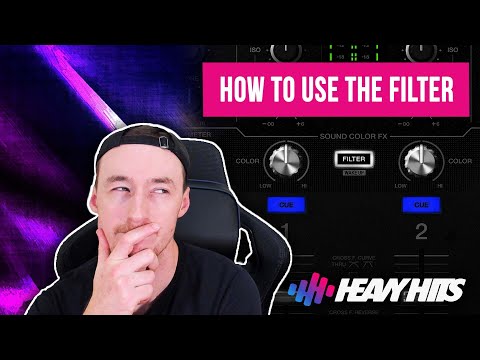
Most DJ mixers and controllers give you one filter knob per channel, and it combines both filters into a single control. The centre position (12 o'clock) is off — no filtering at all, and there's usually a little detent or click so you can feel it. From there, the two directions do opposite jobs.
The most common convention is: turn right / clockwise for high-pass (removing the lows, thinning the track) and left / counter-clockwise for low-pass (removing the highs, muffling the track). This is confirmed in the official documentation for Pioneer DJ / AlphaTheta mixers, where turning the knob to the HPF side removes the low-frequency sound and turning it to the LPF side removes the high-frequency sound. Digital DJ Tips describes the same layout in their guide to EQ, filters and effects.
That said, the direction can vary by gear, so always check before a set. As DJ TechTools notes, Allen & Heath have traditionally used filters that switch modes with a button — sweeping the cutoff on a dedicated fader rather than one bidirectional knob — and a few mixers reverse the convention entirely. The principle is universal even when the layout isn't: one way thins the track, the other muffles it, and the middle is neutral.
| Knob direction | Filter type | Effect on sound |
|---|---|---|
| Centre / 12 o'clock | Off (neutral) | Full-range track, no filtering |
| Right / clockwise | High-pass (HPF) | Removes lows; track gets thin and tinny |
| Left / counter-clockwise | Low-pass (LPF) | Removes highs; track gets dark and muffled |

Filter Versus EQ: The Key Difference
DJs new to the filter often ask why they need it when they already have EQ. The answer is that they do different jobs. Your EQ adjusts a few fixed bands — typically low, mid and high — by boosting or cutting each one. A filter has a single sweepable cutoff that progressively removes everything above or below a moving point, producing a smooth, continuous sweep that the band-based EQ simply can't create. As DJ TechTools puts it in their Filter vs EQ comparison, a good DJ filter isn't perfectly flat — it has character beyond simply turning the sound down.
Two practical consequences follow. First, EQ can boost as well as cut, but a DJ filter only ever removes — it's a one-way frequency cut, not a tone control. Second, on virtually all DJ mixers the filter sits after the EQ in the signal path, so you can dial in your EQ to match two tracks tonally and then use the filter purely for creative sweeps without undoing that work. For the deeper bass-swap and three-band technique, see our companion article on EQ Mixing and Bass Swaps; here we stay focused on the filter as a sweeping tool.
| Aspect | EQ | Filter |
|---|---|---|
| Frequency control | Fixed bands (low/mid/high) | One sweepable cutoff |
| Can boost? | Yes — cut and boost | No — cut only |
| Best for | Tonal balance, bass swaps | Smooth sweeps, energy, FX |
Resonance: Where the Character Comes From
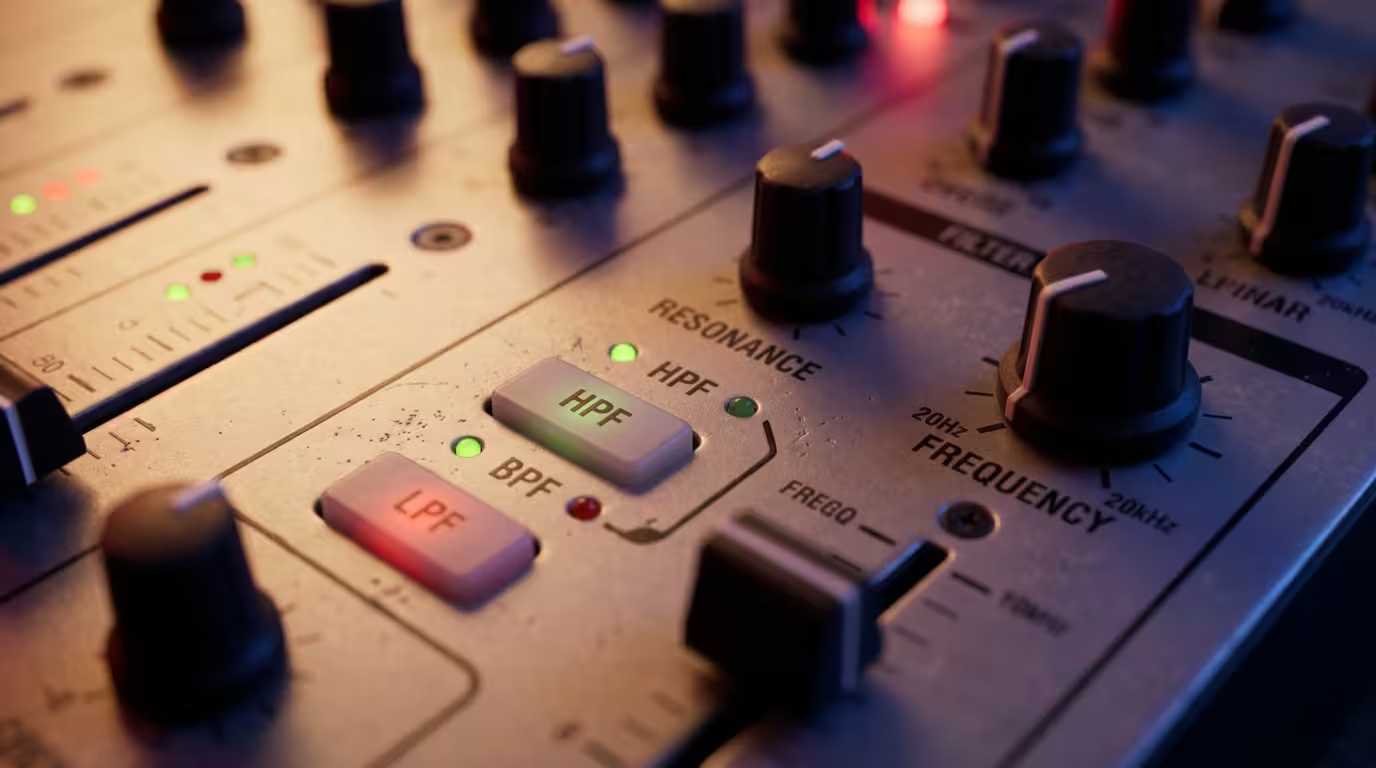
If a filter just rolled off frequencies cleanly, it would sound clinical. What gives a filter its squelchy, whistling, singing quality as you turn it is resonance, also called Q. Resonance is a boost or peak added right at the cutoff frequency, so as the cutoff sweeps, the frequencies sitting at that point get briefly emphasised — creating the vocal, warbly swoosh you associate with classic filter sweeps. The underlying idea comes straight from synthesis: the Q factor describes how narrow and pronounced that resonant peak is, and a voltage-controlled filter with variable resonance is exactly what produces the filter-sweep effect in electronic music.
How much resonance a filter has — and whether you can adjust it — varies enormously by mixer. Allen & Heath's Xone filters are renowned for their character, with a resonance control that runs from mild (a subtle, gentle roll-off ideal for lifting one track's bass out as you mix in another) to wild (a dramatic, aggressive sound with feedback just short of self-oscillation), as described on the Xone:96 product page. Reviewers of the range describe the mild setting as giving crisp, almost invisible filtering, while the wild setting exaggerates the audio around the selected frequency for that swooshy effect. Pioneer DJM filters have a fixed, fairly pronounced resonance, while many software filters let you set the Q yourself. The takeaway: more resonance means more drama and more vibe, but also more risk of a harsh, piercing peak — which matters when you push the knob to its extremes.
Using the Filter to Mix
This is the heart of it. Here are the practical jobs the filter does in a real set, roughly from the most common to the most creative.
Filter Transitions
The classic move is to high-pass the outgoing track as you bring the new one in. Sweeping the HPF up gradually strips the bass and body out of the old track, so it thins to just its highs and percussion while the incoming track fills in the low end. Because the two tracks now occupy different parts of the spectrum, they share space without the muddy clash of two competing basslines. Filtering out the bass of the outgoing track with the HPF is a quick, one-knob alternative to a full bass swap when you don't have a free hand for the EQ.
You can filter both decks at once for a true crossover: low-pass the outgoing track so only its sub and kick remain, while high-passing the incoming track so only its highs come through, then meet in the middle. This is a great way to bridge two tracks with very different energy or texture. For where these sit among the other transition types, see our Beginner Transition Types guide — this is the filter transition it mentions, explored in full.
Energy Control and the Filter Build
The filter is a volume knob for tension. During a build-up, slowly closing a low-pass filter (or sweeping a high-pass up) removes more and more of the track, creating anticipation — the crowd feels something is missing and instinctively waits for it to return. When the drop hits, you snap the filter back to centre and the full-range sound slams back in for maximum impact. This filter build is one of the most reliable energy tools a DJ has: producers use the exact same trick inside their tracks, removing the bass in the bars before a drop so the drop feels bigger and louder when it lands.
The direction matters emotionally. A rising high-pass removes the bass and signals that something new is coming — it builds toward higher energy. A closing low-pass pulls everything underwater and is better for winding down into a breakdown or a quieter moment. Use the right one for the feeling you want.
Layering and Creating Space
When you want to run two tracks together for a long blend, high-passing one of them removes its low end so the two don't fight in the bass — the same goal as an EQ bass cut, but with the filter's smoother, sweepable feel. This frees up the low end for whichever track you want to drive the floor, and it's a fast way to layer an acapella, a percussion loop or a riff over a track already playing.
Adding Movement and Groove
A long, minimal section can get boring if nothing changes. Slowly sweeping a filter back and forth adds movement and keeps the ear engaged — DJs in genres like tech house and minimal often ride the filter across an 8- or 16-bar loop, opening and closing it rhythmically so a repetitive groove feels alive. With a resonant filter, riding the cutoff in time with the beat makes the track almost sing.
Cleaning and Fixing on the Fly
The filter is also a repair tool. A gentle high-pass can roll off unwanted rumble or muddiness from a track that's too bass-heavy in the room, or tidy a track whose low end is clashing with the system. MusicRadar's EQ and filter tips for DJs note that filters can sculpt sound more precisely and exactingly than EQ, but they are also more extreme in their impact — so a little goes a long way when you're cleaning rather than performing.
The Filter House Connection
There's a reason filter sweeps feel so natural on a dancefloor: an entire genre was built on them. French house — also called French touch or filter house — emerged in 1990s Paris and reached commercial breakthrough in 1997; it is defined by filter and phaser effects applied to looped samples from late-70s and early-80s disco records, over steady four-on-the-floor kicks at roughly 110 to 130 BPM. Artists like Daft Punk, Cassius, Modjo and Stardust took a short disco loop, ran it through a resonant filter, and slowly opened the cutoff to reveal the track — building and releasing tension over and over. The canonical example is Stardust's "Music Sounds Better with You," released on Thomas Bangalter's Roulé label in July 1998 and built from a looped sample of Chaka Khan's 1981 track "Fate." When you sweep a filter open during a transition, you're using the same gesture that powered a whole era of dance music, which is partly why crowds respond to it instinctively.
Filters on Club Mixers and in Software
You'll meet the filter in slightly different forms depending on your setup, and our DJ Mixers Explained article covers the hardware in depth. On Pioneer DJ / AlphaTheta DJM mixers the filter is one of the Sound Color FX — the row of per-channel knobs across the mixer — and the official help documentation confirms the LPF side removes highs and the HPF side removes lows. Allen & Heath's Xone series uses its celebrated analogue VCF with mild-to-wild resonance. In software, Serato, Traktor and rekordbox all provide channel filters; Serato's documentation covers the DJ-FX and channel filter controls, and Traktor in particular lets you choose filter types and set resonance. The technique is identical across all of them — only the knob's feel and the amount of resonance change.
Practical Tips and Common Mistakes
The filter is so satisfying that beginners over-rely on it, and that's the biggest trap. Digital DJ Tips warns that because the filter is so easy to use, it's also one of the easiest tools to overuse — less is more, and you should use it sparingly. If every transition is a filter sweep, your set becomes predictable and the move loses its impact. Save it for when it counts.
The single most common technical mistake is leaving the filter engaged. Because the knob's neutral position is the centre, it's easy to walk away from a transition with the filter still slightly off-centre, quietly thinning or muddying the whole mix without realising it. Get into the habit of returning the knob to its centre detent the moment you're done, exactly as you'd return your EQ to 12 o'clock. If a track sounds inexplicably weak or dull, check your filter knobs first — a filter left on by the previous DJ (or by you) is a classic culprit.
A few more things to keep in mind:
• Use it on phrase. Like all mixing moves, filter sweeps land best when timed to the music's 8- and 16-bar structure. If you're shaky on phrasing, our Phrasing and When to Mix guide will help; and none of this works without solid beatmatching, covered in How to Beatmatch.
• Mind the energy. A high-pass removes the bass, and bass is energy — sweep it up too far or for too long and you can drain the dancefloor. Bring the low end back deliberately.
• Watch for mud and harshness. A low-pass left low makes everything dull and lifeless; pushing a resonant filter to its extremes can produce a piercing, ear-fatiguing peak. On a loud system, a high-resonance filter at full tilt can genuinely hurt.
• Combine, don't isolate. The filter works best alongside your faders and EQ, not instead of them. Set your EQ to match the tracks, then use the filter for the creative sweep on top.
Key takeaways
• A high-pass filter removes lows (thins the track); a low-pass filter removes highs (muffles it); the cutoff sweeps as you turn the knob.
• On most gear the filter is one knob per channel: centre is off, right is high-pass, left is low-pass — but check, because it varies.
• Unlike EQ's fixed bands, the filter is a sweepable, cut-only control whose resonance gives it its singing character.
• Use it for filter transitions, energy builds, layering, movement and quick clean-ups — and lean on the French/filter house heritage that makes sweeps feel natural.
• Don't overuse it, and always return the knob to centre when you're done so you don't thin or muddy the mix.
Ready-made, exclusive EDM tracks with full rights — released as your own.
