Every DJ eventually meets a track that looked fine in the library but fell apart on a big rig — thin highs, a brittle edge, a wash of grit under the kick. More often than not, the culprit is bitrate. This article explains what bitrate is, how it relates to sound quality, and why "320 kbps" became the number serious DJs treat as a minimum. For the file types themselves (WAV, AIFF, FLAC, ALAC, MP3, AAC), see the companion article Audio File Formats for DJs; here we go deep on bitrate alone.
What Bitrate Actually Means
Bitrate is the amount of data used to represent one second of audio. It is measured in kilobits per second (kbps) — thousands of bits each second. As Wikipedia's article on bit rate puts it, in digital multimedia the bit rate represents the amount of information, or detail, stored per unit of time of a recording. A 320 kbps MP3 packs 320,000 bits into every second of music; a 128 kbps MP3 packs 128,000.
The relationship to file size is direct: bitrate × duration ≈ file size. Multiply the bits-per-second by the number of seconds, divide by eight to convert bits to bytes, and you have the approximate size. That is why a longer track, or a higher-bitrate one, takes up more space. It is also why bitrate is the single most useful number for predicting both quality (for lossy files) and storage cost.
One clarification up front: bitrate is not the same as sample rate or bit depth. Sample rate (e.g. 44.1 kHz) and bit depth (e.g. 16-bit) describe how the original audio was digitised; bitrate describes how much data the stored file spends per second. They are related — for uncompressed audio the bitrate is literally sample rate × bit depth × channels — but they are different dials. Sample rate and bit depth get their own treatment in a separate reference article; this one stays on bitrate.
Bitrate in Lossy Files vs Lossless Files
This is the distinction that trips up most people, so it is worth getting right.
For lossy formats like MP3 and AAC, bitrate is a quality setting you choose. The encoder uses a psychoacoustic model to throw away audio data it judges you are least likely to hear, and the bitrate you pick decides how aggressively it does so. A lower bitrate discards more data, introduces more compression artifacts, and rolls off more high-frequency detail. A higher bitrate keeps more. Here, higher bitrate genuinely means higher quality and a bigger file.
For lossless audio — uncompressed PCM (WAV/AIFF) or losslessly compressed FLAC/ALAC — bitrate works differently. It is simply the data rate of the full-quality signal, fixed by the maths of the recording rather than chosen as a quality dial. A standard CD is 16-bit, 44.1 kHz, stereo, and the arithmetic is worth verifying:
44,100 samples/sec × 16 bits × 2 channels = 1,411,200 bits/sec ≈ 1,411 kbps.
So when you see a WAV at 1,411 kbps and an MP3 at 320 kbps, the WAV is not 4.4× better sounding — it is carrying the complete, unmodified audio, while the MP3 is a cleverly reduced version. FLAC compresses that same lossless data to roughly half the size (often landing somewhere around 700 to 1,000 kbps depending on the music) without discarding anything; its variable bitrate reflects how compressible the music is, not a quality choice. As Wikipedia's MP3 article notes, MP3 was designed to encode that 1,411 kbit/s raw data at 320 kbit/s or less.
The Common Bitrates and How They Sound
Most music you encounter lives at a handful of standard MP3 bitrates, defined in the MPEG-1 Audio Layer III standard: 32, 40, 48, 56, 64, 80, 96, 112, 128, 160, 192, 224, 256 and 320 kbps. 320 kbps is the top of that list — the maximum standard MP3 bitrate. Here is a practical reference:
| Bitrate (lossy MP3/AAC) | Rough quality | Typical use case |
|---|---|---|
| 128 kbps | Low — audible artifacts, dull highs | Old/low-data streaming; unfit for clubs |
| 192 kbps | Decent — fine on earbuds, below pro standard | Casual listening, some streaming |
| 256 kbps | Good — near-transparent (Apple Music AAC) | Acceptable floor for AAC; iTunes purchases |
| 320 kbps | Near-transparent, maximum standard MP3 | The DJ standard/minimum for MP3 |
| ~1,411 kbps (lossless) | Full CD quality, nothing discarded | Archiving, big systems, future-proofing |
A few notes that sit behind the table. 128 kbps was the early internet default and is still common in the wild; it offers, in the words of the MP3 standard's own documentation, adequate audio quality in a relatively small space — but on a loud system its rolled-off treble and swirly artifacts are obvious. 256 kbps AAC is what Apple Music and the iTunes Store use, and a 256 kbps AAC file is widely held to be roughly equivalent in perceived quality to a 320 kbps MP3 because AAC is a more efficient codec. 320 kbps MP3 is the practical ceiling for the format and the level most performing DJs treat as their floor.
CBR, VBR and ABR
Bitrate can be delivered in three ways, and DJs run into all of them.
CBR (constant bitrate) uses the same data rate for every second of the file — a 320 CBR MP3 spends 320 kbps whether the moment is a dense drop or near silence. The advantage is predictability: file sizes are exact and the file is easy to stream and broadly compatible. The downside is that it wastes bits on silence and starves complex passages.
VBR (variable bitrate) lets the encoder spend more bits on complex passages and fewer on simple ones, targeting a quality level rather than a fixed rate. This gives a better quality-to-size ratio — you typically get the same perceived quality as CBR at a smaller average file size. The trade-off is that the final file size is unpredictable. The LAME encoder's VBR presets are widely used; per the LAME/Hydrogenaudio knowledgebase, -V0 averages about 245 kbps, -V1 about 225, -V2 about 190 and -V3 about 175, and these settings normally produce transparent results, with audible differences between the presets being rare.
ABR (average bitrate) is the middle ground: the encoder varies bitrate moment to moment but holds a target average, giving more predictable sizes than VBR with better allocation than CBR. The widely cited rule of thumb, stated on the Hydrogenaudio LAME page, is that at a given bitrate VBR is higher quality than ABR, which is higher quality than CBR — VBR > ABR > CBR.
So which should a DJ use? A high-quality VBR file (say LAME -V0) can match 320 CBR in blind listening while taking less space. But 320 kbps CBR remains the safe, predictable DJ standard — it is the strongest MP3 setting, the most universally compatible with DJ hardware and software, and it removes any doubt about whether a quiet intro was under-allocated. When in doubt, 320 CBR (or lossless) is the conservative choice.
Transparency: When You Stop Hearing the Difference
The key concept linking bitrate to perceived quality is transparency — the point at which a compressed file becomes, in the words of Wikipedia's transparency article, perceptually indistinguishable from the uncompressed input. Above the transparency threshold, adding more bits no longer changes what you hear.
Where is that threshold? The evidence from controlled, double-blind ABX listening tests is remarkably consistent: high-bitrate lossy audio is very hard to distinguish from lossless for most listeners. Wikipedia's transparency article places the threshold between roughly 175 and 245 kbit/s for VBR MP3 (the LAME -V3 to -V0 range). The Hydrogenaudio knowledgebase — the most authoritative community reference on audio compression — states that LAME's recommended VBR presets normally produce transparent results, and that no one has yet produced ABX test results showing 320 kbps CBR is ever audibly better than the highest VBR profiles. The broader codec listening test literature supports the same picture.
It does not stop at MP3. In a much-discussed study published in the Journal of the Audio Engineering Society (E. Brad Meyer and David R. Moran, "Audibility of a CD-Standard A/D/A Loop Inserted into High-Resolution Audio Playback," Vol. 55, No. 9, September 2007), researchers ran double-blind tests over the course of a year and concluded that the CD-quality loop was undetectable at normal-to-loud listening levels by any of the subjects on any of the playback systems. In other words, even the gap between CD-quality lossless and so-called hi-res proved far smaller than marketing implies. The practical upshot for DJs is a clear law of diminishing returns: the jump from 128 to 256 to 320 kbps is real and worth making; the jump from 320 kbps to lossless is, for most listeners on most systems, inaudible in a fair test.
So why do DJs still chase lossless? Three honest reasons. First, club systems are revealing — at very high SPL on a big rig, low-bitrate artifacts that hide on earbuds become exposed, so erring high is sensible. Second, DJ software manipulates the audio — time-stretching, pitch-shifting, EQ and effects all stress the signal, and a track that was transparent on passive playback can reveal weaknesses once it is being processed. Third, future-proofing and archiving — a lossless master can be re-encoded to any future format without further loss, while a lossy file cannot. None of this contradicts the transparency evidence; it is about headroom and insurance, not about easily audible day-to-day differences.
Why 320 kbps Is the DJ Standard
Putting it together: 320 kbps MP3 (or 256 kbps AAC) is the widely accepted minimum for serious DJ use because it sits comfortably at or above the transparency threshold while remaining manageable in size and universally compatible. DJ educators are nearly unanimous on this — the common guidance is to treat anything below roughly 256 kbps as suspect and to avoid 128 and 192 kbps files for club gigs entirely, since their flaws can be heard by the audience when played back-to-back with clean files on a good system.
Reputable download stores reflect this: tracks are typically supplied as 320 kbps MP3 or as lossless WAV/AIFF/FLAC. The standard exists because it is the sweet spot of the file-size-versus-quality trade-off for a working professional. Go lossless if your storage and budget allow and you want maximum headroom; never drop below 320 MP3 / 256 AAC for music you actually play out.
Bitrate and File Size: The Storage Math
Because file size tracks bitrate directly, the format you choose has real consequences for your USB sticks and drives. Rough figures for stereo audio:
| Format / bitrate | Approx. per minute | Approx. per 4-min track |
|---|---|---|
| 320 kbps MP3 | ~2.4 MB | ~10 MB |
| CD-quality WAV (1,411 kbps) | ~10 MB | ~40 MB |
| FLAC (lossless, compressed) | ~5 MB | ~20 MB |
In practice, a WAV is around 3.5 to 4× the size of a 320 kbps MP3 of the same track, and FLAC lands between the two while remaining bit-for-bit lossless. For a library of thousands of tracks, that difference decides whether everything fits on one USB drive — which is exactly why many DJs settled on 320 MP3 as a pragmatic compromise, and why FLAC has grown popular as the lossless-but-not-enormous option.
The Upscaling Trap: Fake High Bitrates
Here is the pitfall that catches careless diggers. Converting a low-bitrate file to a higher bitrate — or to WAV/FLAC — does not restore lost quality. Once data has been discarded by lossy compression, it is gone; re-encoding a 128 kbps MP3 as a 320 kbps MP3 (or as a WAV) just wraps the same degraded audio in a bigger container. The bitrate label says 320, but the actual quality is still 128.
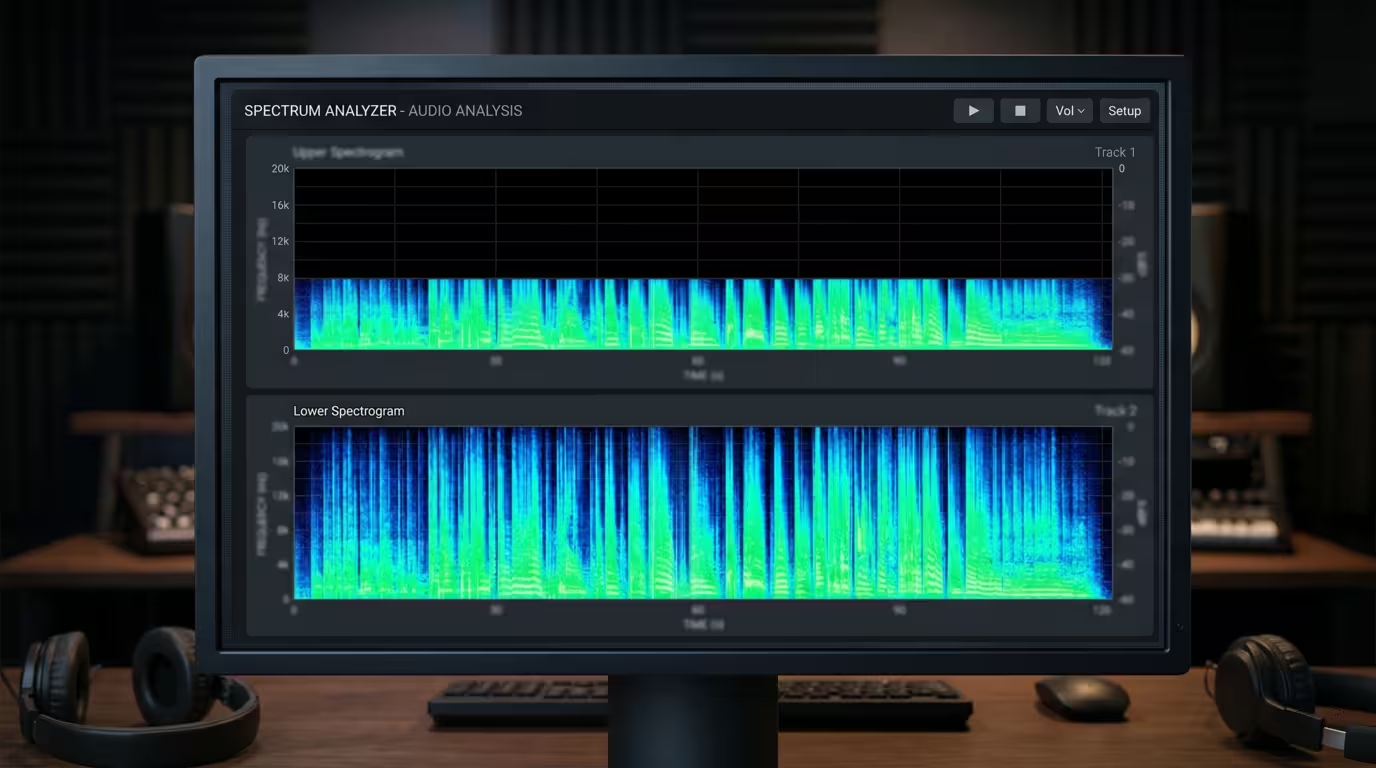
These upscaled or transcoded fakes are common on bootleg sites and sketchy pools, and the metadata lies. The reliable way to check is a spectral analysis: a true 320 kbps MP3 carries energy up to roughly 20 kHz, while a file upscaled from 128 kbps shows a hard shelf or cutoff around 16 kHz no matter what its tag claims. Genuine lossless extends cleanly to about 22 kHz. Free tools like Spek (an acoustic spectrum analyzer) make this cutoff visible in seconds. The defensive habits are simple: buy from reputable stores, be suspicious of files sourced from video sites, and spectrum-check anything you are unsure about before a gig. (The formats article covers transcoding and fake-lossless detection in more depth.)
Practical Guidance for DJs
A working checklist:
• Set a floor and hold it. Use 320 kbps MP3 or 256 kbps AAC as your minimum for tracks you play out; go lossless (WAV/AIFF/FLAC) when storage and budget allow, especially for key tracks and archives.
• Never DJ low-bitrate files on a big system. 128 and 192 kbps files that pass on headphones will expose themselves on a club rig, particularly once you start EQ-ing, looping and time-stretching.
• Check the bitrate before the gig. Every major DJ application (rekordbox, Serato, Traktor) and your OS file properties can display a track's bitrate — in many libraries you can add a Bitrate column. Filter or flag anything below your floor.
• Don't trust the label alone. A 320 kbps tag can be an upscale. Spectrum-check suspicious files; a 16 kHz wall means a low-bitrate source.
• Rip CDs properly. Encode to 320 kbps (or LAME -V0) MP3, or rip to lossless FLAC/ALAC for archiving — and keep a lossless master if you can, since you can always make a smaller copy later but never recover lost data.
• Mind streaming quality if you stream in DJ software. Streaming is convenient but quality varies by tier and network, and a dropout mid-set is its own risk; for important sets, local high-bitrate files are safer.
On that last point, it helps to know the streaming tiers as context. Based on the services' own support documentation: Spotify Premium's top Very High setting is approximately 320 kbit/s (Ogg Vorbis) and consumes about 144 MB per hour, while its newer Lossless tier streams FLAC up to 24-bit/44.1 kHz at roughly 1 GB per hour (the web player remains capped at AAC 256 kbps on Premium, 128 kbps on Free); Apple Music streams standard AAC at 256 kbps and offers ALAC Lossless from CD quality (16-bit/44.1 kHz, about 1,411 kbps) up to Hi-Res 24-bit/192 kHz; TIDAL offers AAC at its Low tier (up to 320 kbps), CD-quality FLAC at High, and Hi-Res FLAC up to 24-bit/192 kHz at Max; YouTube Music tops out at 256 kbps (AAC on mobile, Opus on web) with no lossless tier. The recurring lesson across all of them: a track is only ever as good as its highest-quality source, and a high bitrate cannot rescue audio that was already degraded upstream.
Key takeaways
• Bitrate is data per second of audio (kbps); for lossy files higher bitrate means more detail and bigger files, while for lossless it is just the data rate of the full-quality signal (CD = 1,411 kbps).
• 320 kbps is the maximum standard MP3 and the DJ minimum; 256 kbps AAC is its rough equal.
• Controlled ABX tests show high-bitrate lossy (320 MP3 / 256 AAC) is transparent or near-transparent for most listeners — but club systems and software processing justify erring toward lossless.
• CBR is predictable and safe; VBR gives better quality-per-byte; at a given bitrate VBR > ABR > CBR.
• Upscaling never restores quality — verify true bitrate with spectral analysis and buy from reputable sources.
Ready-made, exclusive EDM tracks with full rights — released as your own.
