If you have ever wondered why one track in your library slams while another feels timid at the same fader position, or why your loud master sounds flat once it hits Spotify, the answer is loudness measurement. LUFS is the modern, standardized way to measure how loud audio actually sounds to a human listener — and it sits at the heart of how every major streaming service decides how loudly to play your music. This guide explains what LUFS is, how it differs from peak level, the standards behind it, the loudness war that made it necessary, and the practical targets electronic producers should master to. For the live-DJ side of levels — trim, faders, headroom and clipping — see the companion article on gain staging, and for dynamic range fundamentals see the articles on bitrate and on sample rate and bit depth.
What LUFS Actually Means
LUFS stands for Loudness Units relative to Full Scale. It is a standardized unit for measuring the perceived loudness of an audio signal — how loud it feels to the human ear — rather than the raw electrical level of the signal. It is defined by the algorithm in the international standard ITU-R BS.1770, and it is the unit that broadcast, film, and every major music streaming platform now use to measure and compare loudness.
The "relative to Full Scale" part matters. Like dBFS, LUFS is referenced to digital full scale (0), so the values you read are negative numbers: a master might measure -14 LUFS, a dynamic jazz recording -18 LUFS, a crushed club track -6 LUFS. The closer the number is to 0, the louder the audio. A value of -8 LUFS is louder than -14 LUFS.
You will also see the term LKFS (Loudness, K-weighted, relative to Full Scale). LUFS and LKFS are identical measurements — just different names. LKFS is the label used in the ITU and ATSC standards; LUFS is the term the European Broadcasting Union introduced because it conforms better to scientific unit conventions. The two are interchangeable.
One more crucial detail: 1 LU (Loudness Unit) equals 1 dB. Loudness Units express loudness differences without an absolute reference — the gap between -23 LUFS and -18 LUFS is 5 LU. If you turn a whole mix up by 3 dB, its LUFS reading rises by 3 LU. But if you only EQ it — say, boost the highs — the LUFS reading can change even though you didn't touch the fader, because LUFS accounts for which frequencies the ear hears as loud.
Why LUFS Reflects Human Hearing
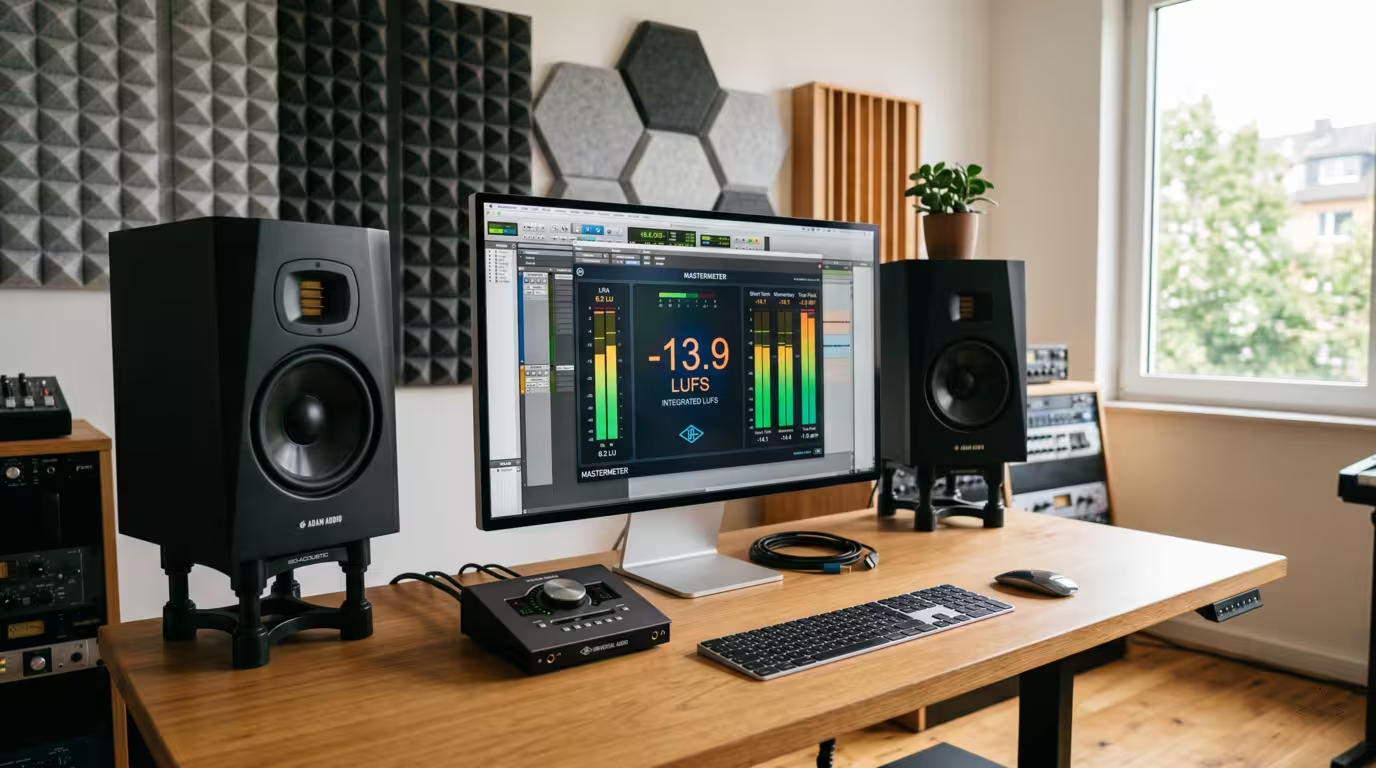
The reason LUFS tracks perception is a frequency-weighting filter called K-weighting, applied before the loudness is calculated. K-weighting de-emphasizes low frequencies and slightly boosts the highs above roughly 2 kHz, mirroring the fact that the human ear is less sensitive to bass and more sensitive to upper-midrange energy. This is closely related to the equal-loudness (Fletcher-Munson) contours. The practical consequence for electronic producers: a sub-heavy track can carry a lot of energy that barely moves the LUFS meter, while a bright, midrange-forward track reads louder for the same peak level.
LUFS vs Peak: Two Different Things
This is the single most important distinction in the whole topic. Peak level (dBFS) and loudness (LUFS) measure completely different things.
• dBFS / peak measures the highest instantaneous sample value — the technical ceiling. It tells you how close you are to digital clipping (0 dBFS). It is a momentary, sample-by-sample measurement.
• LUFS measures average perceived loudness over time — how loud the audio feels across a whole section or song.
Here is the consequence that trips up most beginners: two tracks can both peak at exactly 0 dBFS yet have wildly different loudness. A dynamic track with big transient peaks might sit at -16 LUFS while still touching 0 dBFS on its loudest hits. A brick-walled, heavily limited track that also peaks at 0 dBFS might measure -6 LUFS — it feels far louder because its average level is much higher, even though both have the same peak. Peak tells you about clipping; LUFS tells you about loudness. You need both meters. (For how peak, clipping and headroom work in a live DJ context, see the gain staging article.)
The Types of LUFS Measurement
LUFS isn't a single number. A proper loudness meter shows several readings, each measured over a different time window. The window durations are defined in EBU Tech 3341 (the EBU Mode supplement to R 128).
The three loudness windows and the loudness-range descriptor:
| Measurement | Window | What it tells you |
|---|---|---|
| Momentary (M) | 400 ms | Instantaneous loudness — loud hits, drops |
| Short-term (S) | 3 seconds | Loudness of a section, e.g. a chorus or breakdown |
| Integrated (I) | Whole track | Overall average loudness — the main target |
Integrated LUFS (LUFS-I) is the one that matters most for release. It is the average loudness across the entire track from start to finish, and it is the number streaming platforms use to normalize. When someone says "Spotify targets -14 LUFS," they mean integrated LUFS. Short-term is useful for checking that your drop isn't drastically louder than your intro; momentary captures the loudest split-second moments.
LRA (Loudness Range), defined in EBU Tech 3342, is a separate descriptor measured in LU. It describes the statistical spread between the loud and quiet parts of a track — its macro-dynamics. A track with an LRA of 2 LU is almost uniformly loud throughout (typical of hard techno); a track with 12 LU has significant dynamic contrast. There is no correct LRA — it simply tells you whether a master has been flattened or left room to breathe. Electronic dance genres tend to have low LRA by design.
How Integrated Loudness Uses Gating
To stop silent or very quiet passages from dragging the average down, the integrated measurement applies gating. An absolute gate at -70 LUFS discards near-silent blocks, and a relative gate then ignores anything more than 10 LU below the running average. The net effect is that integrated LUFS reflects the foreground of your music, not the gaps between sounds.
True Peak and Inter-Sample Peaks
A standard peak meter only reads the level of the digital samples themselves. But when a digital signal is reconstructed into an analog waveform by a DAC — or re-encoded into a lossy format — the continuous waveform can overshoot between the samples. These overshoots are called inter-sample peaks, and the level of the reconstructed waveform is measured as true peak (dBTP).
This is why a file that reads -0.1 dBFS on your DAW's sample meter can actually hit +0.3 dBTP or higher in the real world. A true-peak meter catches this by oversampling the signal (typically 4× or more) to estimate what happens between samples. The danger is real: a master sitting at 0 dBFS can develop inter-sample peaks of +1 dB or more after AAC or Ogg Vorbis encoding, producing audible distortion — a brittle, harsh edge on transients — on the listener's device.
The fix is to leave headroom. Most platforms and mastering engineers recommend a true-peak ceiling of -1 dBTP for delivered masters, which gives the lossy encoder room to work cleanly. For very loud, dense masters, -2 dBTP is a safer choice — and Amazon Music is the notable outlier here, with its -2 dBTP true-peak requirement reflecting that its playback chain, especially Alexa devices and Echo speakers, is more prone to inter-sample clipping. You achieve this with a true-peak limiter — a limiter set to operate on the oversampled signal rather than just the sample peaks. Many modern limiters (FabFilter Pro-L 2, iZotope Ozone's maximizer, the TC Electronic brickwall) have a true-peak mode; set the ceiling to -1 dB and verify with a true-peak meter.
The Standards Behind Loudness
Loudness measurement is built on a small stack of international standards, and it is worth knowing which does what.
• ITU-R BS.1770 — the foundational algorithm. Titled "Algorithms to measure audio programme loudness and true-peak audio level," it defines K-weighting, the loudness calculation, and true-peak measurement. Everything else is built on top of it. It has been revised several times; the gating mechanism was added in BS.1770-2 (2011), and the most recent revision, BS.1770-5, was approved on 22 November 2023.
• EBU R 128 — the European broadcast recommendation, first published in 2010. It set the broadcast target of -23 LUFS integrated with a maximum of -1 dBTP, and it introduced the LUFS and LU terminology along with the EBU Mode metering spec (Tech 3341) and the LRA descriptor (Tech 3342). In many European countries, R 128 compliance is a legal requirement for broadcast.
• ATSC A/85 — the US broadcast equivalent, which targets -24 LKFS. It underpins the CALM Act, the law requiring TV commercials to be no louder than the programs around them. A/85 is dialogue-anchored and specifies a -2 dBTP ceiling.
• AES TD1008 — the Audio Engineering Society's recommendation for internet streaming. It advises normalising music to an average of about -16 LUFS, and normalising the loudest track of an album to roughly -14 LUFS integrated. Apple's choice of -16 LUFS aligns with this.
The common thread: all of these use the same BS.1770 engine, just with different target levels appropriate to their medium.
The Loudness War, Briefly
Before loudness normalization, the only thing standing between a master and the digital ceiling was the peak. And because two tracks at the same peak can have very different loudness, engineers learned they could make a record seem louder than its rivals by compressing and limiting it harder — raising the average level without exceeding 0 dBFS. This is brickwalling.
Through the 1990s and peaking in the mid-2000s, this turned into an arms race known as the loudness war. Nobody wanted their CD to be the quiet one in a changer or on the radio, so average levels crept relentlessly upward and dynamic range collapsed. Waveforms went from jagged Christmas-tree shapes to solid sausage-like blocks. Notorious casualties include Metallica's Death Magnetic (2008), whose CD master was so crushed that fans preferred the more dynamic version released for a video game, and earlier loud benchmarks like Oasis's Be Here Now. The crest factor of popular music dropped by several dB over the era.
Loudness normalization on streaming changed the underlying logic. Once every platform turns all tracks to roughly the same perceived loudness, making a track louder no longer makes it louder than the competition during playback — it just makes it more squashed and then turns it down anyway. The incentive that drove the war evaporated. As mastering engineers now put it, the loudest track no longer wins; clarity and dynamics do.
How Streaming Normalization Works — and the Targets
Every major streaming service measures your track's integrated LUFS and adjusts playback gain so that all songs play at a similar loudness. Crucially, this is a playback gain change — the platform does not re-encode or permanently alter your uploaded file; it just plays it louder or quieter. Normalization is on by default in the main apps (per data cited by iZotope, over 87% of Spotify users stick with the default Normal setting), though some services, like Spotify and Apple, let users disable it.
There are two behaviors to understand. Downward normalization turns loud tracks down to the target. Upward normalization turns quiet tracks up toward the target — but only some platforms do this, and even then only within the headroom available. Spotify and Apple Music turn quiet tracks up; YouTube, Tidal, and Amazon generally only turn loud tracks down, leaving quiet masters to play quietly.
Here are the commonly cited current targets. Treat them as approximate — they are integrated LUFS, they can change, and most come from reputable third-party testing rather than always-published official specs.
| Platform | Target (integrated LUFS) | Normalization behavior |
|---|---|---|
| Spotify | ~-14 | Up and down (within headroom) |
| Apple Music | ~-16 | Up and down, no limiting |
| YouTube / YouTube Music | ~-14 | Down only |
| Tidal | ~-14 | Down only (album-based) |
| Amazon Music | ~-14 | Down only |
| Deezer | ~-15 | Down only |
| SoundCloud | No normalization | Plays as uploaded |
Spotify is the most transparent: its own artist support documentation states that it adjusts tracks to -14 dB LUFS according to the ITU 1770 standard and leaves 1 dB of headroom for lossy encodings. Premium users can switch between Loud (-11 LUFS), Normal (-14) and Quiet (-19) modes; Spotify only applies a limiter in the Loud setting, otherwise it just shifts gain. It also recommends keeping true peak at -1 dBTP, or -2 dBTP for masters louder than -14 LUFS. Apple Music's Sound Check, which switched to LUFS measurement in March 2022, uses a reference level of -16 LUFS, turns quieter songs up only as much as peak levels allow, and never applies limiting — so a dynamic master keeps its character.
The practical takeaway: if you deliver a master far louder than the target, the platform simply turns it down. You gained no loudness advantage and you kept all the dynamic damage from over-limiting. A dynamic master and a crushed master, both normalized to -14 LUFS, will play at the same loudness — but the dynamic one will sound bigger and punchier.
What Targets Should Producers Actually Master To?
Here is the honest, nuanced answer: there is no single correct LUFS number. Master for the music and the destination.
For streaming-first releases, a master landing somewhere around -14 LUFS integrated with a -1 dBTP true-peak ceiling is a safe, platform-friendly choice that translates well across Spotify, YouTube, Tidal, Amazon and Deezer, and only gets turned down a couple of dB on Apple Music. Aiming here means the platforms barely touch your file, and you keep your dynamics. You do not need separate masters for each service — a single well-made master near -14 LUFS covers them all.
But electronic and club music is a different world. Commercial dance, techno and house releases are routinely mastered much louder — often in the -10 to -6 LUFS range, with hard club genres pushing toward -6 LUFS. The gap between genre reality and the streaming target is stark: per Mastering The Mix's analysis of Spotify's most-streamed tracks, the top 25 average around -8.4 LUFS — nearly 6 dB louder than Spotify's own -14 LUFS target. This persists despite normalization for good reasons: a track destined for a club PA, a festival rig, or back-to-back comparison in a DJ set needs sustained energy and density, and the loud-master aesthetic — saturation, glue, controlled clipping — is baked into the sound of the genre. When a platform normalizes a -6 LUFS club master down to -14, the volume drops but the character and density stay, so the track can still sound bigger than something mastered timidly at -14.
The tension is real, and the modern solution many engineers use is two masters: a streaming master that preserves dynamics, and a louder club/promo master (often -8 to -6 LUFS) for DJ use, USB sticks and big systems. The mistake to avoid is crushing a master purely to win on streaming — that battle is over. Push loudness only as far as the music can take it before it loses punch and clarity, let the arrangement and mix do the heavy lifting, and remember that preserving some dynamics is now rewarded, not penalized.
Why This Matters for DJs
Even if you never master a track, LUFS explains a lot of what you experience as a DJ. The reason tracks in your library jump around in loudness is that they were mastered to wildly different LUFS levels — an old vinyl rip might sit at -16 LUFS while a modern festival weapon hits -6. That difference is exactly why gain staging and level-matching matter: you ride the trim to bring every track to a consistent working level (covered in detail in the gain staging article). Modern DJ software and players increasingly include auto-gain features that analyze each track's perceived loudness — essentially the same LUFS-style measurement — and normalize it automatically, so you start from a level playing field. Understanding LUFS demystifies why that feature exists and why some tracks still need manual attention.
Tools for Measuring Loudness
You cannot hit a target you can't see. A dedicated loudness meter that reads integrated, short-term and momentary LUFS, plus true peak and LRA, is essential at the mastering stage. The standard free option is Youlean Loudness Meter, which is calibrated to ITU-R BS.1770 and includes streaming and broadcast presets; its free version covers the core readings, and a Pro version adds extra metering and reporting. Paid and bundled options include iZotope Insight, Waves WLM, and the metering built into mastering suites like iZotope Ozone, as well as Nugen MasterCheck for previewing how a master will be affected by each platform. Many DAWs now include a basic loudness meter too.
The workflow is simple: play the whole track through the meter (integrated LUFS only finishes measuring at the end), check that the integrated reading lands where you intend, confirm true peak stays at or below -1 dBTP, and glance at the LRA to make sure you haven't flattened the life out of the track. Free web tools like loudnesspenalty.com will also show you how much each platform will turn your specific master up or down.
Key takeaways
• LUFS measures perceived loudness using K-weighting to mimic human hearing; it is standardized in ITU-R BS.1770 and is identical to LKFS. 1 LU = 1 dB, and values are negative (closer to 0 = louder).
• Peak (dBFS) and loudness (LUFS) are different: two tracks at 0 dBFS peak can differ hugely in LUFS. Watch both meters.
• Integrated LUFS (whole track) is the release target; short-term (3 s) and momentary (400 ms) are for checking sections; LRA describes dynamics. Keep true peak at -1 dBTP to survive lossy encoding.
• Streaming normalization ended the loudness war's logic: louder masters just get turned down, so chasing maximum loudness for streaming is self-defeating.
• A ~-14 LUFS / -1 dBTP master is streaming-safe; electronic/club music is often mastered far louder (-10 to -6 LUFS) for club energy — consider separate streaming and club masters.
• Use a proper loudness meter (Youlean is free), master for the destination and the music, and let dynamics live.
Ready-made, exclusive EDM tracks with full rights — released as your own.
