Scratching is the turntablist technique of moving a record (or a jog wheel) back and forth under the needle to create rhythmic, percussive sounds — and if you can already beatmatch and mix, you have the timing instincts to start learning it today. This guide breaks down what scratching is, the gear that makes it possible, how your two hands divide the work, and the handful of foundational scratches every beginner builds on. We'll keep it practical and point you to our gear and crossfader guides for the hardware deep-dives. The short version: start with the baby scratch, keep your hand relaxed, scratch in time, and be patient.
What Scratching Is, and a Short History
Scratching, sometimes called scrubbing, is a DJ and turntablist technique of moving a vinyl record back and forth on a turntable to produce percussive or rhythmic sounds, usually while a crossfader on the mixer cuts that sound in and out. It turns the turntable from a playback device into a musical instrument — the core idea behind turntablism, a term popularised in 1995 by DJ Babu of the Beat Junkies (its precise origin is contested, with DJ Disk also credited).
Scratching is widely credited to Grand Wizzard Theodore (Theodore Livingstone), who as a Bronx teenager in the mid-1970s discovered the sound when he moved a playing record back and forth with his hand, building on the cutting and back-cueing innovations of his mentor Grandmaster Flash. The technique went public in the late 1970s and became a hip-hop staple through the 1980s.
The sound reached a mass audience when Grandmixer DXT (then Grand Mixer D.ST) scratched on Herbie Hancock's 1983 single "Rockit," which won a Grammy for Best R&B Instrumental Performance and was performed live at the 1984 ceremony — a moment the music scholar Mark Katz called "the scratch heard around the world." In the 1990s, turntablists like DJ Qbert, Mix Master Mike and the Invisibl Skratch Piklz pushed scratching into a virtuoso art form, competing at battles such as the DMC World DJ Championships (founded in 1985) and the ITF/IDA. You don't need to battle to enjoy scratching — but knowing the lineage helps you respect the craft.
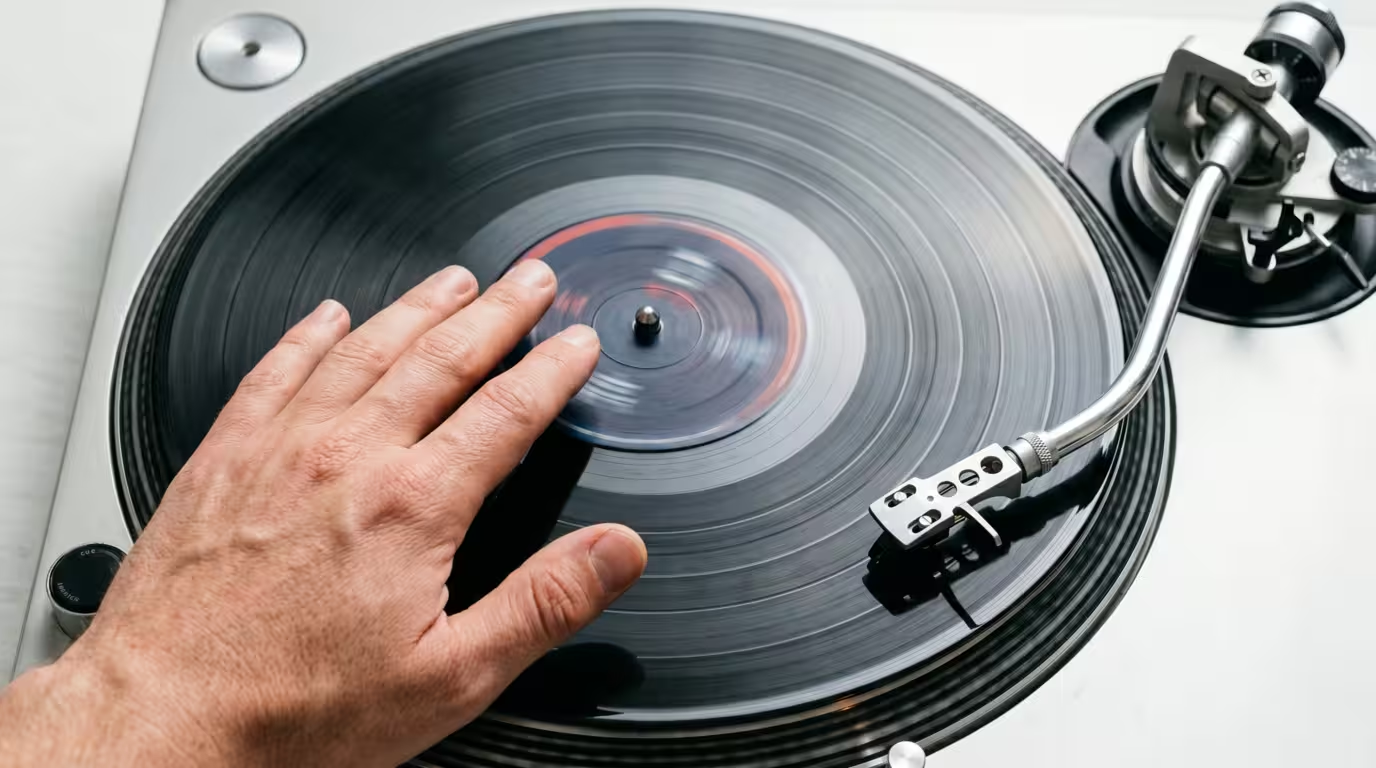
The Gear You Need to Scratch
You can scratch on three kinds of setup: real turntables, a digital vinyl system (DVS), or a scratch-capable controller/CDJ in vinyl mode. The common thread across all of them is a sharp crossfader and a responsive platter or jog wheel.
For a classic setup you need a turntable, ideally a direct-drive deck, plus a mixer with a good crossfader, a slipmat, a cartridge and stylus, and a record to scratch. Direct-drive matters: early belt-drive turntables were unsuitable for scratching because they were slow to get up to speed and the belts would break from backspinning. The Technics SL-1200 series is the long-standing standard; per Technics, its high-torque direct-drive motor allows quick starts and quick returns to speed after scratching, and its tonearm is built to track the groove even under hard use. We cover the mixer and crossfader hardware in depth in our gear articles and the crossfader's mixing role in our transitions guides; here we'll focus on technique.
A slipmat sits between the platter and the record. Unlike a rubber mat, a slipmat is designed to slip on the platter so the DJ can manipulate a record while the platter keeps rotating underneath — which is exactly what lets you pull the record back and forth without fighting the motor.
The crossfader is essential. For scratching you want a sharp cut so a tiny movement fully opens the channel, not a long blend. Battle mixers and quality replacement faders such as the Innofader are built for this; the Innofader, made by Audio Innovate, has become a standard in the scratch community.
For samples, the easiest sounds to scratch are long, sustained tones or single vocal stabs. The two most famous are the "Ahhh" and "Fresh" sounds, sampled from Fab 5 Freddy's 1982 record "Change the Beat" — one of the most sampled tracks in history, appearing in thousands of records. (The famous vocoder line was actually spoken by Bill Laswell's manager Roger Trilling, not Freddy himself.) Scratch records and DVS sample packs include these classics. Avoid scratching over a full busy song at first — an instrumental or a single sound is much easier to control.
Scratching on Modern Gear
You absolutely do not need vinyl to learn. Software-based digital vinyl systems such as Serato DJ use special control records pressed with a control signal, so the turntable controls digital audio while you keep the same hand skills. Most CDJs and many controllers also have a vinyl mode: with vinyl mode turned on, the deck stops when you touch the top of the jog wheel, so you can scratch it like a record.
Some gear is better suited to scratching than others. Battle-style controllers built for the job — like the entry-level Pioneer DDJ-REV1, a scratch-style controller with larger jog wheels — mimic a turntable-and-mixer layout. Higher-end units such as the DDJ-REV7 use large motorized, vinylized jog wheels that recreate the feel and rotational stability of a real platter. The two things that matter most for scratch feel are the jog wheel (bigger and motorized feels closer to vinyl) and the crossfader quality. Set your software's crossfader cut-in to its tightest setting before you start.
One honest caveat: a static jog wheel feels different from a spinning platter, and digital setups introduce a little latency. As Digital DJ Pool notes, scratch DJs often have to slightly adapt their patterns to a controller or CDJ. None of that should stop a beginner — the fundamentals transfer.

Hand Roles and Setup
Scratching uses two hands working together: one hand on the record (or platter/jog wheel) that pushes and pulls the sound, and one hand on the crossfader (or upfader) that cuts the sound in and out. Most DJs put their dominant hand on the record so they can express the sound, and use the other hand on the fader — but there is no single correct assignment; try both and keep whichever feels natural.
Many scratch DJs turn the turntable 90 degrees into battle position, so the tonearm points away and the platter area is clear for fast hand movement. The point of battle position is easier access to the record area not covered by the needle and tonearm. You may also encounter hamster (reversed) crossfader setups, where the fader logic is flipped; it's a preference, not a requirement, so ignore it until the basics feel comfortable.
Finally, set a visual reference. Put a sticker or marker on the record (or use the jog-wheel display/marker) at the start of your sample so you always know where the sound begins. A common starting position is roughly 9 o'clock, so you have somewhere consistent to return to.
The Foundational Beginner Scratches
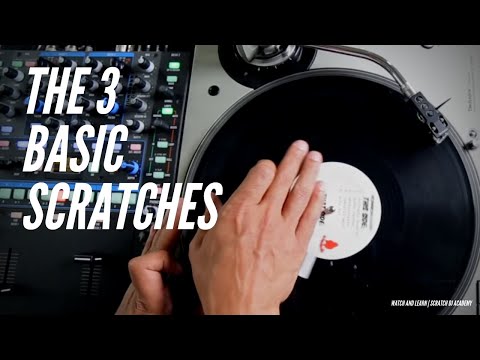
Here's the heart of it. Learn these in order. Master the baby scratch first with no fader before you touch the crossfader — that record-hand control is the foundation of everything else. Start slowly, then bring in a simple beat or metronome and scratch in time.
This table is a quick reference for what each hand does:
| Scratch | Record motion | Crossfader |
|---|---|---|
| Baby | Forward and back | Open (not used) |
| Forward/cut | Forward and back | Closed on the backstroke |
| Backward | Forward and back | Closed on the forward stroke |
| Tear | Staggered, in steps | Open (not used) |
| Chirp | Forward and back | Opens/closes with the motion |
| Scribble | Fast, tense buzz | Open (not used) |
Baby Scratch
The baby scratch is the most basic and the one everyone starts with. With the crossfader open, move the record back and forth rhythmically over your sample — no fader at all. You hear the sound speed forward, then rewind backward. Use a relaxed wrist, not your whole arm. Practice it until it's smooth and in time with a beat; everything else is built on this motion.
Forward (Cut) Scratch
The forward scratch, also called cutting, is a baby scratch where you use the crossfader to silence one direction: the fader is closed during the backward movement of the record, so only the forward push is heard. This is your first two-hand scratch — the record hand and the fader hand have to cooperate. If you let the record spring back on its own instead of pushing it, it's often called a release.
Backward Scratch
The backward scratch is the mirror image: you cut out the forward part of the motion instead of the backward part, so only the backstroke is heard. Practicing both the forward and backward versions trains your fader timing in both directions.
The Crossfader's Role and Cutting
The crossfader is what makes scratches rhythmic. By cutting parts of the back-and-forth motion in and out, you chop a continuous sound into distinct notes and patterns. This is also why a sharp cut-in matters: when the fader acts like a switch, you get crisp stabs rather than mushy fades. The quick on/off clicks of the fader are the building blocks of the more advanced scratches.
Tear Scratch
A tear is a baby scratch broken into steps. The fader stays open, but you stagger the record movement so the forward or backward motion has a short stop in it where the record comes briefly to rest, splitting one stroke into two or more sounds. It's a great way to add rhythmic variation without needing the crossfader, and it teaches record-hand control.
Chirp Scratch
The chirp makes a chir-p sound like a bird, and it's usually the first scratch where you combine fader and record together. As Wikipedia describes it, you close the fader just after playing the start of a sound, stop the record at the same point, then push it back while opening the fader to get the chirp. The chirp is credited to DJ Jazzy Jeff (Jeffrey Townes), who introduced it on "The Magnificent Jazzy Jeff" from the 1987 album Rock the House. It's an open-ended skill that leads naturally into flares later.
Scribble Scratch
The scribble is a fast, buzzing sound made with no crossfader. It's performed by tensing the forearm muscles of the scratching hand and rapidly jiggling the record back and forth over a short distance. It feels different from the others because the speed comes from controlled muscle tension rather than big arm movement. It works best with a short, sharp sample.
Next Steps: Transformer, Flare, Crab and Orbit
Once the basics are smooth, the classic intermediate scratches await. The transformer (or transform), credited to Philadelphia DJs Spinbad, Cash Money and Jazzy Jeff and named after the cartoon's robotic sound, taps the fader open and closed while the record moves steadily. The flare starts with the fader open and briefly closes it one or more times mid-stroke (clicks), letting you scratch continuously with less hand fatigue than transforming. The crab is a flare-type scratch where you tap the fader with each finger in turn for rapid-fire cuts, and the orbit repeats a scratch (often a flare) the same way forward and back. Treat these as your roadmap, not your starting point.
Practice Tips and Musicality
Scratching takes time — most beginners need months of regular practice to get the basics fluent, and that's normal. A few principles will speed you up:
• Start slow and stay in time. Loop a simple beat or instrumental on the other deck and scratch along to it, counting to four. Your beatmatching instincts already give you the timing sense scratching needs.
• Keep your hand and wrist relaxed. Tension is the enemy of smoothness; let the wrist do the work on baby scratches, not the whole arm.
• Pick the right sample. A long "Ahhh," a single word, or a sustained tone is far easier than a busy track. Instrumentals reduce distraction.
• Build muscle memory before adding the fader. Get the record hand confident first, then layer in crossfader cuts.
• Record yourself. Listening back reveals timing slips you can't hear in the moment; a free tool like Audacity works fine.
• Use it tastefully. A little goes a long way — a short scratch over a beat can make a transition pop without overstaying its welcome, while constant scratching just interrupts the flow.
Common Mistakes to Avoid
Most beginner problems come down to a handful of habits:
• Gripping too tight. A tense, forceful hand produces stiff, distorted scratches; keep a light touch.
• Using the whole arm. For baby scratches, move from the wrist, not the shoulder.
• Neglecting the fader hand. Crossfader timing is half the skill — practice it deliberately, not as an afterthought.
• Scratching out of time. If it's not locked to the beat, it sounds like noise. Always practice to a beat or metronome.
• Wrong sample. Trying to learn over a full, busy song makes everything harder; start with one clean sound.
• Expecting fast progress. Skill builds over months; impatience leads people to quit right before it clicks.
• Fighting cheap, unresponsive gear. A vague crossfader or a tiny, stiff jog wheel makes scratching needlessly hard — set your cut-in tight and, if you can, use a setup built for scratching.
Key takeaways
• Scratching is moving a record or jog wheel back and forth under the needle to make rhythmic sounds; it's widely credited to Grand Wizzard Theodore and is the heart of turntablism.
• It uses two hands: one on the record, one on the crossfader — and a sharp crossfader cut is essential.
• Learn in order: baby scratch (no fader) first, then forward/cut, backward, tear, chirp and scribble.
• You can scratch on turntables, DVS, CDJs in vinyl mode, or scratch-capable controllers; direct-drive platters and quality faders feel best.
• Start slow, stay in time, keep relaxed, choose simple samples, and be patient — and use it tastefully in a mix.
Ready-made, exclusive EDM tracks with full rights — released as your own.
