A standalone DJ system is gear that plays and processes your music entirely on its own, with no laptop connected during the performance. Instead of relying on a computer to do the heavy lifting, these units carry their own onboard processor, operating system and screen, reading tracks straight from USB drives, SD cards, internal drives or streaming services. This article unpacks what makes a system standalone, the different shapes that category takes, how it works internally, and where it genuinely beats — and loses to — a laptop-and-controller rig.
What Standalone Actually Means
The defining trait of a standalone DJ system is simple: it is a computer in its own right. A pure DJ controller is just a control surface — a layout of jog wheels, faders and pads that sends instructions to DJ software running on a connected laptop. Unplug the laptop and a controller is an inert slab. A standalone unit flips that relationship. The processing, track analysis, waveforms, browsing and audio playback all happen inside the hardware, driven by an embedded operating system and a built-in touchscreen.
In practice that means you can walk into a booth with nothing but a USB stick (or your phone and a Wi-Fi connection) and play a full set. The unit reads your music from removable or internal media, displays waveforms and track data on its own screen, and outputs finished audio without a computer anywhere in the chain. It is worth being honest about one nuance the marketing tends to gloss over: most standalone workflows still involve a laptop at some stage, because you typically prepare and analyse your library on desktop software first, then export it. The distinction is whether you depend on that computer during the gig — and with standalone gear, you do not.
This is also why the line between categories has blurred. Some modern controllers are now standalone-capable hybrids that work both ways. The clean mental model is: a pure controller needs a laptop to function; a standalone all-in-one has decks, a mixer and a screen built into one self-contained unit; and a standalone media player is a separate deck with its own brain and screen that still needs an external mixer to make sound.
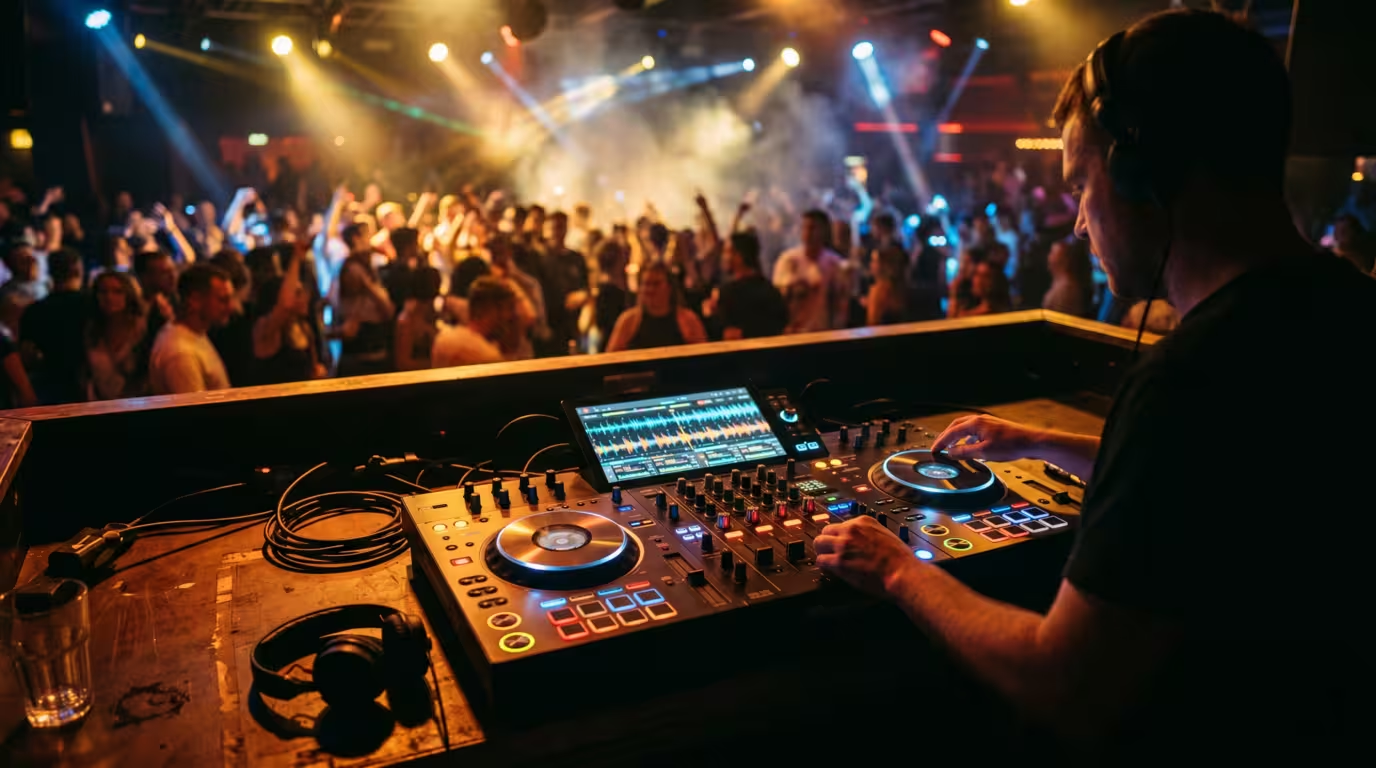
The Spectrum of Standalone Gear
Standalone is not one product — it is a category spanning compact portable consoles up to flagship club separates. It helps to split it into two families.
All-in-One Standalone Systems
These pack two or more players, a mixer and a screen into a single chassis. You add speakers and you are done. Pioneer DJ's XDJ-RX3 is a 2-channel all-in-one with a 10.1-inch touchscreen — the largest Pioneer DJ has put on an all-in-one — borrowing its layout and effects from the club-standard CDJ-3000 and DJM-900NXS2. It currently sells for around $2,269. Its bigger sibling, the XDJ-XZ, is a 4-channel unit with full-size mechanical jog wheels and a 7-inch screen; notably it offers only two channels of standalone USB playback, with the other two channels reserved for external sources or software DJing.
Denon DJ's Prime line attacks the same space with a more computer-like flavour. The Prime 4+ is a 4-deck standalone system with a 10.1-inch multi-gesture touchscreen, an internal 2.5-inch SATA drive bay, four USB inputs and an SD slot. The Prime 2 is a 2-deck console with a 7-inch screen and the same SATA bay, while the battery-powered Prime GO is the outlier — a compact, rechargeable console with a 7-inch screen and, per Denon DJ, up to four hours of built-in lithium-ion battery power, designed to be played anywhere. (The newer Prime GO+ claims roughly a 25% battery improvement over that original four-hour figure.)
Standalone Media Players (Separates)
The other family is the separates approach used in most professional booths: individual players, each with its own screen and brain, connected to a standalone mixer. Pioneer/AlphaTheta's CDJ-3000 is the definitive example — a flagship multi-player with a 9-inch touchscreen, a dedicated micro-processing unit (MPU), and no internal storage, designed to be paired in twos, threes or fours with a DJM mixer. Its 2025 successor, the CDJ-3000X (announced September 2025 at roughly $2,999 / £2,400), adds a larger 10.1-inch capacitive touchscreen that displays up to 16 tracks at once, built-in Wi-Fi, an NFC touchpoint for tap-to-load phone login, and cloud and streaming access via Beatport Streaming, TIDAL and rekordbox CloudDirectPlay — though it drops the SD slot for USB-C and has no stem support at launch. Denon's SC6000 and motorised SC6000M Prime are the rival separates, each with a 10.1-inch screen, an 8.5-inch jog wheel, an internal HDD bay and dual-layer playback that effectively turns one unit into two decks.
Here is how the three device types relate.
| Type | Needs a laptop to play? | Needs an external mixer? |
|---|---|---|
| Pure DJ controller | Yes — always | No (mixer built in) |
| Standalone all-in-one | No | No (mixer built in) |
| Standalone media player | No | Yes |
How a Standalone System Works Inside
Underneath the jog wheels, a standalone unit runs the same essential pipeline a laptop would: it analyses tracks for BPM, key, beatgrids and waveforms, then uses that data to drive sync, quantize and the visual display. The difference is where the analysis happens and how the library gets there.
The traditional model is prepare on desktop, perform on hardware. You import and analyse your collection in desktop software, set hot cues and loops, build playlists, then export everything to a USB drive or SD card. For Pioneer/AlphaTheta gear this is done in rekordbox using its Export mode, which writes an analysed library the CDJ or XDJ reads directly. For Denon DJ gear the equivalent prep tool is Engine DJ Desktop, which exports to USB, SD or an internal drive for Engine OS to play.
Modern units, especially the Denon Prime range and the SC6000, can also analyse tracks onboard — drop an un-analysed file or even a rekordbox-formatted USB into the unit and it builds the BPM, beatgrid and waveform itself. Browsing happens on the touchscreen, with QWERTY search, playlist management and on-the-fly crate edits.
Networking is where separates earn their keep. Pioneer's Pro DJ Link connects players over a LAN/Ethernet cable to share music files, track data and sync information; over Gigabit Ethernet you can share USB and SD sources across up to six CDJ-3000 units when paired with a compatible six-channel mixer such as the DJM-V10. Denon's networking is functionally similar but branded differently: up to four SC6000 units connect to the X1850 mixer via a five-port LAN, sharing tempo data and enabling fast music transfer, while StageLinQ rides on the same network specifically to feed performance data to lighting and video software such as SoundSwitch and Resolume. Networked players can share track databases, timing and BPM, so one media source can be browsed and played by every connected unit — the same one-drive-many-players trick Pro DJ Link is famous for.
Finally, Wi-Fi and cloud are now first-class citizens. The CDJ-3000X streams from Beatport and TIDAL and pulls from rekordbox CloudDirectPlay, with NFC phone login. Engine OS devices reach Apple Music, Amazon Music Unlimited, TIDAL, Beatport, Beatsource, SoundCloud Go+, Dropbox, and remote access to computer-based Engine DJ libraries — over 100 million tracks in total. Both ecosystems buffer streamed tracks into memory for stable playback.
The Pros of Going Standalone
The single biggest reason DJs go standalone is reliability. There is no laptop to crash mid-set, no operating-system update that breaks your driver an hour before doors, no USB-audio dropout from a background process. A purpose-built device that only does DJing removes an entire class of failure points. It is fair to note the counter-argument: a standalone unit is still a computer internally and can freeze or glitch, and a well-maintained laptop handles professional gigs every week — so in practice, preparation matters as much as the hardware you choose. But standalone genuinely eliminates the external computer as a variable.
The other advantages stack up quickly.
• Simpler setup. Fewer cables, fewer connections, less to go wrong. Plug in, drop a USB, play.
• Club-ready, industry-standard layout. Pioneer's CDJ-and-DJM configuration is the global club standard, and gear like the XDJ-RX3 mirrors it so your muscle memory transfers straight to any pro booth.
• Eyes-up performance. With the screen built into the gear at booth height, you watch your waveforms and your crowd, not a laptop lid.
• A cleaner booth and dedicated build quality. No laptop stand, no clutter, and a chassis built for the rigours of touring.
• Portability and battery options. All-in-ones consolidate a whole rig into one case; the Prime GO adds a battery so you can play off-grid entirely.
The Cons and Trade-Offs
Standalone is not a free lunch. The most obvious cost is literal: these units carry a higher upfront price than most controllers, because you are buying the computer, screen and mixer all in one. Flagship all-in-ones like the AlphaTheta XDJ-AZ and Denon Prime 4+ sit at the top of the market (the XDJ-AZ around $3,200, the Prime 4+ around $2,200), while a capable laptop controller can cost a fraction of that if you already own the computer.
Other trade-offs to weigh.
• You must prepare in advance. Standalone rewards organised DJs. You analyse and export your library before the gig; adding brand-new music on the fly is harder than it is in software (streaming and onboard analysis soften this, but club Wi-Fi is not guaranteed).
• Fewer or different software features. Desktop DJ software still leads on the bleeding edge of effects, sampling and customisation — though the gap is closing fast. Engine OS made the Prime 4+ what Denon calls the first standalone DJ system with stem separation, delivering 4-part stems via a firmware update, and both rekordbox and Engine DJ keep adding features over the air.
• Ecosystem lock-in. Your prep workflow ties you to rekordbox or Engine DJ. Moving between them means converting your library (third-party tools exist, but it is friction).
• Screen-size limits. Even a 10-inch touchscreen is smaller than a laptop display, which can slow down browsing of very large libraries.
• Updates depend on the manufacturer. New features arrive on the maker's firmware schedule, not whenever a software developer ships them.
rekordbox vs Engine DJ: The Two Ecosystems
Choosing standalone gear largely means choosing an ecosystem, because each brand's hardware is built around its own prep software.
rekordbox is AlphaTheta/Pioneer DJ's platform. You analyse and organise in rekordbox on macOS or Windows, then use Export mode to write a library to USB/SD for CDJs and XDJs. Helpfully, Pioneer's all-in-ones like the XDJ-RX3 are Hardware Unlock devices, meaning connecting them unlocks rekordbox's paid Performance mode for free. Engine DJ (with its onboard Engine OS) is Denon DJ's equivalent: you prep in Engine DJ Desktop and export to USB, SD or an internal drive, and Engine OS can also import and internally analyse rekordbox-formatted collections without a computer.
A useful third option exists: Serato DJ Pro runs on many standalone players via USB-HID, letting you plug a laptop into a CDJ-3000, SC6000, XDJ-RX3 or XDJ-XZ and control Serato with the hardware. But this is fundamentally a laptop-software workflow — the standalone unit becomes a controller for the duration. It is a flexibility bonus, not a replacement for true standalone operation.
| Ecosystem | Prep software | Brand hardware |
|---|---|---|
| rekordbox | rekordbox (Export mode) | Pioneer DJ / AlphaTheta CDJ, XDJ |
| Engine OS | Engine DJ Desktop | Denon DJ Prime, SC series |
Who Standalone Is For
Standalone suits several clear profiles. Club and festival DJs benefit from matching the global CDJ/DJM standard — a standard so entrenched that the Pioneer CDJ line appears on most professional riders — and from rock-solid, laptop-free reliability. Mobile and event DJs are a sweet spot for all-in-ones: the Prime 4+ in particular packs an internal drive, a dedicated zone output for sending a separate mix to another room, twin mic channels and lighting control — exactly what a working wedding or corporate DJ needs. Anyone chasing maximum reliability or wanting to ditch booth clutter will appreciate the workflow.
Who should stick with a laptop and controller? Beginners and budget-conscious DJs, for whom a controller plus an existing laptop is far cheaper. Software-feature-hungry DJs who want the very latest effects, deep customisation and the biggest screen for library work. And livestreamers, whose workflow already lives on the computer for capture, overlays and routing.
If you have decided standalone is right, the buying checklist comes down to: number of channels (2 versus 4), screen size, internal storage and drive-bay support, battery (only the Prime GO), streaming services supported, and — above all — which ecosystem you want to live in.
Key takeaways
• A standalone DJ system has its own processor, OS and screen, and plays from USB, SD, internal drive or cloud with no laptop required during the set.
• The category spans portable all-in-ones (XDJ-RX3, Prime 4+, battery-powered Prime GO) and pro separates (CDJ-3000/3000X, SC6000) that need a mixer.
• Reliability and a club-standard, eyes-up workflow are the headline wins; higher cost, advance prep and ecosystem lock-in are the trade-offs.
• Your real choice is rekordbox (Pioneer/AlphaTheta) versus Engine DJ/Engine OS (Denon) — pick the ecosystem before the box.
• Controllers still make more sense for beginners, tight budgets, feature-chasers and livestreamers.
Ready-made, exclusive EDM tracks with full rights — released as your own.
