Plug a long RCA cable from your mixer into a far-off amp and you may hear a faint hum or buzz creeping under the music; swap to a balanced XLR run and it vanishes. That difference is the whole story of balanced versus unbalanced audio. This article is the dedicated, deeper companion to our DJ Cables and Connections guide: where that article catalogues the connectors, this one explains the electrical principle that makes some of them quiet over long distances and others noisy. If you want the full connector tour or the ground-loop section, start there; for signal levels in detail, see Gain Staging for DJs.
The Problem Balanced Audio Solves
Every audio cable is also an antenna. As soon as a conductor runs through the world, it picks up electromagnetic and radio-frequency interference (EMI and RFI) from the things around it — mains wiring, lighting dimmers, motors, transformers, phone and Wi-Fi radios. The most familiar symptom is mains hum: because domestic power alternates at 50 or 60 Hz, that interference couples into audio cables and is reproduced as a steady hum or buzz, often with harmonics stretching up the spectrum. As Wikipedia's Mains hum entry notes, 50/60 Hz electrical noise can get into audio systems and is heard as hum from the speakers.
The longer the cable and the more electrically hostile the room, the more of this junk a cable collects. The challenge audio engineers faced a century ago — and that DJs face today when sending a master feed across a club to the PA — is simple to state: how do you get a clean signal from A to B over distance? Balanced audio is the answer, and it has been since the early telephone networks needed to carry speech for miles.
Unbalanced Audio: Simple, Cheap, Short
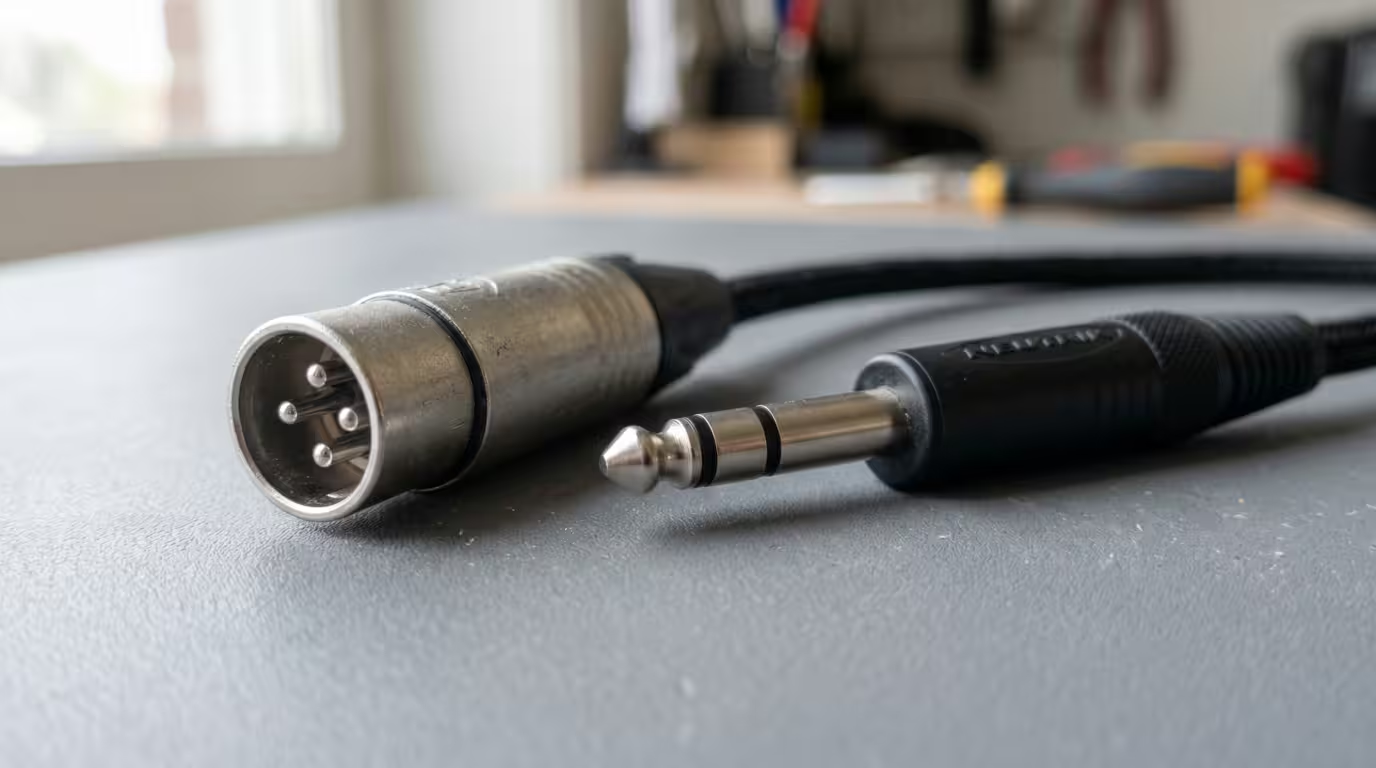
An unbalanced connection uses two conductors: a single signal conductor (the centre wire or tip) and a ground that does double duty as both the signal's return path and the shield. The shield wraps around the signal wire, intercepts a good deal of electrostatic interference, and passes it to ground. This is the arrangement inside an RCA lead, a TS (tip-sleeve) quarter-inch guitar cable, and most 3.5 mm leads.
It is cheap, compact and perfectly good for short hops. But it has a built-in weakness. Because the ground conductor is part of the signal circuit, any interference induced into the cable — or any voltage difference between the grounds of the two devices — is added directly to the audio, and the receiving equipment has no way to tell the noise apart from the wanted signal. The shield itself behaves like an antenna, and the longer it gets the more it collects. There is also no magnetic-field immunity: an unbalanced shield protects against electric fields but, as Rane's engineers note, magnetic fields are not shielded.
In practice that means unbalanced is fine for short runs and degrades over distance. Hosa Technology advises keeping unbalanced cables short — typically under about 15 to 20 feet — to stop the cable acting as an antenna for interference, while other makers quote anywhere from about 3 m up to 25 ft; treat all of them as approximate guidance that depends on the environment and signal level, not a hard cut-off. Connectors that carry unbalanced audio: RCA, TS quarter-inch, and most 3.5 mm jacks.
Balanced Audio: Three Conductors, a Smarter Receiver
A balanced connection adds a third conductor. Now there are two signal lines plus a separate ground/shield. The shield's only job is shielding — it is not part of the signal circuit — which is itself a noise advantage, because shield currents are no longer dumped straight onto the audio.
Here is the classic, widely repeated explanation. The source sends the audio down both signal lines: one hot (in phase) and one cold (an inverted, opposite-polarity copy). As both wires travel side by side, they pick up essentially identical interference. At the destination, a differential receiver flips the cold line back to the same polarity as the hot and sums the two. The wanted audio, now back in phase, reinforces; the interference, which was identical on both wires, ends up out of phase with itself and cancels. That cancellation of noise common to both lines is called common-mode rejection, and it is why a balanced run can stay quiet over tens of metres.
That story is intuitive and mostly gets you there — but it contains a subtle error that is worth correcting, because it is the single most commonly misunderstood point in all of audio interconnection.
The Impedance-Balance Truth
The noise rejection does not actually come from the inverted cold copy. It comes from the two signal lines having equal impedance to ground, processed by a differential receiver. The classic definition comes from Bill Whitlock of Jensen Transformers — the recognised authority on the subject — quoting Henry Ott in his Design of High-Performance Balanced Audio Interfaces: a balanced circuit is one in which both conductors, and everything connected to them, have the same impedance with respect to ground and to all other conductors, so that any noise pickup is equal in both conductors (a common-mode signal) and can be made to cancel at the load.
The international standard is just as blunt. IEC 60268-3's annex, as cited by Whitlock, states that only the common-mode impedance balance of the driver, line and receiver matters for noise rejection — and that this property is independent of whether a desired differential signal is even present. Wikipedia's Balanced audio article agrees: sending equal-and-opposite signals is not necessary for noise rejection; as long as the impedances are balanced, noise couples equally into the two wires and cancels at the receiver. Sound on Sound, DPA Microphones and Benchmark Media reach the same conclusion.
This is why an impedance-balanced (also called ground-compensated) output — which drives the full signal on only the hot pin while the cold pin is just a matching-impedance resistor to ground carrying no signal — still rejects noise just as well. It is cheaper to build and delivers full level into an unbalanced input. The differential receiver, not the inverted copy, is what does the work.
So: the symmetrical two-opposite-signals picture is a useful simplification, and plenty of pro outputs really do drive both legs. But the actual mechanism is matched impedances plus a difference-taking receiver. Get that right and everything else about balanced audio makes sense.
Common-Mode Rejection Ratio (CMRR)
A common-mode signal is one that is identical on both signal lines — which is exactly what induced interference and ground-voltage differences look like. A differential amplifier amplifies the difference between its two inputs and ideally ignores anything common to both. How well it does that is measured by the common-mode rejection ratio (CMRR), expressed in decibels. Benchmark Media notes that balanced receivers can provide near-perfect rejection of this troublesome noise — on the order of 50 to 100 dB — with well-trimmed differential amplifiers reaching 70 to 100 dB at AC-line frequencies; transformer inputs can exceed 90 dB at 60 Hz, while ordinary active circuits more typically manage 55 to 60 dB. The higher the CMRR, the more thoroughly hum and buzz are killed.
The Connectors, Briefly
We cover these fully in DJ Cables and Connections; here is just what matters for balancing.
Balanced connectors carry three contacts. On a 3-pin XLR, the assignment is fixed by the AES14-1992 standard (internationally IEC 60268-12), published by the Audio Engineering Society: pin 1 = ground/shield, pin 2 = hot (+), pin 3 = cold (−). This is the universal "pin 2 hot" convention; before it was standardised, US and European makers disagreed and mixing the two caused polarity inversion. A TRS quarter-inch jack maps the same way: tip = hot, ring = cold, sleeve = ground.
The crucial gotcha: a TRS jack is only balanced when it is used for balanced mono. The identical connector also carries unbalanced stereo — tip = left, ring = right, sleeve = ground — which is how headphones and aux leads work. Same plug, completely different wiring. Never assume a three-contact socket is balanced; check what the device says it is.
The table below summarises the common analogue connectors.
| Connector | Balanced? | Conductors |
|---|---|---|
| RCA (phono) | Unbalanced | Signal + ground/shield |
| TS ¼" | Unbalanced | Signal + ground/shield |
| 3.5 mm (TRS, stereo) | Unbalanced | L + R + ground |
| XLR (3-pin) | Balanced | Hot + cold + ground |
| TRS ¼" (mono) | Balanced | Hot + cold + ground |
Cable Length and When Balancing Matters
This is the part DJs should internalise. Balanced audio is not better sound quality in some intrinsic, magical way — on a short, clean run, a well-made unbalanced cable and a balanced cable will sound the same. What balanced buys you is noise immunity over distance and in noisy environments. SoundGuys, Sound on Sound and BoxCast all make the same point: on short runs the difference may be inaudible, but as length and interference grow, balanced pulls decisively ahead.
So the decision is about distance and electrical hostility, not fidelity:
• Short, clean runs (a few metres, home studio): unbalanced is perfectly fine.
• Long runs (booth to a PA across a room, stage to front of house): balanced is essential. Balanced runs of 15 to 30 m are routine, and professional installs go further.
• Electrically noisy places (near power, lighting rigs, RF sources): balanced, even for shorter runs.
Weak signals make balancing even more important, which is why microphones are always balanced XLR. As Jensen's notes explain, a pro install may run mic-level signals of a few millivolts over 50 to 100 ft; an unbalanced cable would bury that in hum.
Level Is a Separate Matter from Balancing
A persistent confusion is that balanced means louder, or +4. It does not. Balancing is about noise rejection; signal level is a different axis entirely. They simply tend to travel together because both are markers of professional gear.
Professional equipment generally runs at a nominal +4 dBu line level, while consumer unbalanced gear runs at −10 dBV — a difference of about 11.79 dB, not 14, because the two references differ (0 dBV = 1 V, while 0 dBu = 0.775 V). You can have balanced or unbalanced at either level. A concrete example: on Pioneer DJ/AlphaTheta's flagship DJM-A9, the manufacturer's documentation states the balanced XLR MASTER 1 output is +4 dBu when the master level indicator's "0" is lit, while the unbalanced RCA MASTER 2 output is 0 dBu — and the XLR swings up to +25 dBu before distorting versus +21 dBu on the RCA. For the full treatment of dBu, dBV and matching levels, see Gain Staging for DJs.
Real-World DJ and Producer Scenarios
Master out to the PA. This is the single most important balanced connection a DJ makes. Club mixers provide a balanced XLR master (labelled MASTER 1) for exactly this long, noisy run to the front-of-house system or powered speakers, alongside an unbalanced RCA master (MASTER 2) for short, casual hookups. AlphaTheta's support documentation confirms that the MASTER 1 (XLR) and BOOTH (TRS) terminals are the balanced ones, and instructs you to use the XLRs for balanced output. Use the balanced output for anything beyond a couple of metres.
Studio monitors. Connect powered monitors with balanced TRS or XLR from your interface or mixer. The runs are short, but a desk full of computers, screens and USB hubs is electrically noisy, and balancing keeps hum out. Manufacturers from Focusrite to Genelec recommend balanced cables here; a TRS-to-XLR cable is fine if your monitors only have XLR inputs.
Booth monitor. DJ mixers usually feed the booth speaker from a balanced TRS booth output, with its level set independently of the master.
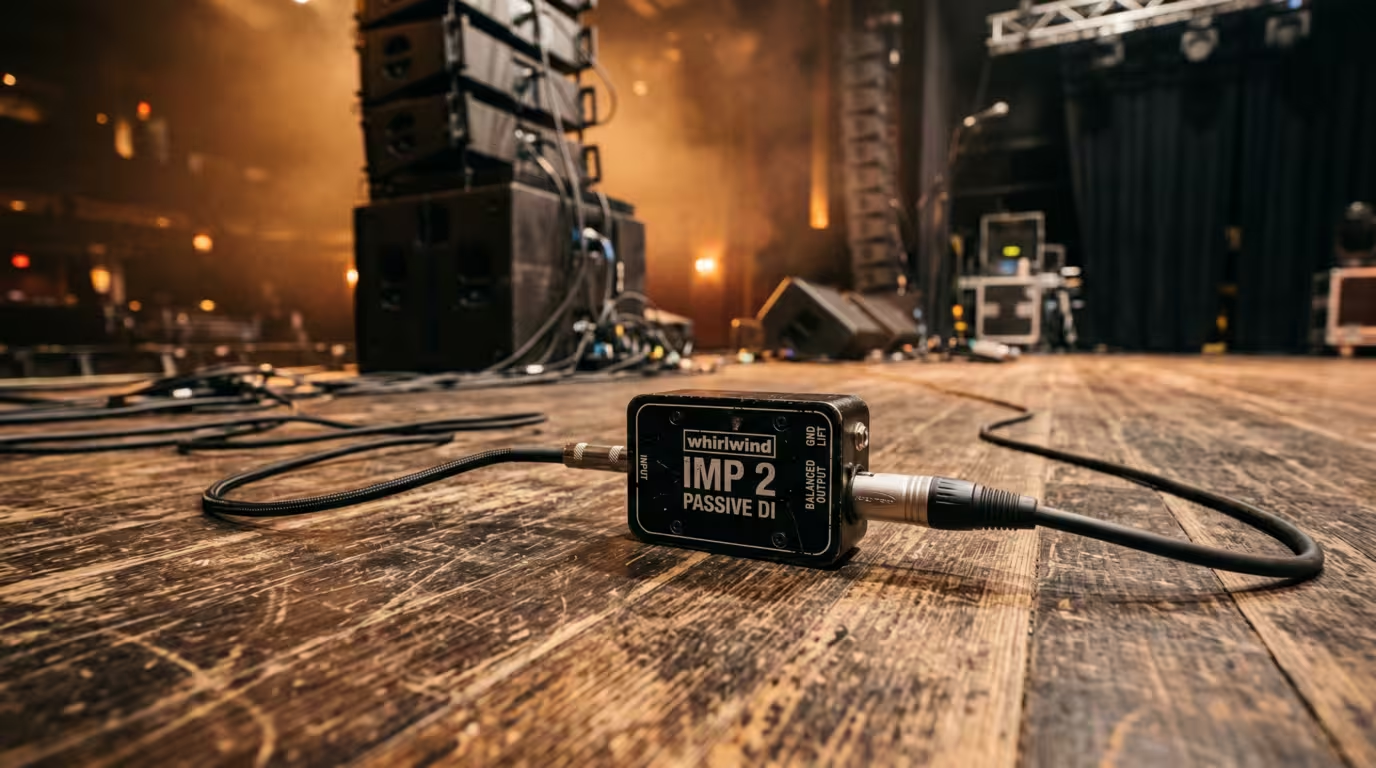
Connecting unbalanced gear over distance. A laptop's 3.5 mm out, a CDJ's RCA, or a drum machine's TS output is unbalanced. For a long run, don't just use a long unbalanced cable — put a DI (direct injection) box at the source. A DI converts the unbalanced signal to balanced (usually on an XLR), so it can travel a long, quiet path to the mixer or stage box. Radial Engineering and others note this is standard practice for exactly the 50-to-100-ft runs found in venues. If you can't balance it, keep the unbalanced run short.
Hum and ground loops. Balanced connections reject the common-mode voltage produced by ground loops, which is why they cure many hum problems that plague unbalanced setups. The mechanics of ground loops — and fixes like a single power outlet or a DI's ground lift — are covered in DJ Cables and Connections.
Interconnection Gotchas
Mixing balanced and unbalanced gear is where people come unstuck, and Rane's classic Sound System Interconnection note exists precisely because of it.
• Balanced into unbalanced (or vice versa) works, but you lose the benefit. Plug an unbalanced source into a balanced input, or a balanced output into an unbalanced input, and the link operates as unbalanced — no common-mode rejection. It will pass audio; it just won't be protected.
• Adapt, don't assume. Connecting a balanced XLR or TRS output to an unbalanced RCA or TS input requires correct wiring (typically hot to tip/centre, with cold and ground handled at the unbalanced end). Some balanced output stages can misbehave or even be damaged if the cold leg is shorted to ground, so check the manual rather than forcing a cheap adapter.
• Don't assume a TRS socket is balanced — it might be a stereo headphone jack, as covered above.
• Both output types work into a balanced input. Whether the source is truly differential or merely impedance-balanced, a balanced input will accept it and reject noise. The complication only appears when you go to an unbalanced input.
Practical Guidance and Common Mistakes
Pulling it together into rules you can act on:
• Use balanced (XLR or TRS) for any run longer than a few metres, and always for master-to-PA.
• Use balanced TRS or XLR for studio monitors, even on short runs, to dodge computer hum.
• Keep unbalanced RCA and TS runs short — aim for under about 3 to 6 m.
• Use a DI box to balance an unbalanced source (laptop, CDJ, drum machine) before a long run.
• Don't expect balanced cabling to fix a bad source, mask poor gain staging, or improve the sound on a short, clean connection — it only rejects noise.
• Match connectors and levels, and watch the balanced-to-unbalanced gotchas above.
Balanced audio is one of the most quietly important ideas in your signal chain. Understand that it is matched impedances plus a differential receiver — not a magic cable — and you will know exactly when to reach for an XLR and when an RCA lead will do.
Key takeaways
• Unbalanced = 2 conductors (signal + ground/shield); cheap and fine for short runs, but picks up noise over distance.
• Balanced = 3 conductors (two signal lines + shield); a differential receiver cancels noise common to both lines (common-mode rejection).
• The real mechanism is equal impedance to ground on both lines, not the inverted cold copy — an impedance-balanced output rejects noise just as well.
• XLR (pin 2 hot) and balanced TRS carry balanced audio; RCA and TS are unbalanced; a TRS jack can also be unbalanced stereo.
• Balanced is about noise immunity over distance, not intrinsically better sound. Use it for master-to-PA, monitors, and long or noisy runs; use a DI box to balance unbalanced sources.
Ready-made, exclusive EDM tracks with full rights — released as your own.
