Effects (FX) are where DJing turns from playing records into shaping a moment. Used well, a touch of reverb can make a breakdown feel cavernous, an echo can carry one track into the next, and a noise sweep can lift a room before a drop. Used badly, they smear everything into mud. This guide explains what the common DJ effects actually do, how their controls work, the difference between hardware and software FX, and — most importantly — how to use them with restraint. It assumes you can already beatmatch, phrase, EQ and loop; if you want filter technique specifically, see the dedicated Using Filters When Mixing article, since here the filter is treated only as one effect among many.
What DJ Effects Are and Why Use Them
A DJ effect is a process applied to the audio signal that changes how it sounds — adding space, repetition, movement, texture or distortion. Effects do two jobs. The first is creative: adding atmosphere and energy, marking a moment, giving a track your personal stamp. The second is functional: smoothing or covering transitions, filling a gap, tailing one track out so another can come in.
The single most important principle is that effects should enhance good mixing, not hide bad mixing. An echo cannot rescue a transition that is out of time, and reverb piled on a clashing blend just makes the clash bigger. Experienced DJs are near-unanimous on this point. On the DJ TechTools forum, one long-time club DJ put it bluntly: a good rule of thumb is that if your audience can tell an effect is being used, you probably shouldn't be using it — effects should be blended in so seamlessly that they sound like part of the production. That is the spirit to aim for: less is more.
Effects reach your signal in a few ways. Hardware or mixer FX are built into the DJ mixer (Pioneer DJ's DJM series being the club standard). Software FX live inside DJ applications such as Serato DJ, rekordbox, Traktor Pro and VirtualDJ, usually controlled from a controller's FX section or pads. And effects can be wired as either insert (the effect sits in the signal path and processes the whole channel) or send (a copy of the signal is sent to the effect and blended back, leaving the original intact) — a distinction that matters most with reverb and delay, which are classic send effects because the original dry sound needs to keep playing underneath the tail.
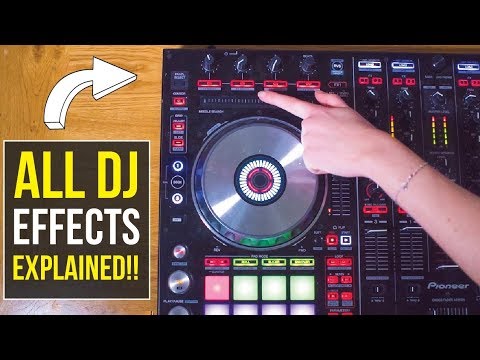
The Controls: Dry/Wet, Beats and Feedback
Before the individual effects, learn the controls, because they are largely shared across every platform.
Dry/Wet (sometimes FX Depth or Level/Depth) is the most important control for taste. The dry signal is the untouched track; the wet signal is the processed version, and the knob blends between them. As Digital DJ Tips explains, set halfway it means what leaves the speakers is half the original tune and half the effected version; turn it fully wet and you hear only the processed signal. For most musical effects you want this moderate — many DJs keep delay/echo around 30 to 40% wet so it is audible without overpowering the mix. Turning a reverb or delay to 100% wet is the classic beginner error that drowns the track.
Beats/Time sets the speed of time-based effects. DJ Beat FX are tempo-synced: they lock to the track's BPM and the grid, so a delay set to 1/2 repeats on the half-beat, 1/4 on the quarter, and so on. Per the Pioneer DJM-A9 instruction manual, the DELAY effect's BEAT arrows set the delay time as a beat fraction from 1/16 to 16 beats, the TIME knob covers 10 to 4000 ms, and a Tap button lets you set the tempo manually. In Serato, the Beats Multiplier works the same way — a value of 4 represents a four-beat cycle (a bar), while 1/4 represents a quarter of a beat. Getting this value right is what makes an effect sit in the groove instead of fighting it.
Feedback/Depth/Intensity controls how strong or how repetitive the effect is. For delay and echo, feedback governs how many repeats you hear: per Wikipedia, at low feedback settings each repeat fades in volume, while high feedback can make the output rapidly build, getting louder and louder. With feedback at zero you get a single slapback repeat; near 100% the repeats can run away into a wall of noise, which is occasionally a deliberate build trick but usually a mistake. For modulation effects like flanger and phaser, depth and rate control how wide and how fast the sweep moves.
Here is a quick reference for the universal controls:
| Control | What it does |
|---|---|
| Dry/Wet (Depth) | Blends original and processed signal; the key control for subtlety |
| Beats/Time | Sets effect timing as a beat fraction synced to BPM (1/4, 1/2, 1, 2…) |
| Feedback/Depth | Sets number of echo repeats, or width/intensity of a sweep |
| On/Off & Level | Engages the effect and sets its overall output amount |
Reverb: Adding Space and Ambience
Reverb simulates being in a physical space. In acoustics, reverberation is the persistence of sound after it is produced, created when sound reflects off surfaces in many overlapping reflections that build up and then decay as they are absorbed — a definition you can read in full on the Wikipedia entry for reverberation. Crucially, reverb is distinct from echo: it is a dense wash of many overlapping reflections rather than discrete repeats. The Pioneer DJM manual describes its REVERB effect simply as one that adds reverberation to the input sound.
For DJs, reverb does three things well. It adds atmosphere in breakdowns — increasing the reverb size and dry/wet during a quiet section makes it feel huge. It smooths blends by giving both tracks a shared sense of space. And it provides a reverb-out transition: hitting the last snare of an outgoing track with reverb lets it wash away naturally, which is especially handy when dropping into a track at a different tempo because the long tail disguises the abrupt end. Keep the wet level modest unless you are deliberately going for a wall-of-space moment, and consider rolling off the lows so the tail does not muddy the bass.

Delay and Echo: Repeats in Time
Delay records the signal and plays it back after a set interval; when mixed with the live audio it creates an echo-like effect, where the original is heard followed by the delayed copy, as the Wikipedia article on delay puts it. Fed back on itself, the delayed signal becomes a repeating, decaying echo. This is where the delay-versus-echo nuance lives, and Pioneer's own DJM-V10 manual draws it cleanly: delay outputs the repeat once according to the beat, while echo outputs the repeats several times, attenuating them according to the beat. Variants like Ping Pong bounce the repeats between left and right for a stereo effect, and Spiral adds reverberation while changing the pitch as the delay time changes.
Delay/echo is the DJ's most versatile creative effect. Set to 1/2 or 1 beat with moderate feedback, it thickens a familiar vocal or melody to make it bigger. At the end of a phrase it builds tension. And it underpins the echo-out transition — kill the outgoing track, let the echo trail carry it out, and bring the new track in underneath. That specific move is taught in the Beginner Transition Types article, so here the key point is understanding the underlying effect: because the repeats are already in the buffer, the echo continues to ring even after you pull the channel fader down, which is exactly why it works as a transition tail. Watch the feedback: too much and the trails pile up into mush; out of sync and the repeats clash with the beat.
Flanger and Phaser: Movement and Sweep
Flanger and phaser are modulation effects — they add movement rather than space or repetition, and they are frequently confused because both produce a sweeping, swirling sound. They work differently, though.
A flanger mixes the signal with a very short, modulated delayed copy of itself. Per the Wikipedia entry on flanging, this delay is usually under 20 milliseconds and produces a swept comb-filter effect — a series of peaks and notches in a linear harmonic series — heard as a drainpipe, swoosh or jet-plane sweeping sound. The name comes from 1960s engineers pressing a finger on the flange (rim) of a tape reel to slow it slightly. A flanger sounds metallic and energetic.
A phaser instead splits the signal and passes one path through a series of all-pass filters that shift phase; when recombined, out-of-phase frequencies cancel to create notches that an LFO sweeps over time, as described on the Wikipedia page for the phaser effect. The practical difference: a flanger creates an unbroken, harmonically spaced series of notches, while a phaser uses fewer, unevenly spaced notches. To the ear, the phaser is subtler and gentler — more swish than jet.
For DJs, both add motion to a section or build energy into a change. They shine in quieter passages and breakdowns; set the cycle length long (8, 16 or 32 beats) for a smooth, atmospheric sweep. At short cycle lengths they morph into a wah-like sound. Keep the depth restrained — these effects tire the ear quickly, and slapping a flanger across a main track is one of the fastest ways to sound amateurish.
Other Effects Worth Knowing
Beyond the core four, a handful of other effects appear on most gear. Treat these as creative seasoning.
| Effect | What it does | When to use |
|---|---|---|
| Filter | Sweeps out highs or lows; often under Sound Color FX | Builds and breakdowns (see filter article) |
| Roll / Beat Roll | Captures and repeats a slice, like a momentary loop | Build-ups and stutters before a drop |
| Bit Crusher | Reduces bit depth/sample rate for lo-fi distortion | Adding rawness or a contrast moment |
| Gater / Trans | Rhythmically cuts the audio on and off | Adding a chopped, pulsing rhythm |
| Noise / Riser | White-noise sweep that builds tension | Rising into a drop or new section |
| Reverse / Brake | Plays backward, or simulates a turntable stopping | Punctuating a transition or stop |
The filter deserves only a brief mention here because it has its own article — note simply that many mixers group it under Sound Color FX alongside noise and crush, and that it is technically just another effect. Roll/beat roll is closely related to looping (covered in Looping Techniques) — it grabs a small slice and repeats it, ideal for build-ups. Bit crusher produces distortion by reducing the resolution or bandwidth of the digital audio data, as the Wikipedia bitcrusher article explains, giving a harsh lo-fi texture. Noise risers — white-noise sweeps that open up a filter as they climb — are a staple for building tension before a drop. Gater/Trans chops the signal rhythmically, and reverse, brake and spinback effects punctuate stops and transitions.
Hardware vs Software FX
On a Pioneer DJM mixer, effects are split into two systems. Beat FX is a single beat-synced effects unit you assign to a channel, the crossfader or the master output. The club-standard DJM-A9 offers exactly 14 Beat FX, listed on Pioneer DJ's spec sheet as Delay, Echo, Ping Pong, Spiral, Helix, Reverb, Flanger, Phaser, Filter, Triplet Filter, Trans, Roll, Triplet Roll and Mobius — three of which (Mobius, Triplet Filter and Triplet Roll) were new on that model. Sound Color FX are per-channel effects tied to the colour knob on each channel — typically Space, Dub Echo, Sweep, Noise, Crush and Filter — so you can colour each deck independently. You can usually combine one Sound Color FX with one Beat FX.
Software FX units tend to offer more simultaneous effects. Serato DJ's DJ-FX, powered by iZotope, gives you control of two FX units; per Serato Support, Single FX mode lets you select one effect per bank with multiple adjustable parameters, while Multi FX mode lets you select up to three effects per bank but adjust only one parameter, the FX Depth. Traktor Pro's FX units work similarly with Single, Group (up to three chained) and Pattern Player modes, documented in the Traktor effect reference, and can be routed as insert, post-fader or send. rekordbox mirrors the DJM layout with Beat FX, Sound Color FX and Release FX. VirtualDJ ships a long list of native effects — reverb, echo, flanger, phaser, filter, noise and more — browsable in its native effects manual. The exact effect names and parameters vary by platform, so the smart move is to learn the concepts here and then check your own software's docs for specifics. If you are completely new, Digital DJ Tips' beginners' guide to DJ effects is a friendly orientation.
Using FX Tastefully
This is the part that separates DJs who use effects from DJs who abuse them. Three use-cases cover most of what you need.
For transitions. Use echo or reverb to tail an outgoing track out so the incoming track has room — the echo-out and reverb-out moves described above. A reverb dialled onto both channels during a blend can glue two tracks together; bring the dry/wet up to merge them, mix across, then bring it back down. Set the effect up in advance at the level you want so you are not twisting unfamiliar knobs mid-transition.
For builds and energy. A noise riser or an opening filter sweeping into a drop is the classic tension-builder. A flanger or phaser sweep adds movement into a change. A beat roll or gater chops the last bar before a drop for stutter energy. The goal is to increase anticipation and then release it on the downbeat.
For atmosphere and creativity. Reverb in a breakdown, dub-style delays trailing off a vocal, a subtle phaser drifting across a hi-hat line — these add texture and identity without shouting.
Whatever you do, follow the discipline of restraint: keep dry/wet moderate, trigger effects on the phrase or beat, and turn the effect back off after it has done its job so it does not linger and clutter the next section. Beginners should use one effect at a time until the muscle memory is there; layering clashing effects usually just creates noise.
Common Mistakes to Avoid
The number-one mistake is overuse — washing everything in reverb and echo until the set sounds like it is underwater. Closely related is setting the dry/wet too high; most musical effects want to be felt more than heard. Leaving an effect on when you have moved on smears the next track. Not beat-syncing a delay leaves off-tempo repeats that fight the groove. Cranking feedback into runaway is occasionally a deliberate build but usually an accident. And the cardinal sin: using effects to paper over poor beatmatching or a bad track selection. As the community consensus and every reputable tutorial repeat, effects are the seasoning, not the meal. Get the mix right first; let the FX make a good mix great.
Key takeaways
• DJ effects add space, repetition, movement and texture — use them to enhance good mixing, never to hide bad mixing.
• Dry/wet is your taste control; keep it moderate, and beat-sync time-based effects to the BPM so they sit in the groove.
• Reverb = space/wash; delay/echo = timed repeats (feedback sets how many); flanger = metallic jet sweep; phaser = subtler swirl.
• Pioneer DJMs split Beat FX (one synced unit) from per-channel Sound Color FX; Serato, Traktor, rekordbox and VirtualDJ offer software FX units with single and multi/chained modes.
• Less is more: one effect at a time, trigger on the phrase, turn it off after — and check your own software's docs for exact names and parameters.
Ready-made, exclusive EDM tracks with full rights — released as your own.
