Your DJ rig is expensive, full of moving parts and sensitive electronics, and it lives a hard life: dust, smoke, sweat, drink spills, transport vibration and swings in temperature. Good DJ equipment maintenance is mostly cheap, simple and routine — and it prevents the failures DJs complain about most: scratchy or cutting-out faders, sticky jog wheels, crackling knobs, worn crossfaders and failing cables. This guide walks through cleaning, protection, turntable-specific care and a maintenance schedule, drawing on manufacturer and electronics-industry guidance rather than guesswork.
Why Maintenance Matters
Dirt is the enemy. The conductive track inside every fader and potentiometer slowly gets coated with the dust and grime of everyday use, and the wiper starts making intermittent contact — which is exactly what produces scratchy, crackly or cutting-out controls. As MusicRadar points out in its guide to crackly controls, no matter how spotless the outside of your gear is, dirt always works its way inside. Smoke residue and airborne grease make it worse, and humidity encourages the thin film of oxidation that raises contact resistance on connectors and switches.
The payoff for routine care is real: gear that works reliably mid-set, sounds clean, lasts longer, and holds its resale value. A ten-minute wipe-down after each gig and an occasional deeper clean is far cheaper than a repair bill or a ruined gig.
Routine Cleaning
Dust and Surfaces
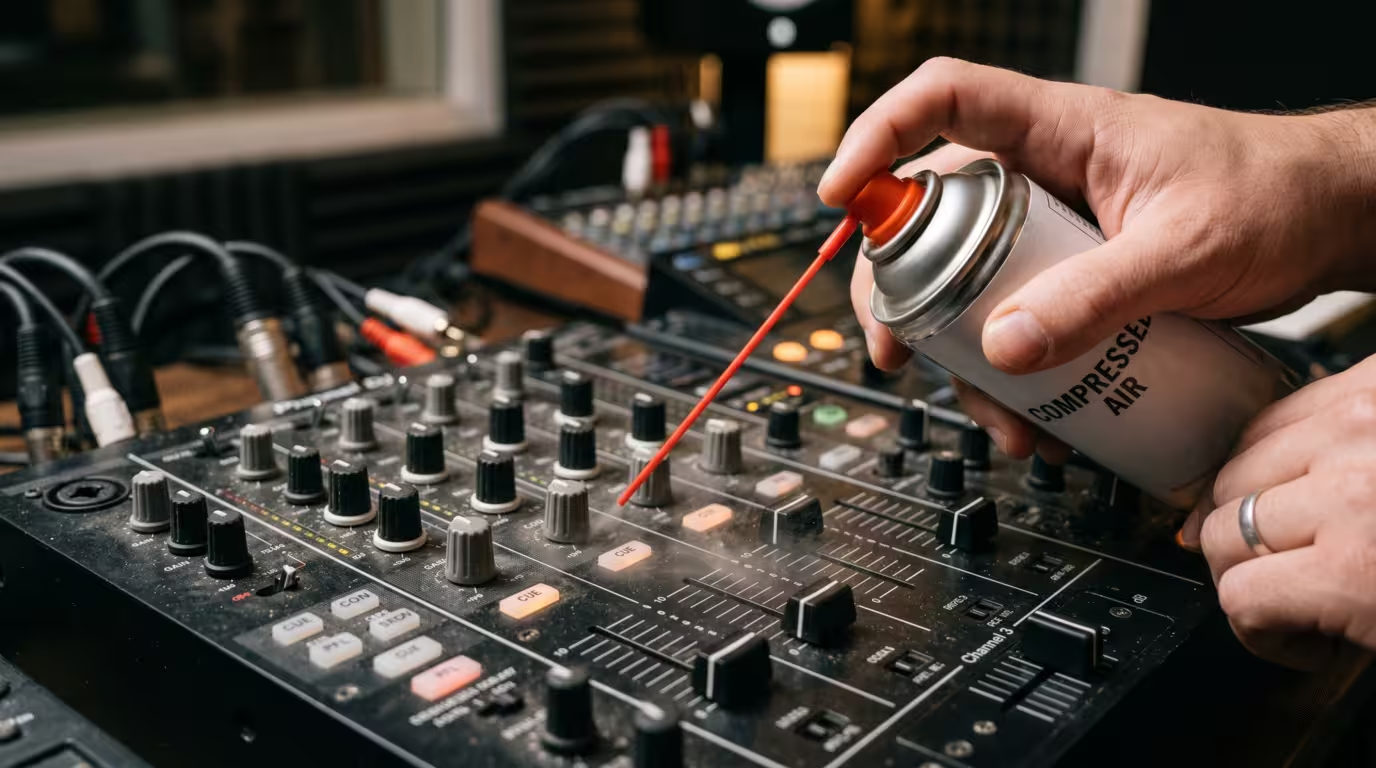
The foundation of maintenance is keeping dust off and out. Do a quick wipe-down after every gig, and a deeper clean periodically. Use a soft, dry, absorbent cloth first to lift loose dust, sweat and droplets, then a microfibre cloth for fingerprints and smudges on smooth surfaces. Pioneer DJ's own product manuals list dry soft cloths, microfibre cloths, compressed air and soft brushes as safe cleaning tools. Compressed air and a soft brush are ideal for crevices around knobs, faders and ports.
Be gentle with screens and jog-wheel displays: these plastic surfaces scratch easily and, unlike phone screens, usually have no hardened coating, so even a gritty cloth can leave hairline marks. When you do use liquid, never spray it directly onto the unit — dampen the cloth lightly instead, because liquid sprayed onto a surface can run into the housing. Keep gear under dust covers when it is not in use; a fitted Decksaver polycarbonate cover shields jog wheels, faders, pads and knobs from dust, liquid and impact and can stay on in transit.
A note on solvents: avoid household glass cleaners and harsh solvents on coated and printed surfaces. Some cleaners and high-strength isopropyl alcohol can cause discoloration or strip the printed function labels and finishes on a controller, so go sparingly and test an inconspicuous area first.
Faders and Crossfaders
Dust and grit inside faders cause scratchy movement, volume jumps and audio dropouts. The fix for a contact-type fader is an electronics-safe contact cleaner, not a household product. Rane's own channel-fader maintenance guide recommends powering off and unplugging, clearing debris with compressed air, then applying a small amount of contact cleaner (it cites DeoxIT D5) with a cotton swab and working the fader through its full travel, letting it dry roughly an hour before reassembly.
Use the right product. CAIG draws a distinction that matters: the DeoxIT D-Series is a general-purpose cleaner for all metals, while the DeoxIT Fader F-Series is made for conductive-plastic surfaces — a precision lubricant and cleaner for moving contacts such as faders, switches and potentiometers that restores the lubrication stripped away when those surfaces are cleaned with solvents. If you are unsure whether your faders use plastic or metal tracks, CAIG advises defaulting to the D-Series (Part No. D100S-2). Several technicians warn that the wrong cleaner — or simply blasting in too much of anything — can flush out the factory lubricant and leave a fader feeling stiff or dry, so the consensus is to use as little as you possibly can. A clean, dry fader also wears out faster, which is why fader-specific products include a light lubricant.
Crossfaders are wear parts. Because battle DJs and scratch DJs hammer them, crossfaders are often designed to be user-replaceable. You can swap a worn crossfader for an OEM part or an upgrade such as the innoFADER by Audio Innovate, which ships with adapters for many popular mixers and controllers. Modern Rane mixers go a step further with no-contact magnetic faders: Rane notes these have no electrical contacts to clean, resist corrosion and most chemicals, and only need occasional cleaning and a light, fader-specific lubricant to maintain feel.
Knobs and Potentiometers
Crackling or scratchy knobs come from the same cause as faders — dust and oxidation on the track — and respond to the same treatment. A contact cleaner such as the DeoxIT family dissolves the grime and restores clean contact. Apply it carefully and sparingly: aim for the resistive track, work the knob back and forth to distribute it, and avoid drowning the pot, since excess can wash grease out of the shaft and make the control feel loose. As Wikipedia's entry on contact cleaner notes, some cleaners evaporate completely and quickly and leave no residue, while others deliberately contain lubricants — so choose the right type for pots and faders. If a control is so worn that cleaning no longer helps, replacement is the only real cure.
Jog Wheels
Jog wheels get grimy and sticky from hand oils and sweat, and sometimes from a sticky residue that forms on the rubber edge over time. Clean the top plate and the gap around the wheel with a lightly damp or lightly alcohol-dampened cloth and a soft brush, working gently. The cardinal rule: do not let liquid run into the mechanism — spilled drink that dries inside a jog wheel is a common cause of stickiness and odd noises. If your controller has capacitive jog wheels, many models let you reset or adjust the touch sensitivity in the utility menu (note that Pioneer's CDJ-style jogs use a pressure switch rather than a capacitive surface, so behaviour differs by model).
Screens and Finishes
Touchscreens and displays need only a soft, barely-damp microfibre cloth. Skip ammonia-based glass cleaners and strong solvents on plastic, rubber and painted finishes. If you want a mild cleaner, lightly dampen the cloth — never the screen — and dry it off afterwards.
When You Spill a Drink
A spill is the classic DJ disaster, and speed matters. The agreed-upon emergency response, echoed across the Pioneer DJ community and repair specialists, is: cut the power and unplug immediately — including USB and any laptop — because liquid does its real damage by short-circuiting live electronics. Do not try to power it back on to test it. If liquid is pooling on top, turn the unit upside down so it drains away from the circuit boards. Wipe up what you can, then let the gear dry out fully — often 24 to 48 hours or more — before even thinking about powering up. Sticky, sugary or alcoholic drinks leave conductive, corrosive residue, so for anything beyond plain water it is wise to have the unit professionally serviced. If you are not confident opening electronics, take it to an authorised service centre rather than risk it.
Prevention is simpler than the cure: keep drinks off and away from your gear — on a separate surface, never on top of the mixer or controller. It is the oldest rule in the booth for a reason.
Transport and Protection
Most physical damage happens in transit. A flight case — rigid shell, metal corners, foam cut to fit — offers the most protection for touring and fly dates, while a padded bag or semi-hard case is fine for careful local trips. Whatever you choose, a fitted hard cover (Decksaver-type) over the control surface protects the most vulnerable parts — jog wheels, faders and knobs — from being knocked or crushed. Don't stack heavy items on top of controllers or turntables; compression is a known cause of sticky, sunken jog-wheel platters.
Climate matters too. Heat is hard on electronics, and condensation is a real hazard when you bring cold gear into a warm, humid venue. Pioneer DJ's PLX-500 manual warns that water droplets can form inside a unit moved from a cold place into a warm room, and advises letting it stand for one to two hours at room temperature, without switching the power on, until the condensation evaporates. Let cold gear acclimate before powering it on, avoid leaving equipment in a freezing or baking vehicle, and secure it so it can't slide around in transit.
Cables and Connections
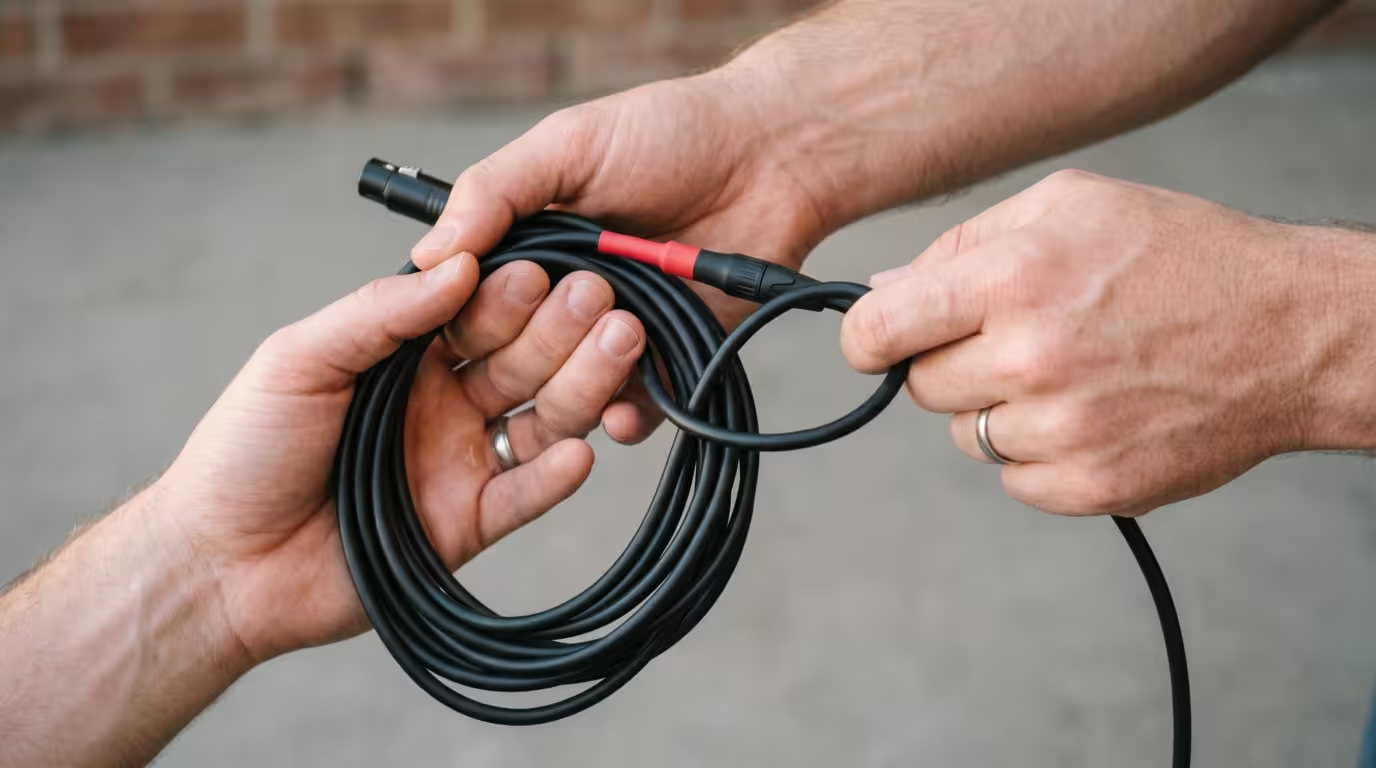
Cables and their connectors fail more often than the gear itself, usually from abuse. Never yank a cable out by the cord — pull the connector. Coil cables using the over-under technique, which alternates the direction of each loop so the cable doesn't build up internal twist; as audio professionals note, straight-coiling forces the outer strands to travel farther than the inner ones, which breaks the wires prematurely. Respect strain relief at the plug — the point where cord meets connector is where conductors fray.
Inspect connectors for bent pins, fraying and intermittent crackle, and replace worn cables before they fail in front of a crowd. Keep connectors clean; contact cleaner works well on phono plugs, jacks and RCA connections. Treat USB ports gently — support the cable so its weight doesn't lever on the port — and use reliable USB drives in CDJs.
Turntable-Specific Care
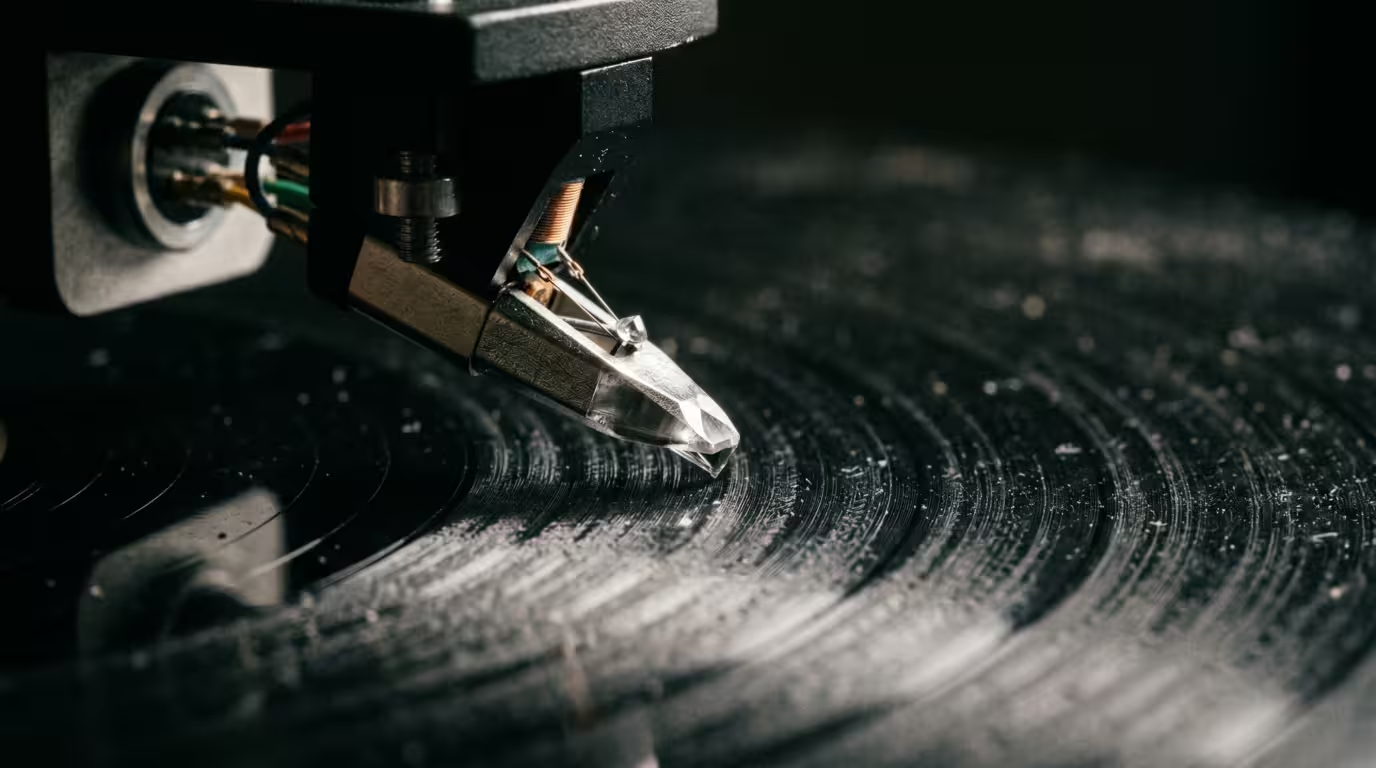
Vinyl setups add a few wear items. The stylus (needle) is the big one: a worn stylus sounds distorted and physically damages your records, so replace it on schedule and whenever you hear fuzzy high-frequency distortion or skipping. Manufacturers' guidance varies, but a useful general range is several hundred to about 1,000 hours, depending on tip profile and care. Ortofon states that with proper care a stylus can last up to 1,000 hours with no loss of performance, but that DJ use involving scratching and back-cueing can cut that substantially, to a maximum of around 500 hours. Audio-Technica publishes approximate lifespans by tip profile for its AT-VM95 styli: roughly 300 to 500 hours for conical, about 300 hours for elliptical, around 800 hours for Shibata and about 1,000 hours for micro-linear. Treat these as general guidelines — the only sure check is inspecting the tip under magnification.
Clean the stylus the right way. Audio-Technica's guidance is to brush from the rear of the cartridge toward the front, and it explicitly warns against brushing side to side, which can damage the cantilever. A fine antistatic brush before and after play, plus an occasional dedicated stylus cleaner, prolongs both stylus and record life.
Keep the rest of the deck clean and correct: wipe the platter and slipmat, brush the tonearm, and keep RCA and ground connections solid to avoid hum. Set tracking force and anti-skate to the cartridge maker's spec — Audio-Technica notes excess force causes undue wear on stylus, vinyl and cartridge, while too little causes mistracking and skipping — and check cartridge alignment and overhang when you fit a new cartridge. For belt-drive decks, the drive belt is itself a wear part that stretches and needs periodic replacement; direct-drive decks like the Technics SL-1200 have far less to maintain mechanically. Finally, keep records clean with a carbon-fibre brush before play; dirty records wear styli faster.
Headphones, Cartridges and Wear Parts
Treat consumables as consumables and keep spares. DJ headphones are built to be repaired: Sennheiser's HD 25, the booth standard, has fully user-replaceable parts — the official ear-pad spare is Sennheiser Part No. 578881, and headband padding, connecting cables and even driver capsules are also sold as individual spares via the Sennheiser spares catalogue. As retailer DJ City summarises, because every part of the HD 25 is user-replaceable, the earpads are the part you are most likely to swap — so worn or sweat-degraded pads and a frayed cable are quick, cheap fixes rather than a reason to bin the headphones. The same modular philosophy applies across the gear: styli, crossfaders, ear pads and cables are all replaceable, and keeping a small kit of spares (a spare stylus, a spare USB cable, a spare crossfader for battle mixers) saves a gig.
The table below summarises common wear parts and rough replacement guidance.
| Wear part | Replacement guidance |
|---|---|
| Stylus (DJ/scratch use) | Up to ~500 hours (Ortofon, DJ use) |
| Stylus (hi-fi use) | Several hundred to ~1,000 hours by profile |
| Crossfader (contact type) | When scratchy/worn despite cleaning |
| Headphone ear pads | When worn, flattened or degraded |
| Drive belt (belt-drive decks) | Periodically as it stretches |
Environment, Storage and Power
Store gear somewhere dry and temperate, ideally covered. Don't block ventilation slots — electronics shed heat through them, and trapped heat shortens component life. Protect against power problems by using a surge protector, and always power down gear properly rather than pulling the plug under load. For long storage, a dust cover plus a stable, moderate temperature and humidity does most of the work.
Firmware and Software Maintenance
For software-driven gear, firmware is part of maintenance. Manufacturers release firmware updates for CDJs, controllers and mixers to fix bugs, add features and improve reliability and compatibility with DJ software. Keeping firmware and your DJ software (rekordbox, Serato and the like) reasonably current reduces the risk of glitches mid-set. That said, update thoughtfully: AlphaTheta released CDJ-3000 firmware Ver.3.30 on October 21, 2025 and suspended its distribution on November 4, 2025 (advising a downgrade to Ver.3.20) after pro DJs including BBC Radio 1's Jaguar, VTSS, Tiffany Calver and What So Not found blank playlists. As Digital DJ Tips reported, AlphaTheta pulled the update after multiple professional DJs arrived at gigs to find their prepared playlists apparently wiped. The lesson: test a new firmware version and your prepared drives before relying on them live, especially right after a major release.
A Maintenance Schedule
Build a simple routine so nothing gets neglected. The cadence below works for most gigging DJs.
| When | Task |
|---|---|
| After every gig | Wipe down surfaces, screens and headphones; cable check |
| Weekly / monthly | Compressed-air dust-out; deeper microfibre clean; inspect cables |
| Periodically | Contact-clean scratchy faders/pots; check firmware; inspect stylus |
For turntablists, add stylus inspection and tracking-force checks to the periodic list, and keep an eye on the crossfader's feel.
Key takeaways
• Dust and grime cause most failures — scratchy faders, crackly knobs, sticky jogs — so routine cleaning is the highest-value maintenance you can do.
• Use electronics-safe contact cleaners (DeoxIT-type) on faders and pots, not household cleaners; match D-Series (metal) versus fader-specific F-Series (conductive plastic) to the part, and use very little.
• On a spill: power off and unplug instantly, don't power on, drain and dry fully, then get sugary or alcoholic spills serviced.
• Protect gear in transit with a case plus a fitted cover, coil cables over-under, and let cold gear acclimate to avoid condensation.
• Replace wear parts on schedule — styli (general guideline several hundred to ~1,000 hours; ~500 for DJ use), crossfaders, ear pads — and keep firmware reasonably current.
Ready-made, exclusive EDM tracks with full rights — released as your own.
