You can beatmatch in your bedroom, but the first time you step into a real club booth, the question is suddenly very different: how do you actually get your sound into their system without killing the music or blowing a speaker? The good news is that the answer is simpler and more standardised than most new DJs fear. This guide walks through what a club booth really looks like, how you connect in practice, how to get your levels right, and the unwritten etiquette that keeps sound engineers and promoters happy. For the underlying connector and cable theory see our companion articles DJ Cables and Connections and Balanced vs Unbalanced Audio; for the deep detail on metering and the limiter see Gain Staging for DJs; and for broader pre-gig preparation see Playing Your First Gig.
The Club Booth Reality
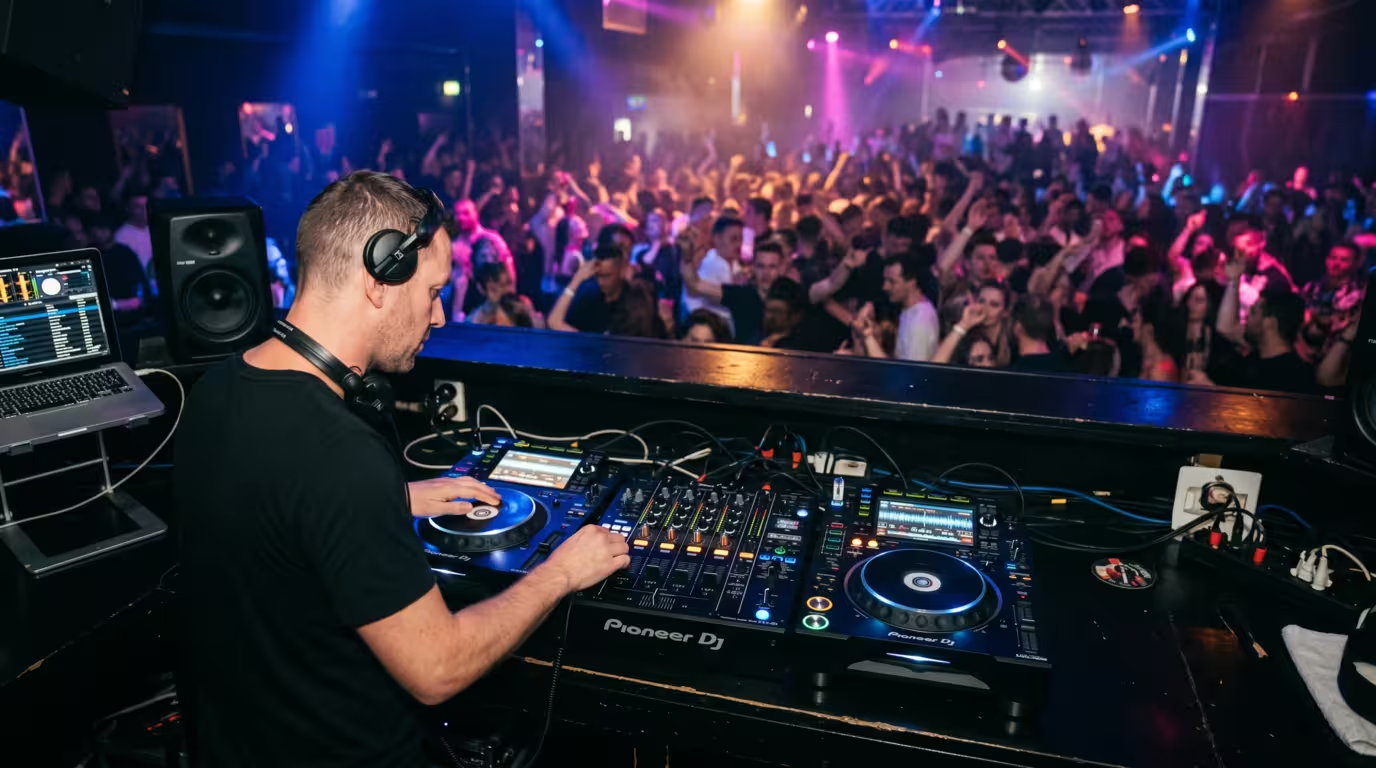
Walk into almost any proper club, bar, or festival stage in the world and you will find a remarkably consistent setup: two or more Pioneer/AlphaTheta CDJ media players (CDJ-2000NXS2, CDJ-3000, and similar) flanking a Pioneer DJM mixer (DJM-900NXS2, DJM-V10, or DJM-A9). This is the de facto global club standard — by some industry estimates over 85% of clubs worldwide use CDJs. Pioneer DJ's dominance is not marketing hype: Wikipedia's Pioneer DJ entry notes the company's share of the DJ-equipment market is estimated at 60% (Digital DJ Tips' own Global DJ Census puts it even higher, at around 70%), and the CDJ became the industry-standard club player after the CDJ-1000 arrived in 2001. The whole point of a standard is portability: wherever you fly, the gear is the same, so you arrive with just a USB stick and headphones in a backpack rather than hauling your own decks.
The mixer is the heart of the booth. Its master output is already wired — usually via balanced XLR — to the venue's installed sound system: the amplifiers and loudspeakers (often line arrays plus subwoofers) that make up the sound reinforcement system. That system has been positioned, tuned, and level-set by whoever installed and runs it. You do not touch it, and you certainly do not connect to it directly.
The Key Principle: You Play Through the House Mixer
Here is the single most important concept for a first club gig: you play through the house mixer, not into the club's amplifiers or speakers. The DJM's master out is permanently connected to the PA. Your only job is to get your sound into the mixer — either by playing off the installed CDJs or by feeding a spare channel — and the venue's signal chain takes it from there to the room.
This boundary matters because everything downstream of the master out — the amps, the crossovers, the system EQ, and any limiter — belongs to the venue. The master level is the venue's responsibility, often managed by a sound engineer and protected by a limiter. Respect that line and you will rarely go wrong. Cross it — by cranking the master, re-EQing the system, or unplugging things — and you can make the whole room sound terrible or trip a protection system mid-set.
The Common Connection Scenarios
There are a handful of ways you will realistically connect at a venue. Knowing which one applies before you arrive removes almost all of the stress.
Playing Off the Installed CDJs (the cleanest option)
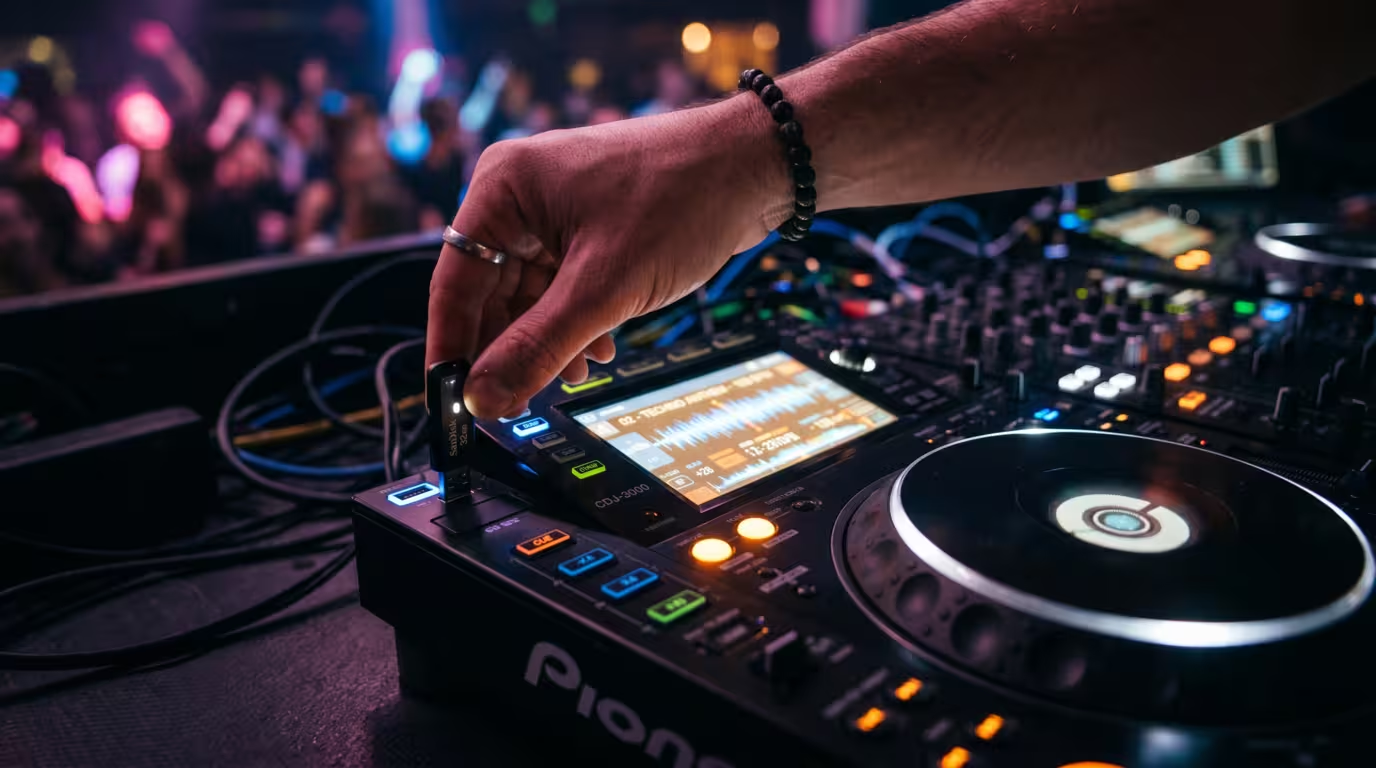
At any proper club this is the default and the most reliable. The CDJs and DJM are already wired together and into the system, so you connect almost nothing. You bring a USB stick with a rekordbox-exported library, plug it into a CDJ, and load your tracks. That is it. Prepare the stick at home: rekordbox analyses your files (BPM, beatgrids, waveforms, cue points) and writes them to the drive in its export format. Format the USB as FAT32 (or exFAT) so the players read it, label your sticks, and always carry at least one backup — USB read errors are the single most common avoidable disaster in a booth. Because it touches the least gear and depends only on a small, cheap, replaceable item, the USB-on-house-CDJs approach is the consensus recommendation for first gigs.
Bringing Your Own Controller into a Spare Channel
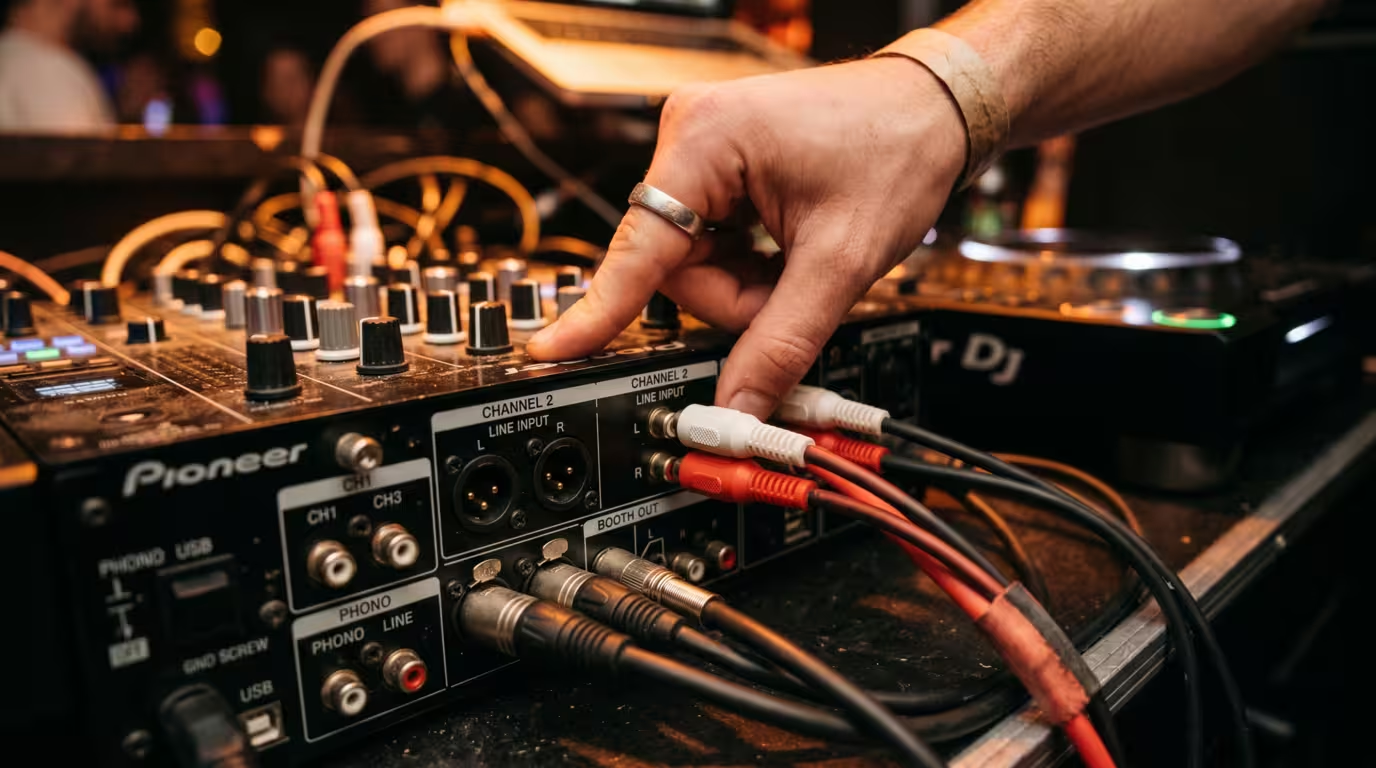
If you must use your own controller, you do not plug it into the club's amp or speakers. Instead you run your controller's master output into a free channel (or a dedicated DJ/aux input) on the house DJM, then set that channel's input selector to LINE — never phono. A controller outputs a line-level signal, so plugging it into a phono input (which expects the tiny, RIAA-equalised signal from a turntable) produces a horribly loud, distorted noise that can damage gear. Use a stereo RCA cable (or TRS/XLR as appropriate) from your master out to the channel's line in, flip the toggle to line, set the channel EQs flat, and use the channel trim to set your level. Your controller now behaves like just another source feeding the house mixer. Bring a torch — the back of a booth is dark — and ask the resident or engineer which spare channel they would like you to use.
Laptop with DVS or rekordbox on the House CDJs
If you DJ with software (Serato or rekordbox) you can use the installed CDJs as controllers for your laptop. Two routes exist. HID mode connects each CDJ to your laptop with a single USB cable and turns the player into a full controller for your software — jog, screen, cues and all. DVS (digital vinyl system) uses timecode control signals (on control CDs or USB) read through the mixer's built-in soundcard, so the players' jog/pitch drive your software. Serato's DVS and Club Kit support lets you plug straight into the USB port of club-standard DJMs such as the DJM-900NXS2, DJM-V10 and DJM-A9. This is more cable-fiddly than USB, so set it up during the changeover or, ideally, with the help of the house tech — and never close your laptop lid or pull its cable mid-set.
The table below summarises the three scenarios and what to carry for each.
| Scenario | How you connect | What to bring |
|---|---|---|
| Installed CDJs + DJM | Load a rekordbox USB into the house players (already wired in) | USB stick(s) + backup, headphones, 1/8"-to-1/4" adapter |
| Your own controller | Master RCA out → spare LINE channel on the house DJM | Controller, RCA/TRS cables, torch, backup USB |
| Laptop + DVS/HID | USB from CDJs to laptop (HID) or timecode via the DJM soundcard (DVS) | Laptop, USB cables, USB hub, licensed software, control media |
Getting Your Levels Right into the House System
Connecting is only half the job; the other half is feeding the system a clean, well-judged level. The principle is exactly the gain staging you already practise (covered in depth in Gain Staging for DJs), applied to someone else's mixer. Set the channel EQs flat, then use the channel trim/gain so the channel meter sits in the green and just nudges amber on peaks — out of the red. Red means clipping, and on a big system clipping is both obvious and damaging.
Crucially, the master on the house mixer is usually set by the venue or its engineer — leave it alone. As one club designer bluntly told DJ Times, you should not touch the master volume in a club or festival situation — leave that to the sound tech to set at the appropriate level as part of their own gain-staging strategy. If the room feels too quiet or too loud, ask the engineer rather than reaching for the master. Match your overall level to the DJ before you so the changeover does not jump in volume, and resist gain creep — the temptation to keep nudging everything louder as the night gets exciting.
The House Limiter and System Protection
Most professionally installed club systems carry some form of limiter on the master or system to protect the speakers and cap the volume — the same DJ Times club designer estimates that roughly 90% of professionally set-up systems in clubs, venues and festivals have some kind of protection in place. On the DJM itself there is a peak limiter on the master out; Pioneer's documentation confirms its trigger point is 0 dBFS, catching peaks before they clip the output. Beyond the mixer, the venue may have a separate system limiter, and in many places a legally mandated noise limiter tied to the premises licence. In the UK, for example, sound limiters are commonly required by local councils for an entertainment licence under the Environmental Protection Act 1990 and the Licensing Act 2003; per FixTheMusic's sound-limiter guide they are frequently set between 85 and 100 dB, and if the ambient noise level exceeds the preset threshold for a sustained period (usually 5 to 10 seconds), the limiter cuts the electricity supply to the music equipment for about a minute.
What this means in practice: if your sound is suddenly being clamped, pumping, distorting, or cutting out, you are probably hitting a limiter. The fix is to reduce your level, not to fight it. Pushing harder just makes the limiter work harder and the music sound worse — and, in the case of a licensing limiter, can literally kill the power. The limiter is a safety net, not an opponent.
Working with the Sound Engineer
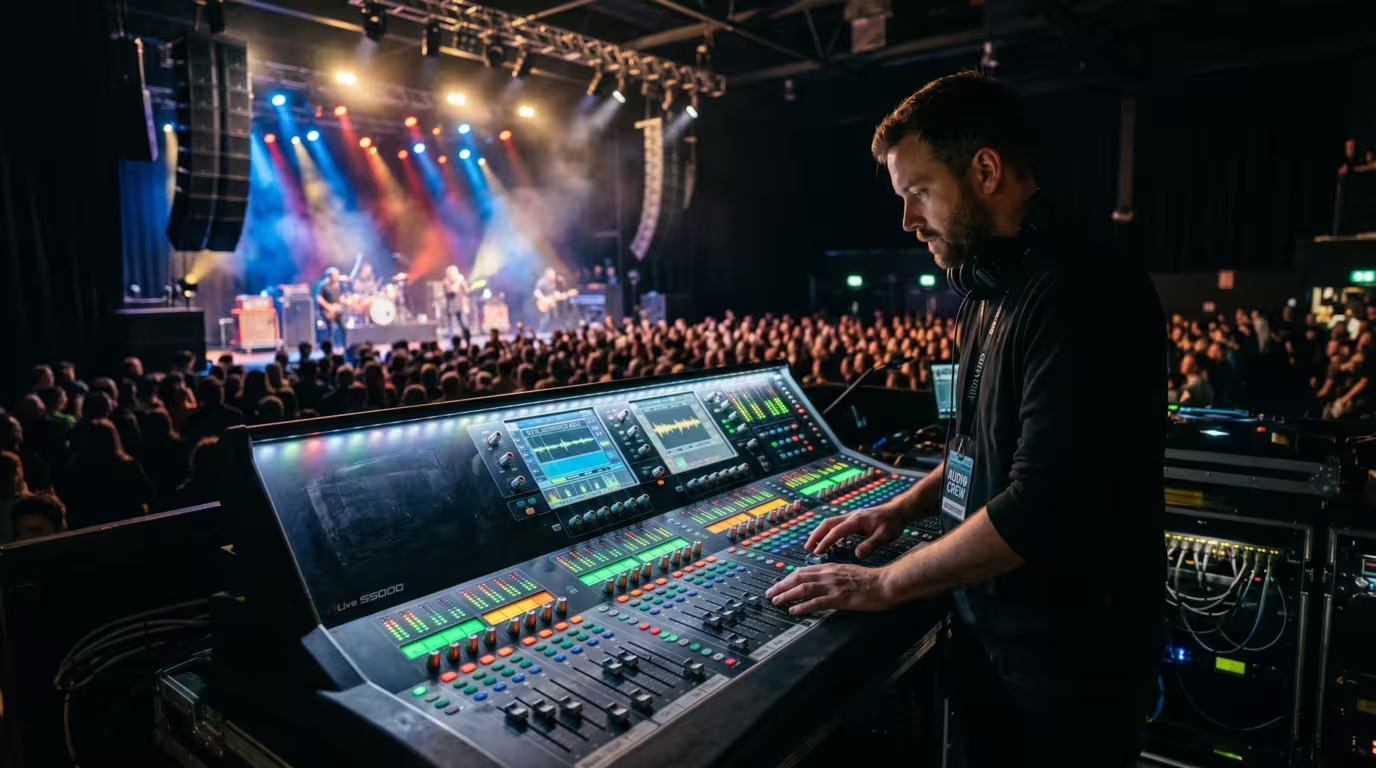
If the venue has a sound engineer or house tech, they own the system — and they are there to help. Introduce yourself, ask where to plug in, ask what level they want from you, and flag anything unusual before you start. Do not change the system EQ, crossovers, amplifier settings, or master; those are theirs. Good communication with the engineer is the fastest way to sound great and to be invited back. If there is no engineer — which is common and not abnormal, especially at smaller nights — be even more conservative: keep well clear of the master, watch your meters, and respect any limiter.
Soundcheck, Line Check, and Changeovers
Arrive early. Beyond meeting the promoter and getting a feel for the room, the practical reason is to line-check your connection — confirm your USB loads on the house CDJs, or that your controller/laptop is feeding the spare channel — before you are live. Use the channel's headphone cue and the mixer's meters to verify signal without opening the fader to the room.
The changeover between DJs is where new club DJs panic, so keep it mechanical. If you are on USB, it is straightforward: load your first track on the spare CDJ (the one the outgoing DJ is not currently playing from), cue it in your headphones, and mix in as they mix out. Do not pull the previous DJ's USB, unplug the house mixer, or yank live cables. If there is no spare input for your controller, only ever touch the source that is not currently playing. As widely shared changeover advice notes, pulling the wrong cable in the middle of a busy night is the stuff of anxiety nightmares — so if you are on a laptop or Serato rig, get set up on a spare channel early, ideally with the tech's help. Tidy the booth as you would hope to find it, and leave room for the next DJ's bag and gear.
Booth Monitors
The booth has its own monitor speakers so you can hear what you are doing over the room. These are fed by the mixer's booth output, which is separate from the master and has its own level control (and on many DJMs its own EQ). Importantly, the booth output is independent of the master — on Pioneer's DJMs there is no peak limiter on the booth out — so you can turn yourself up or down without affecting the dancefloor volume at all. Set the booth just loud enough to hear over the room, reset it when you take over from another DJ, and don't blast it: a too-loud booth wrecks your ears, fatigues your judgement, and tempts you into pushing your channel gains up to compete. Wear earplugs and keep the headphone level roughly matched to the booth rather than cranking one against the other.
Common Mistakes and Booth Etiquette
Most first-gig disasters are avoidable. The do's and don'ts below capture the consensus across DJ-education and live-sound sources.
| Do | Don't |
|---|---|
| Bring your own headphones, USB sticks (plus a backup), and adapters | Touch or raise the master volume — that's the venue/engineer's |
| Prepare music in rekordbox export format on a FAT32/exFAT USB | Change the system/booth EQ, crossover, or amp settings |
| Arrive early and line-check your connection before you play | Unplug the house mixer or the previous DJ's gear/USB |
| Set channel trim into green/amber; keep out of the red | Redline or fight the limiter — back off instead |
| Ask the engineer or resident if anything is unclear | Plug a line-level source into a phono input |
Above all, be humble and clean. A new DJ who plugs in quietly, keeps the levels healthy, respects the engineer, and hands over a tidy booth will get rebooked far sooner than a louder, flashier one who trips the limiter and re-EQs the room.
Key takeaways
• The club standard is CDJs around a Pioneer DJM; the mixer's master out is wired to the PA — you play through the mixer, never into the amps or speakers.
• The simplest, most reliable connection is a rekordbox-exported USB on the installed CDJs; carry a backup stick.
• Bringing a controller means feeding its master out into a spare LINE channel (not phono) on the house mixer.
• Set your level with the channel trim into green/amber, and leave the master to the venue/engineer.
• Many systems have a limiter (sometimes a legally required noise limiter) — if it clamps or distorts, turn down, don't fight it.
• Arrive early, line-check, change over cleanly without unplugging live gear, mind the booth monitor, and respect the engineer.
Ready-made, exclusive EDM tracks with full rights — released as your own.
