The difference between a DJ who looks effortless and one who looks panicked is almost never talent — it is preparation. A prepared DJ can spend the whole set reading the room and making creative choices, because the music, the USBs, the gear, and the plan are already sorted. This article is your end-to-end preparation routine and master checklist for any club, bar, or event gig. It focuses on the practical, logistical work you do before you leave the house, and points you to companion articles for the deeper foundations.
Why preparation matters
There is an old saying that fits DJing perfectly: fail to prepare, prepare to fail. The pros improvise heavily on the night, but that improvisation rests on meticulous preparation done at home. When your tracks are analyzed, your cue points are set, your crates are organized and your USBs are tested, your brain is free to do the one thing software cannot do for you: read the crowd and respond.
Showing up unprepared invites the classic gig disasters — a forgotten headphone adapter, a USB that won't load on the club's CDJs, tracks with no beatgrids that you are frantically analyzing while the dancefloor empties. Preparation is simply the cheapest insurance you can buy against gig-day stress. As Digital DJ Tips stresses, you should never leave home without a plan B, because hardware failure eventually happens to everyone.
For how to actually structure the music you play once you are up there, see our companion articles Building a DJ Set and Warm-Up, Peak-Time, and Closing Sets. This article is about everything that happens before that.
Music library preparation
Preparation starts with curating the right music for this specific gig. Resist the temptation to bring your entire collection — that is how DJs end up scrolling endlessly and panicking. Instead, build a focused selection that matches the venue, crowd, and your slot.
Pack a crate, not your whole library
A widely taught rule is to bring roughly twice the music you expect to play. If you are playing a three-hour bar set at around twenty songs an hour, you'll play about sixty tracks, so pack a crate of around 120. This forces you to think hard about every tune and picture the actual room, while still leaving plenty of flexibility and Plan B tracks for when things don't go to plan.
Organize into crates and playlists
Organize your selection into crates, playlists, or folders that make sense under pressure — by energy (openers, peak-time, closers), by genre, by BPM range, or by tiers like must-plays and maybes. Both rekordbox and Serato let you build smart crates and intelligent playlists that auto-populate based on rules you set (genre, key, BPM, comments, date added), which is a fast way to keep things current. Keep individual crates manageable — many DJs cap them around 75 to 125 tracks so you're playing from a tight list rather than an unwieldy library.
Know your tracks and keep it fresh
Really listen to your tracks and know them inside out — their structure, breakdowns, vocal sections, and best mix points. That knowledge is what lets you change plans on the fly. Keep your library fresh by regularly adding new music, and do extra practice with any new tracks in the days before the gig so you know how they behave.
Track analysis and metadata
This is the work that absolutely must happen at home, never at the gig. Pioneer DJ's whole Prepare and Perform concept is built around doing analysis in advance so you can perform freely later.
Analyze every track in your DJ software so it has BPM, key, beatgrids, and waveforms. rekordbox can pull analysis data from a cloud server to speed this up, and offers different analysis modes — static for steady electronic music, dynamic for live or older recordings with tempo drift, plus a high-precision option for more accurate downbeats.
Then check your beatgrids. Automatic analysis is good but not perfect; a wrong beatgrid (or a track read at half tempo, like 87 BPM instead of 174) will ruin a sync or a blend. Both rekordbox and Serato let you correct grids manually, and locking a track in Serato protects your edits from being overwritten on re-analysis.
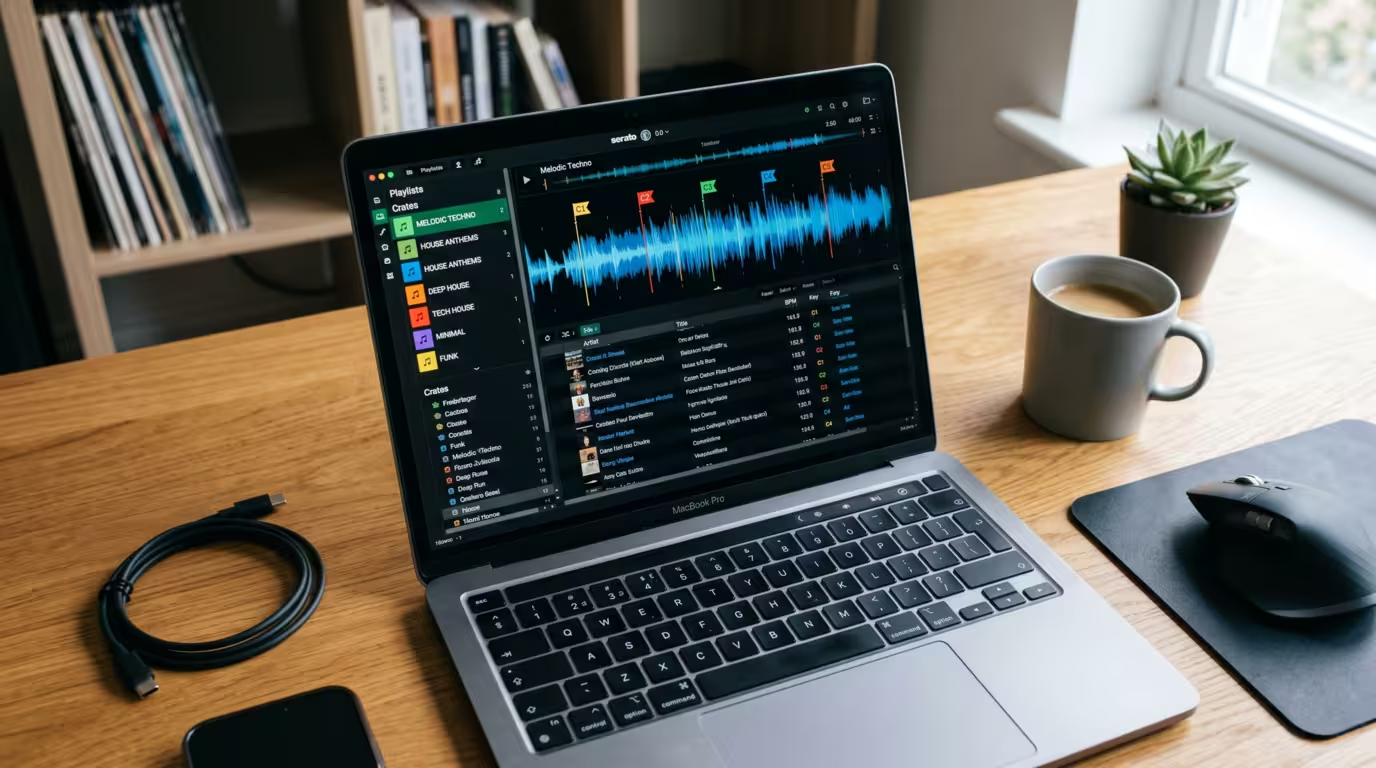
Set your cue points and saved loops in advance. Hot cues at the intro, the drop, and the breakdown let you jump around a track instantly and navigate live without guesswork; memory cues and active or saved loops give you safe places to mix in and out. rekordbox 7 can even auto-set hot and memory cues based on your personal cue tendencies. Finally, tag your tracks with genre, energy, key, and comments so your crates and search stay useful. All of this travels with the track when you export.
USB, media, and software preparation
For club gigs, this is the single most failure-prone part of preparation, so it deserves the most care. The standard club workflow is to prepare your library in rekordbox and export it to a USB drive that you plug into the venue's CDJs. As Pioneer DJ recounts in its history of the software, this workflow dates to the 2009 launch of the CDJ-2000, the first model in the line to include a USB port, bundled with rekordbox — finally freeing DJs from carrying physical media.
Format the USB correctly
CDJs are particular about file systems. Per AlphaTheta's own Help Center, the flagship CDJ-3000 supports FAT, FAT32, exFAT, and HFS+, and explicitly states that NTFS is not supported — so a drive left in the Windows-default NTFS format will fail in the booth. FAT32 is the safest, most universally compatible choice across every generation of CDJ, and Pioneer hardware also wants the Master Boot Record (MBR) partition scheme. The catch: FAT32 has a 4 GB per-file limit and Windows' built-in tools only format it up to 32 GB, which is why many DJs simply use multiple smaller 32 GB sticks. exFAT removes the 4 GB file limit and handles huge volumes, but it is only supported on newer gear — exFAT export arrived in rekordbox version 6.6.2 in March 2022 and requires recent firmware (CDJ-3000 v1.20, XDJ-XZ v1.23, XDJ-RX3 v1.11), so verify before you rely on it. Whichever you choose, prepare the drive with rekordbox — Pioneer DJ explicitly advises preparing all your files with the software, and DJs who use un-prepped sticks are the ones who hit read errors.
Always carry a backup USB
This is the number one redundancy rule in DJing. USB sticks are small, cheap, and fail at the worst moment, so carry at least two identical copies — and many pros carry more. Bring at least two USBs loaded with identical content, partly because the Pro DJ Link cable between CDJs is unreliable and you want a stick for each player. Some experienced DJs carry three or four. Back up your main library on your computer too.
Mind firmware and library formats
rekordbox and CDJ firmware compatibility is a real, current consideration, not a theoretical one. On October 21, 2025, a CDJ-3000 firmware update (Ver. 3.30) caused USBs to appear empty for many DJs — including BBC Radio 1's Jaguar, mid-set at London's Drumsheds, who told Resident Advisor that she loaded both sticks and found her playlists, tracks and history all showing up blank, calling the experience a nightmare. The players had begun prioritizing AlphaTheta's newer OneLibrary (Device Library Plus) format over the legacy Device Library, and many sticks only carried the old format. AlphaTheta temporarily withdrew the firmware, confirmed no music or data was deleted, and separately pulled rekordbox 7.2.12 over a related USB export bug. The practical lessons: keep rekordbox updated and export the modern library format, but also keep sticks that you know work; consider carrying drives exported from more than one rekordbox version; ask what firmware the venue's players are running; and test your USB on real CDJs (a local store or a friend's decks) before a big gig.
Test before you leave, and streaming caveats
Always plug your finished USB into CDJs — or at least re-open it in rekordbox in Export mode — and confirm playlists and tracks load before you leave home. If you use streaming inside your DJ software, you must store tracks offline before the gig: Beatport's LINK PRO and PRO+ tiers include an offline locker for up to 50 or 100 tracks respectively, and rekordbox's offline playback for SoundCloud DJ and the TIDAL DJ Extension is available for 30 days from the date of offline storage. Spotify, by contrast, cannot be stored offline or LINK-exported at all. Never count on venue Wi-Fi to stream a set.
Gear prep and what to pack
Adopt the redundancy principle that DJ TechTools preaches: bring a spare or backup of just about everything important, and plan for the worst case because eventually it happens. What you pack depends on whether you're playing off the house gear or bringing your own.
The following checklist separates the two common scenarios. If you play off club CDJs you need very little; if you bring a controller and laptop you carry the whole signal chain.
| Item | House-gear gig (CDJs) | Own-gear gig (controller/laptop) |
|---|---|---|
| Headphones (+ spare if possible) | Essential | Essential |
| USB sticks x2+ (backed up, labeled) | Essential | Recommended as backup |
| 1/4" to 3.5mm headphone adapter | Essential | Essential |
| Laptop + charger / power supply | Not needed | Essential |
| Controller / audio interface | Not needed | Essential |
| USB data cable (+ spare) | Not needed | Essential |
| RCA cables / RCA-to-1/4" adapters | Optional | Essential |
| Phone + charger, ID, earplugs | Essential | Essential |
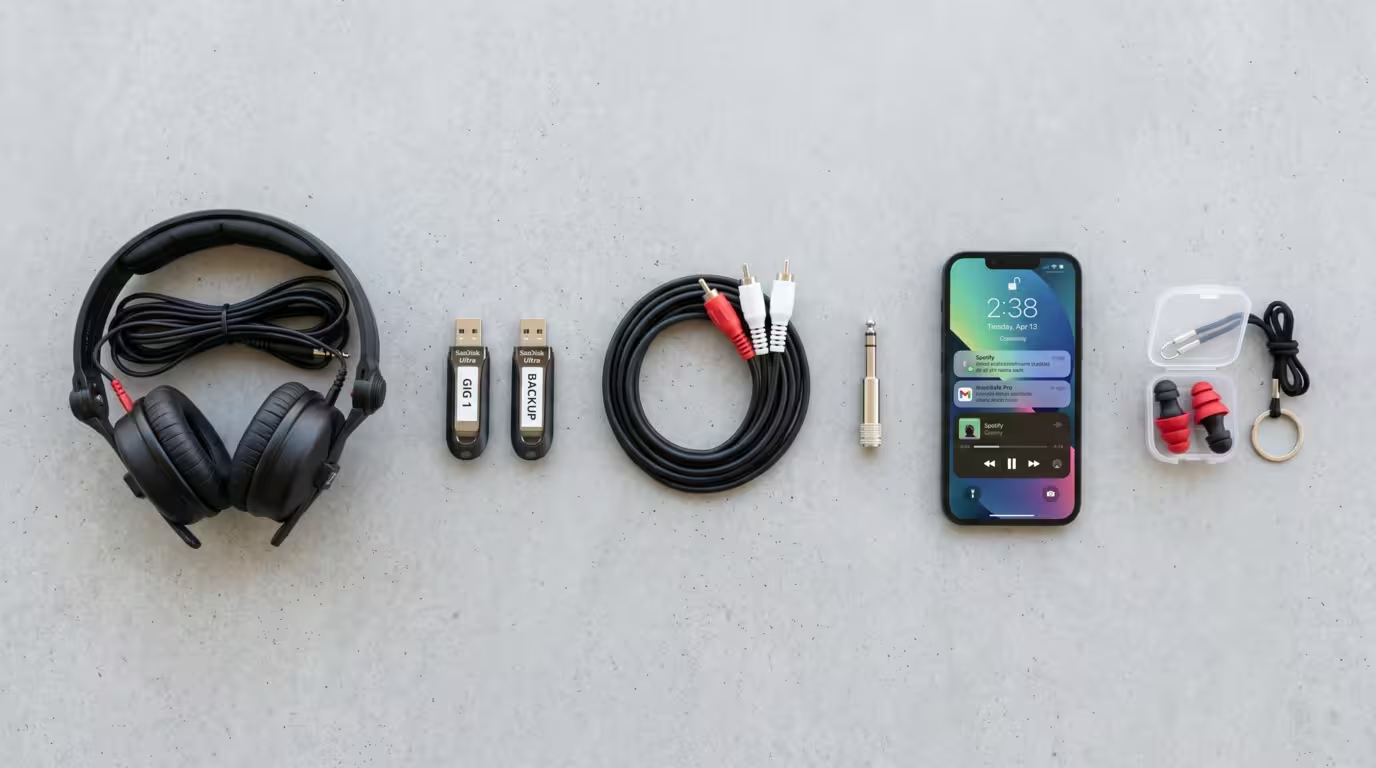
A few notes on that list. The 1/4-inch headphone adapter is the single most-forgotten item in DJing — DJ TechTools jokes about how many they've left behind in club mixers — so keep a spare permanently in your bag. USB data cables genuinely go bad, so pack a backup. Earplugs protect the tool your whole career depends on. And keep a permanent, always-stocked gig bag so the essentials never depend on memory; a written packing list taped inside it is the simplest insurance there is. For a full breakdown of plugs and adapters, see our DJ Cables and Connections article.
Researching the gig
Good preparation depends on knowing what you're walking into, so do your homework before you pack. Confirm the practical details with the promoter or venue: what gear is provided (CDJ model and firmware, mixer model) so you prep the right format and aren't surprised by the layout; your set length and slot time; the type of event and crowd; who else is on the lineup and when; and load-in, contact, and timing details. Keep your phone charged and stay contactable, because set times change.
Knowing the exact gear matters for your USB prep — an older mixer or player changes your cable and format decisions. For reading and researching the crowd in depth, see Reading the Crowd, and for everything about the booth, plugging in, and setting levels, see Connecting to a Club Sound System.
Planning the set (loosely)
Prepare a plan, not a prison. The goal is a loose arc and a set of key tracks, not a rigid track-by-track setlist you can never deviate from. Know your likely opener and a few possible closers, sketch where your big moments might land, and prepare if-then options so you're never stuck for what to play next.
Crucially, rehearse. Practice your transitions and any tricky mixes at home, and consider playing the whole slot through once as if it were real — start your opener and keep going without stopping for the full length you'll play. This builds comfort with unlikely transitions so the ones you actually do on the night feel easy, and it settles the nerves that hit hardest in the first fifteen minutes. For the deeper theory of set programming and energy arcs, lean on Building a DJ Set.
Gig-day and arrival
The night before or the morning of, charge everything — laptop, phone, and any battery devices. Do a final check of your bag against your packing list. Then, the golden rule echoed by virtually every DJ educator: arrive early. Showing up early lets you avoid rushing, support the other DJs, watch what's working on the floor, and — most importantly — line-check your gear on the actual setup before you play.
Plug your USB into the venue's CDJs and confirm your library loads. Check your headphone level and get a feel for the booth monitor. If you're bringing a controller, connect it and confirm signal before the previous DJ finishes. (Our Connecting to a Club Sound System article covers booth etiquette, gain staging, and swapping over cleanly.) Then eat something, hydrate, and let the nerves pass — you've done the work.
The master checklist
Use this consolidated checklist before every gig. It mirrors the workflow above so nothing slips through the cracks.
| Stage | Key tasks |
|---|---|
| Music | Curate ~2x the tracks you need; organize crates/playlists by energy, genre, BPM; know your tracks; add fresh music |
| Analysis | Analyze all tracks (BPM, key, grids, waveforms); fix beatgrids; set hot cues and saved loops; tag tracks |
| USB / Software | Update rekordbox; format USB (FAT32 + MBR, or exFAT if supported); export library; carry 2+ backups; test it loads |
| Gear | Pack headphones, USB x2+, 1/4" adapter; add laptop, controller, cables, chargers if bringing own gear |
| Research | Confirm provided gear/firmware, set length/slot, crowd, lineup, load-in, contact |
| Set plan | Know opener and closers; loose arc; if-then options; rehearse transitions |
| Gig day | Charge devices; final bag check; arrive early; line-check on real gear; eat/hydrate |
Tips and common mistakes
Don't leave prep to the last minute, and never analyze tracks at the gig. Always bring a backup USB and back up your library. Format your USB correctly and prepare it in rekordbox. Test everything before you leave home. Pack spare cables and adapters, especially that 1/4-inch headphone adapter. Charge your devices the night before. Label your USBs clearly so you grab the right one. Bring more music than you need, but don't overload the drive. Don't rely on venue Wi-Fi for streaming — store offline. Check that the provided gear and firmware match your prep. And don't over-plan a rigid setlist; prepare a flexible toolbox and leave room to read the room. Keep a permanent gig bag stocked so the essentials are never a question.
If you want to capture your hard work, see Recording Your DJ Mix, and if you're still assembling your collection, Building Your First Music Library will help you build the raw material that all of this preparation organizes.
Key takeaways
• Preparation is what frees you to improvise and read the crowd — prepare meticulously even though you'll play spontaneously.
• Analyze tracks, fix beatgrids, and set cue points and loops at home, never at the gig.
• For CDJ gigs, prepare and export your library in rekordbox, format the USB correctly (FAT32/MBR, not NTFS), and always carry at least one backup USB.
• Keep rekordbox updated and mind firmware and library-format compatibility, then test that your USB loads on real gear before you play.
• Pack a permanent gig bag — headphones, USBs, 1/4" adapter, and (if bringing your own rig) cables and chargers — and arrive early to line-check.
Ready-made, exclusive EDM tracks with full rights — released as your own.
