Spec sheets are where most gear comparisons go to die. You see "5 Hz–40 kHz," "250 Ω," "100 dB/mW," "95 W RMS" and a wall of other numbers, and it is not obvious which ones change how the gear sounds and which are there to look impressive. This article decodes the specifications on headphone and studio-monitor data sheets — what each term means, its units, what is typical, and what actually matters in practice. For advice on which models to buy, see the companion guides Choosing DJ Headphones and Choosing Studio Monitors; for the frequency spectrum itself, see Audio Frequency Ranges Explained. Here we focus on reading the numbers.
The One Rule for Frequency Response
Frequency response is the spec everyone quotes and almost everyone misreads. The headline figure is a range in hertz (Hz) — for example 20 Hz–20 kHz, or a wider 5 Hz–40 kHz on the flagship Pioneer DJ HDJ-X10. The problem: a bare Hz range tells you almost nothing on its own. It only states which frequencies a device can produce at some level, not how evenly. A theoretical headphone rated 10 Hz–40,000 Hz could have a huge dip in the midrange and still earn that number.
What matters is the ± dB tolerance — the maximum deviation across the range. As Audio University puts it, without a stated tolerance the frequency range alone is very vague: a device might pass frequencies from 20 Hz to 20 kHz, yet hide terrible peaks and dips you would never know about. So "20 Hz–20 kHz ±3 dB" is a meaningful claim; "20 Hz–20 kHz" alone is marketing. Many manufacturers deliberately omit the tolerance to make their products look more capable. For reference, a 3 dB change is the smallest deviation most listeners reliably notice in music — it represents a doubling or halving of acoustic power (a side-by-side just-noticeable difference can be closer to 1 dB). The shape of the response — flat versus coloured (bass-boosted, bright) — matters far more than the extremes.
Two more truths. First, most quoted ranges already exceed human hearing, which is about 20 Hz–20 kHz and narrows with age, so a headphone reaching 40 kHz is not giving you audible treble you were missing. Second, a flat/neutral response is the studio ideal because it tells you the truth about your track; a fun, bass-heavy curve flatters music but misleads mixing decisions. The single most useful artefact is the frequency-response graph (a curve of level versus frequency), not the one-line spec — though, as RTINGS and Headphones.com both stress, even graphs should be read as overall tonal tendencies rather than judged on tiny individual peaks.
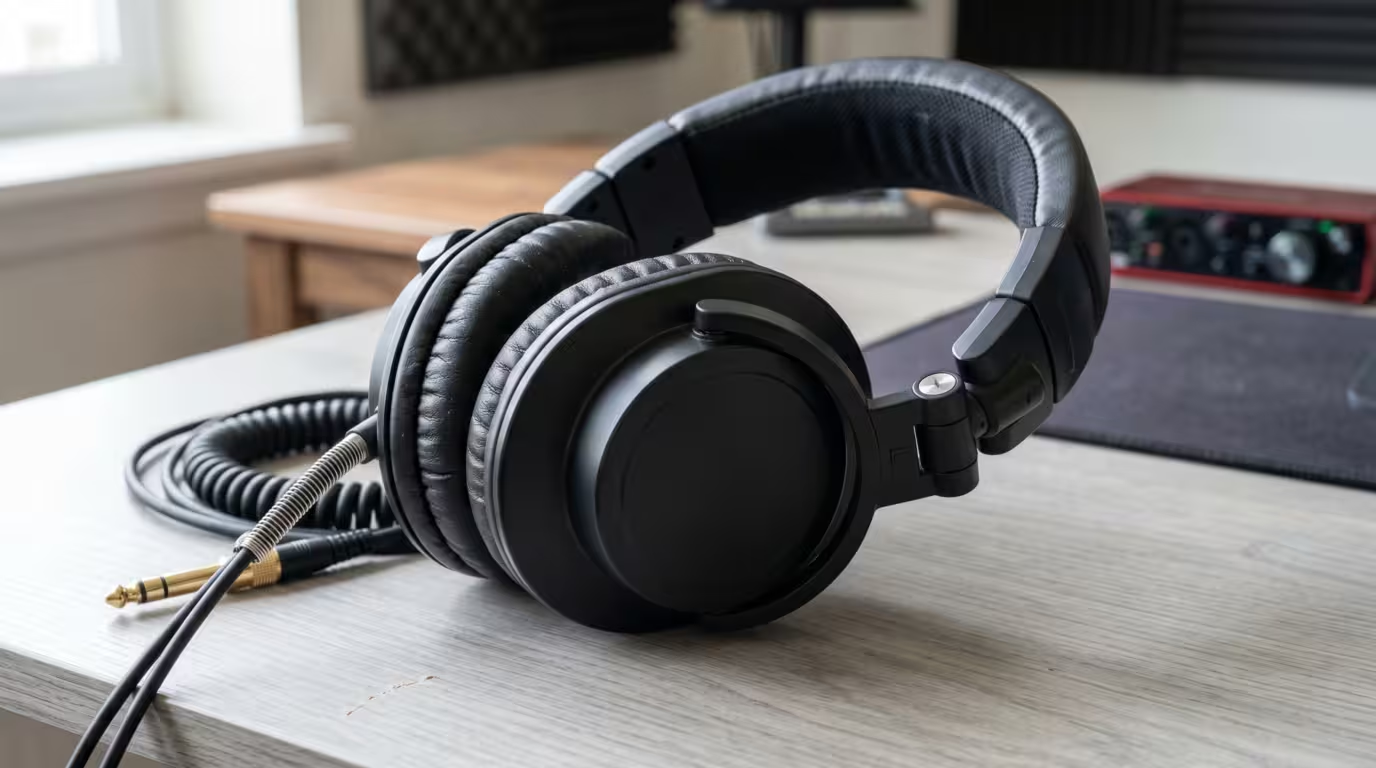
Headphone Specs Decoded
Impedance (ohms, Ω)
Impedance is the headphone's electrical resistance to the alternating current of an audio signal, measured in ohms (Ω). It is the spec that decides whether your source can drive the headphones loudly and cleanly. Low-impedance headphones (roughly 16 to 32 Ω) are easy to drive and reach high volume from phones, laptops and DJ gear. High-impedance models (80, 250, even 600 Ω) need more voltage and usually a dedicated headphone amp or pro audio interface to reach proper volume — plug 250 Ω headphones into a phone and they will sound feeble at full volume.
The Beyerdynamic DT 770 PRO is the textbook example: it ships in 32, 80 and 250 Ω versions of the same headphone. Beyerdynamic's own guidance is explicit — 32 Ω is for mobile devices, 80 Ω for universal studio use, and 250 Ω for professional gear and studio mixing. This is exactly why most DJ headphones sit at the low end — the Pioneer DJ HDJ-X10 is 32 Ω and the Sennheiser HD 25 is 70 Ω — so they go loud off a mixer's headphone output without an extra amp. Higher-impedance headphones are not better, but when properly powered they can offer benefits like better driver control (damping) and tend to be less affected by the source's output impedance. A common rule of thumb (the "1/8 rule") is that a source's output impedance should not exceed one-eighth of the headphone's impedance, which keeps the resulting frequency-response error under about 1 dB.
Here is the quick reference:
| Impedance | Drivability | Needs an amp? |
|---|---|---|
| 16–32 Ω | Easy off phones, laptops, DJ gear | No |
| 33–100 Ω | Works off most pro and portable gear | Usually not |
| 100–600 Ω | Needs higher voltage to get loud | Usually yes |
Sensitivity / SPL
Sensitivity tells you how loud a headphone gets for a given electrical input — in other words, how easy it is to drive. It is quoted as a sound pressure level (SPL) in decibels, either per milliwatt (dB/mW, technically efficiency) or per volt (dB/V, technically sensitivity). Higher number means louder for the same input. Most full-size headphones land around 90 to 105 dB/mW. Audio-Technica's official ATH-M50x specs, for example, list a sensitivity of 99 dB alongside a 38 Ω impedance and a maximum input power of 1,600 mW.
The catch is that sensitivity and impedance work together to decide drivability, and the two unit systems are not interchangeable, because delivering 1 mW to a 32 Ω headphone needs a different voltage than 1 mW to a 250 Ω one. A useful real-world shortcut: a headphone around 32 Ω with sensitivity near 99 dB/mW or higher will be plenty loud off a phone. Because decibels are logarithmic, a 10 dB difference in sensitivity is a large real-world loudness gap, not a rounding error.
Driver Size and Type
The driver is the tiny loudspeaker inside each ear cup. Its diameter is quoted in millimetres — 40 mm and 50 mm are common in DJ and studio headphones (the HDJ-X10 uses a 50 mm driver; the ATH-M50x uses 45 mm). A larger driver can move more air and often helps with bass and output, but bigger is not automatically better — tuning and build matter more than raw size.
Almost every DJ and studio headphone uses a dynamic (moving-coil) driver: a coil attached to a diaphragm sits in a magnetic field and moves when the signal passes through it. It is robust, efficient and easy to drive. Planar magnetic drivers (used by brands like Audeze and HiFiMAN) use a thin flat diaphragm with embedded conductors between magnet arrays; they can offer very low distortion and detail but are usually heavier, pricier and more power-hungry — rare in DJ contexts. For DJing, dynamic drivers are the norm and the right choice.
Total Harmonic Distortion (THD)
THD is the percentage of unwanted harmonic content the headphone adds to the signal — distortion that was not in the original. Lower is better. In practice it is rarely a deciding factor: most decent headphones sit well below 1%, and many premium models are at or below 0.1%, where it is effectively inaudible. Distortion usually only becomes a problem when you push a driver to extreme volume. Treat THD as a tie-breaker, not a headline spec — and be wary of marketing that frets over a difference between 0.01% and 0.1% that you will never hear.
Open-Back vs Closed-Back (and Semi-Open)
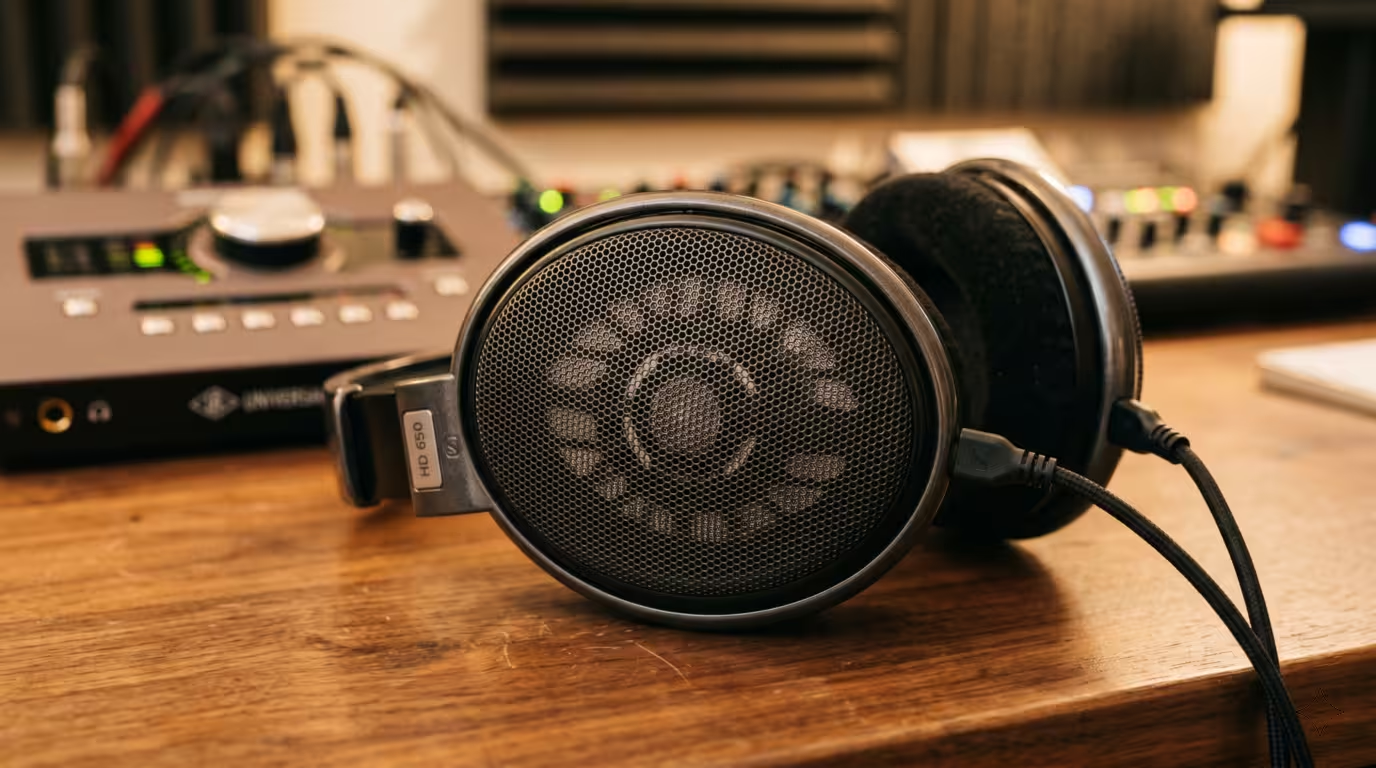
This is a design spec with real acoustic consequences, and for DJs it is close to decisive. Closed-back headphones have sealed ear cups. They isolate you from outside noise, keep your audio from leaking out, and tend to deliver more low-end punch — which is why nearly every DJ headphone (Sennheiser HD 25, Pioneer DJ HDJ-X10, Audio-Technica ATH-M50x) is closed-back: in a loud booth you need to hear your cue over the system. Open-back headphones have perforated or grilled cups that let air and sound pass freely. They produce a wider, more natural soundstage and less ear fatigue, which is great for quiet studio mixing, but they leak sound badly and provide no isolation — useless in a club. Semi-open designs sit between the two: the Beyerdynamic DT 880 is the classic example, described by Beyerdynamic as letting some ambient noise in and out but attenuating it more than a fully open headphone would (it is offered in 32, 250 and 600 Ω versions with a quoted 5–35,000 Hz range — note, with no ± dB tolerance published).
Keep two terms separate: isolation is how much outside noise is blocked from getting in; leakage is how much of your audio escapes out. As RTINGS notes in its open vs. closed-back explainer, open designs lead to significant sound leakage. Closed-back wins on both counts, and both matter in the DJ booth. For the full buying rationale (why DJs need closed-back), see Choosing DJ Headphones.
The Specs That Are Not on the Sheet
A few practical factors barely show up as numbers. Cable: DJ headphones favour coiled and/or detachable cables (the HD 25 and HDJ-X10 both use replaceable cables) so a snagged cable does not end the headphone. Wireless/Bluetooth: irrelevant — and a liability — for DJ cueing, because Bluetooth adds latency that throws off beatmatching, so cue headphones stay wired. Weight and clamping force decide long-session comfort and never appear meaningfully in a single number, so this is where reading reviews and trying them on beats reading the spec sheet.
Studio Monitor Specs Decoded
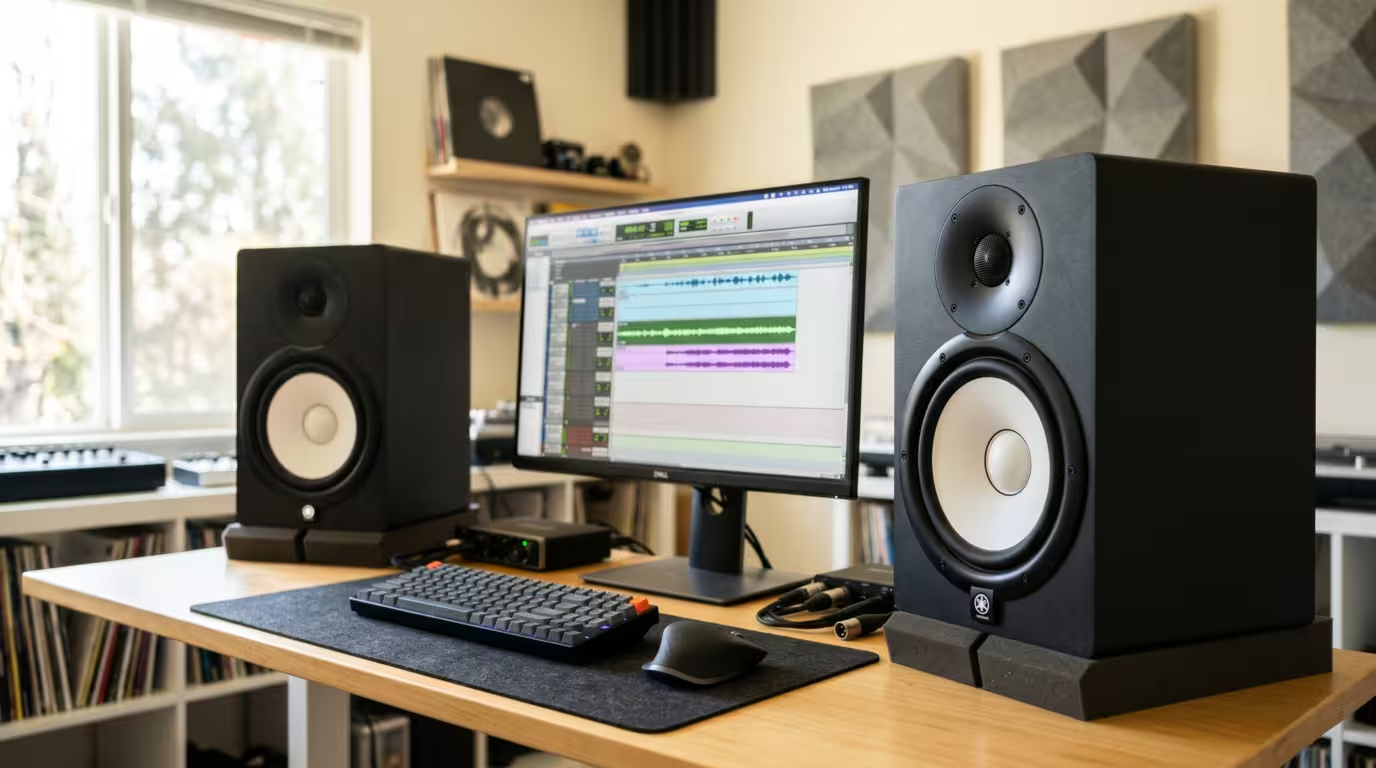
Studio monitors are a different beast from hi-fi speakers, and their spec sheets reward a different kind of reading. The image below shows the typical layout the specs describe.
Active vs Passive
Active (powered) monitors have the amplifier(s) built in: you feed them a line-level signal plus mains power and they make sound. Passive monitors have no amplifier and need an external power amp. The overwhelming majority of studio monitors — and effectively all nearfield monitors for home and project studios — are active, because building the amp in lets the manufacturer match each amplifier precisely to its driver. As Sound on Sound explains, an active monitor has multiple power amplifiers built into the cabinet, one per driver, with the frequency-band splitting done on the line input signal before the amplifiers. That is the bi-amped design: a separate amp for the woofer and another for the tweeter, fed by an active crossover that splits the signal before amplification. If a monitor plugs into the wall, it is almost certainly active.
Nearfield vs Midfield
Nearfield describes a monitor designed to be listened to up close — typically within about 0.9 to 1.5 m (3 to 5 ft). Per Wikipedia's studio-monitor entry, a near-field speaker is small enough to sit on a stand or desk close to the listener, so most of what you hear comes directly from the speaker rather than reflecting off walls and ceilings. That is why nearfields are the standard for home and project studios where the room is untreated. Midfield (and farfield) monitors are bigger, more powerful, and meant to be heard from several metres away in larger, treated rooms — a 3-way midfield such as the Neumann KH 310 A is tri-amplified with 150 W for the woofer plus 70 W each for the midrange and tweeter, far more than a desktop nearfield. For most DJs and bedroom producers, nearfield is the category that matters.
Frequency Response (Monitors)
Everything from the headphone section applies — look for the ± dB tolerance, not just the Hz range — but for monitors the goal is explicitly a flat, neutral response. A monitor is supposed to tell the truth so your mix translates to other systems; a hi-fi speaker is voiced to flatter music with boosted bass and sparkly treble. Yamaha makes this its entire pitch for the white-coned HS series, which it says was designed to give the most honest, precise reference possible, in contrast to monitors with added bass or treble that may sound more flattering at first.
The low-frequency figure is the one to study, because it relates directly to woofer size. Compare the Yamaha HS line: the 5-inch HS5 reaches down to 54 Hz (−10 dB), the 6.5-inch HS7 to 43 Hz, and the 8-inch HS8 to 38 Hz. Note Yamaha helpfully publishes two tolerances for each model — a wide −10 dB figure and a stricter −3 dB figure (the HS7, for instance, is quoted as 43 Hz–30 kHz at −10 dB and 55 Hz–24 kHz at −3 dB). Always compare like with like, and prefer the stricter −3 dB number when judging real usable bass. The bigger woofer buys deeper, more usable bass.
Driver Configuration: Woofer, Tweeter, Crossover
A typical nearfield is 2-way: a woofer handles the low frequencies and a tweeter (usually a 1-inch dome) handles the highs, with a crossover dividing the signal between them at a set frequency. The woofer size — quoted in inches, commonly 5", 7" or 8" — is the spec that most predicts bass extension and output: a bigger woofer moves more air and reaches lower. A 3-way design adds a dedicated midrange driver between woofer and tweeter, which is more common on larger and midfield monitors. Most home-studio monitors are 2-way with a 5" or 7"/8" woofer.
Power / Wattage (RMS)
Amplifier power is quoted in watts. In an active monitor it is often split per driver — Yamaha's HS7 data sheet lists 95 W output power as 60 W for the woofer plus 35 W for the tweeter, with a 2 kHz crossover. Watch the difference between RMS (continuous) and peak power: RMS is the honest, sustained figure, while peak is a brief maximum that always looks bigger. (Neumann, for instance, quotes the KH 310 A's woofer amp as 150 W continuous but 210 W peak — same amp, two very different-looking numbers.) More power means more headroom — clean reproduction of loud transients before clipping — and contributes to maximum loudness. A bigger room or bigger monitor generally calls for more watts; for a small room, the 55 W of a KRK Rokit 5 or the 70 W of a Yamaha HS5 is plenty.
Max SPL
This is the loudest output, in dB SPL, the monitor can produce (often at 1 metre). KRK's official spec for the Rokit 5 G4, for instance, lists a max SPL of 104 dB alongside a 43 Hz–40 kHz response and 55 W of Class-D power. Max SPL is a useful sanity check that a monitor can play loud enough for your room without strain, but for nearfield use at a desk you rarely approach the maximum.
Ported (Bass Reflex) vs Sealed Cabinets
The cabinet design changes the bass. A ported (bass-reflex) cabinet has a tuned opening that reinforces low frequencies, extending bass response from a given box and driver — most affordable nearfields are ported. A sealed (closed) cabinet is airtight; it typically gives tighter, more accurate transient bass but rolls off the low end earlier, so it needs more power for the same extension. Port placement matters for setup: a rear port (as on the Yamaha HS series) exhausts behind the speaker, so it needs breathing room from the wall or the bass turns boomy; a front port (as on the KRK Rokit) is more forgiving of tight placement. Sweetwater's monitor guidance is blunt: if you can't avoid placing monitors close to walls or corners, choose front-ported or sealed designs for more accurate monitoring.
Inputs
Monitor inputs are quoted as connector types. Professional active monitors take balanced connections — XLR and/or 1/4" TRS — which reject noise over cable runs; the Yamaha HS and JBL 3 Series both use balanced XLR and TRS. Cheaper or consumer-leaning monitors may add unbalanced RCA. The practical rule: use balanced cables from a balanced source wherever possible. For the full explanation, see DJ Cables and Connections and Balanced vs Unbalanced Audio.
How to Actually Read a Spec Sheet
Put the pieces together and the noise of a spec sheet resolves into a few questions that matter.
• Frequency response: ignore a bare Hz range; look for the ± dB tolerance and, ideally, the response curve. Flat/neutral is the studio goal, not enhanced bass.
• Headphones — can I drive them? Read impedance and sensitivity together. Low impedance (16 to 32 Ω) plus high sensitivity (~99 dB/mW or more) means it runs off anything; high impedance means plan for an amp.
• Headphones — where will I use them? Closed-back for DJing and loud rooms; open-back for quiet mixing. This single design choice outweighs most numbers.
• Monitors — will they suit my room? Woofer size and the low-frequency number set bass extension; room size sets how much wattage and how big a woofer you need; port placement decides how close to the wall you can go.
• Specs do not capture everything. Two headphones with identical specs can sound different; the same monitor sounds different in different rooms. Numbers narrow the field — your ears make the final call.
Here is a compact map of which spec answers which question:
| Spec | Tells you |
|---|---|
| Frequency response + ± dB | Tonal balance and accuracy |
| Impedance + sensitivity | How easy it is to drive |
| Woofer size + LF figure | Monitor bass extension |
Key takeaways
• A bare Hz range is marketing; the ± dB tolerance and the response curve are what tell you how a device really sounds.
• For headphones, impedance and sensitivity together decide drivability — low impedance and high sensitivity run off phones and DJ gear; high impedance needs an amp.
• Closed-back isolates and contains sound (the DJ choice); open-back sounds spacious but leaks; semi-open splits the difference.
• For monitors, aim for a flat response, match woofer size and wattage to your room, and mind whether the port is front or rear.
• THD and ultra-wide frequency claims are usually the least important numbers on the sheet.
• Specs narrow the choice; you still have to listen.
Ready-made, exclusive EDM tracks with full rights — released as your own.
